
Projects
Managing SharePoint permissions in Excel: the permission matrix of a project workspace
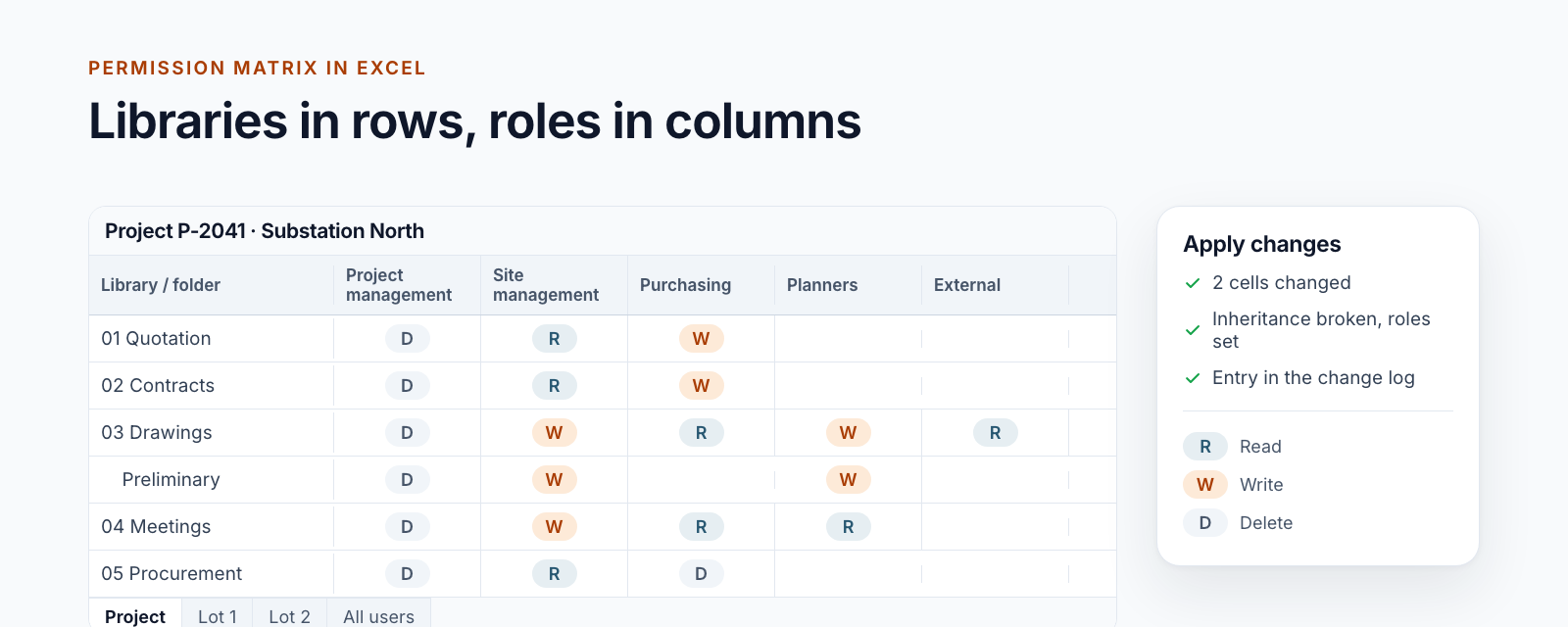
Read, change and apply the permission matrix of a project workspace in Excel: libraries in rows, roles in columns, a log entry per change.
Read moreBlog · Tag
All articles tagged “Planner & tasks”.
12 posts: “Planner & tasks”
Read, change and apply the permission matrix of a project workspace in Excel: libraries in rows, roles in columns, a log entry per change.
Read more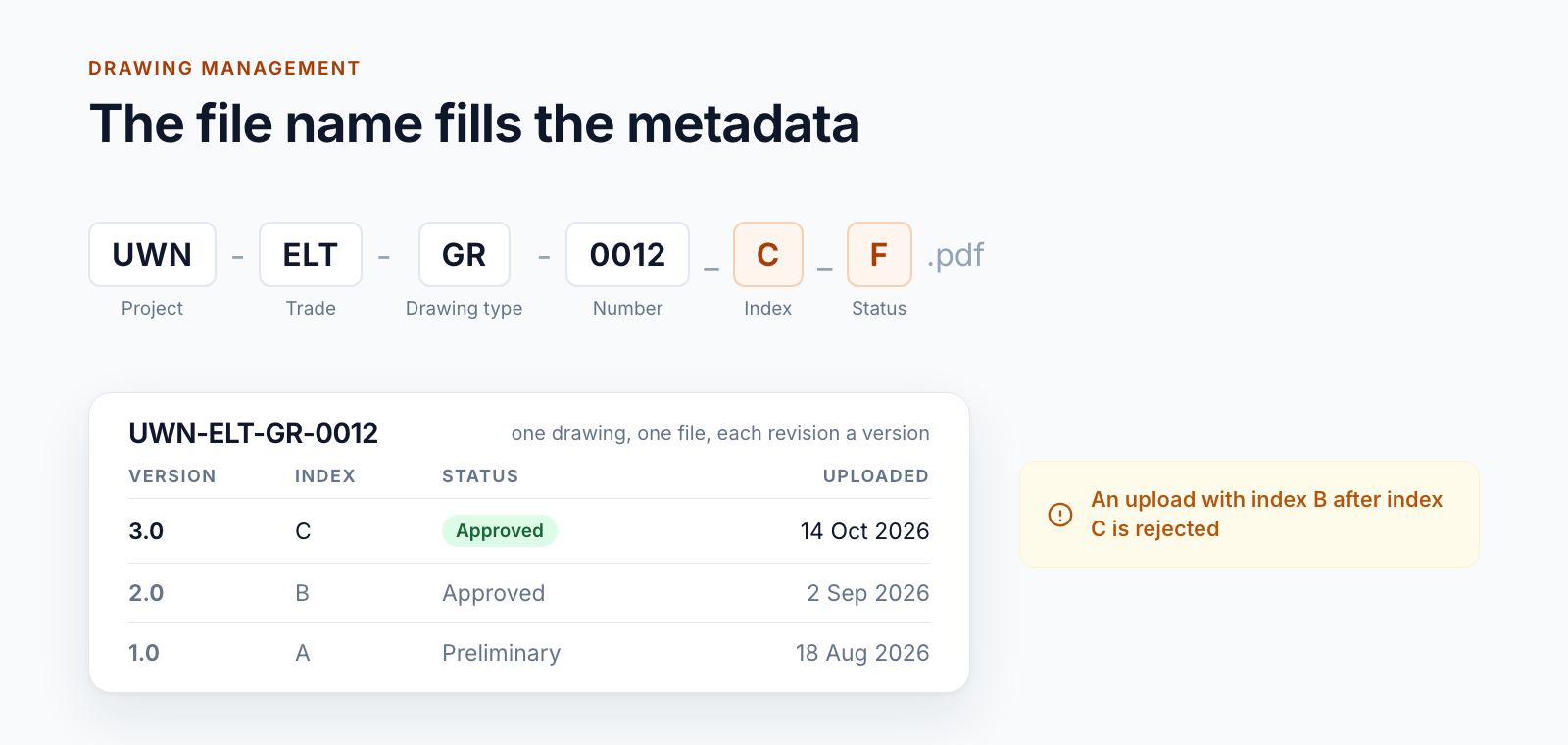
Managing drawings in SharePoint via a drawing code in the file name: metadata from the name, every index a version and where the limits lie.
Read more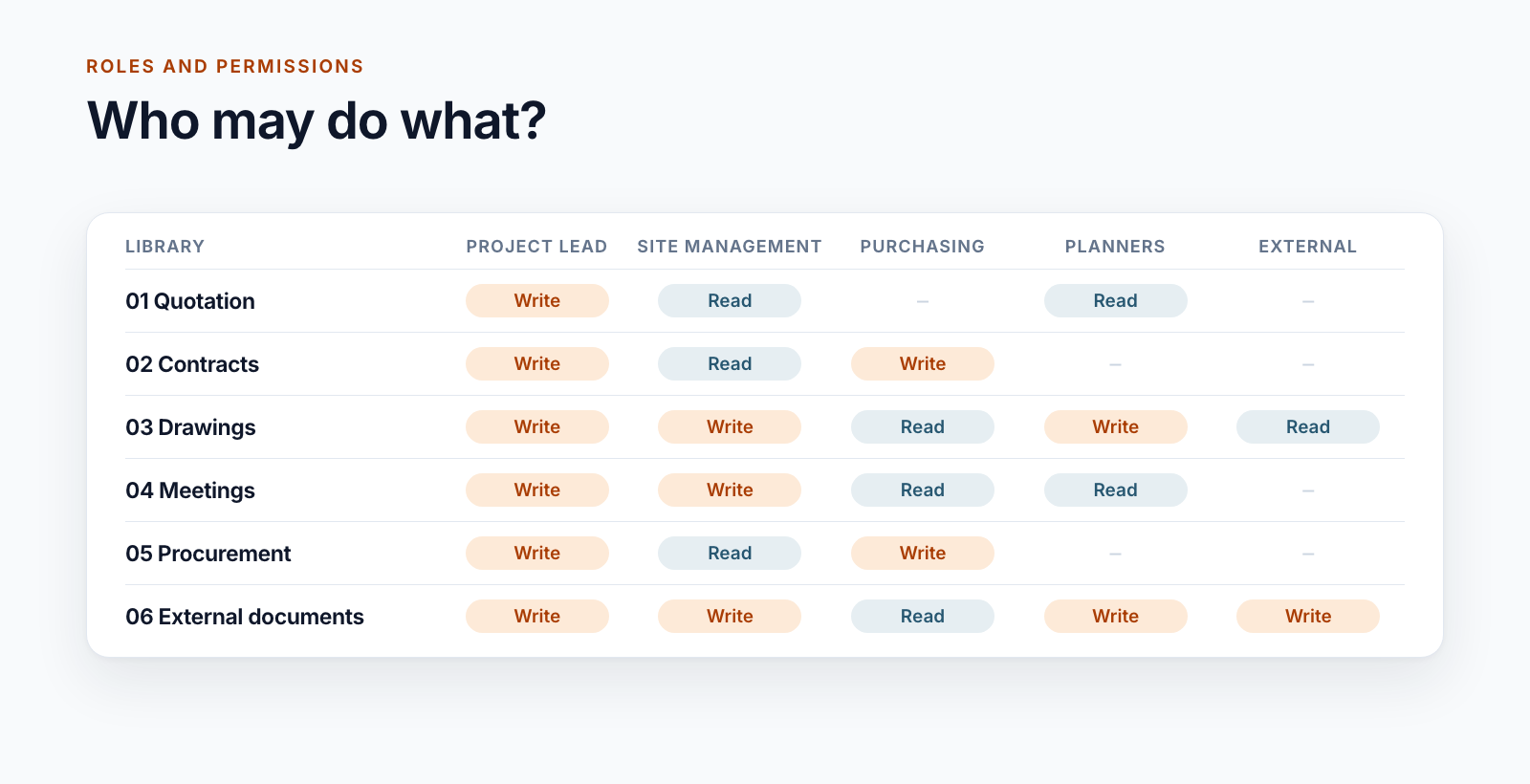
Three role models for project workspaces in SharePoint, from five roles to 26 groups per project, and the rules that keep permissions manageable.
Read more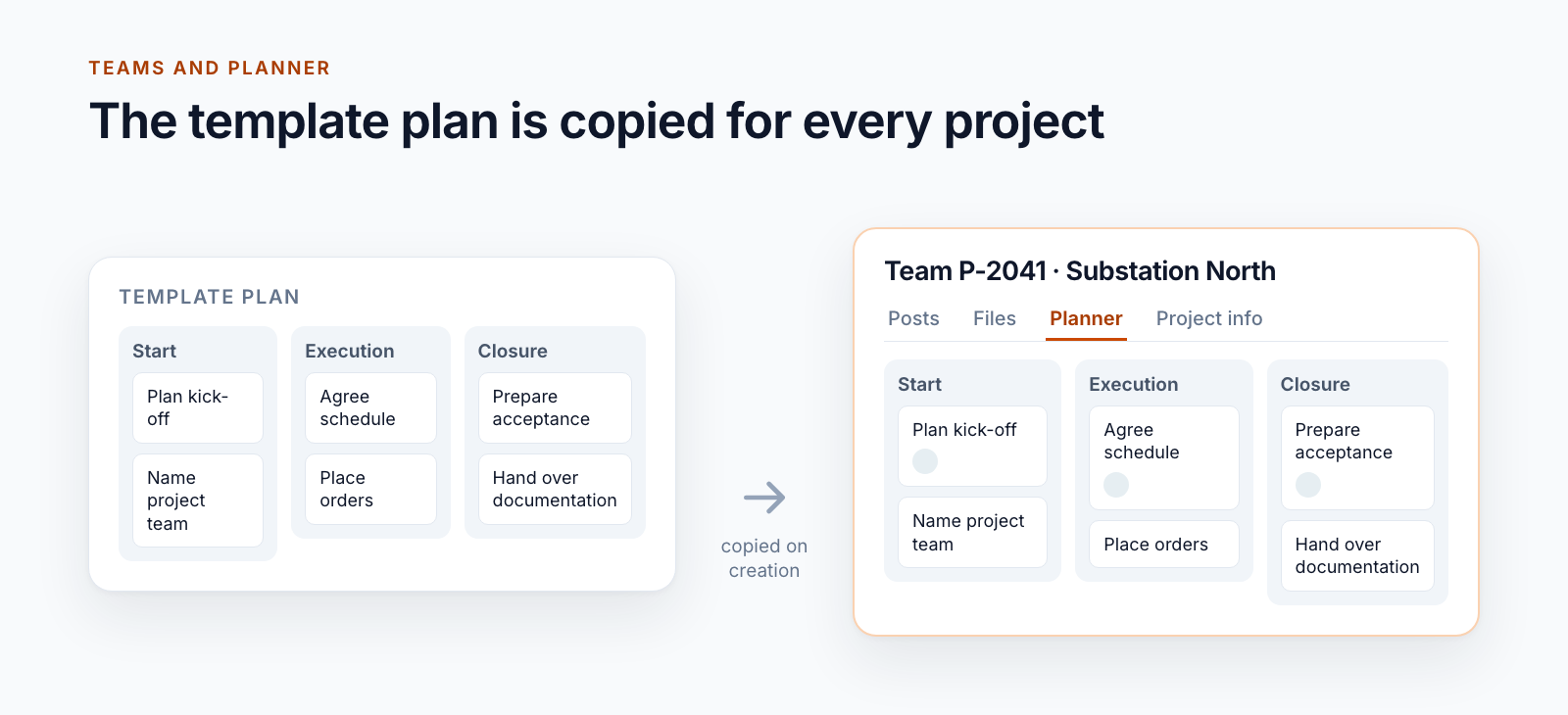
Teams templates create channels and apps, but no Planner tasks. How a template plan is copied automatically when the project team is created.
Read more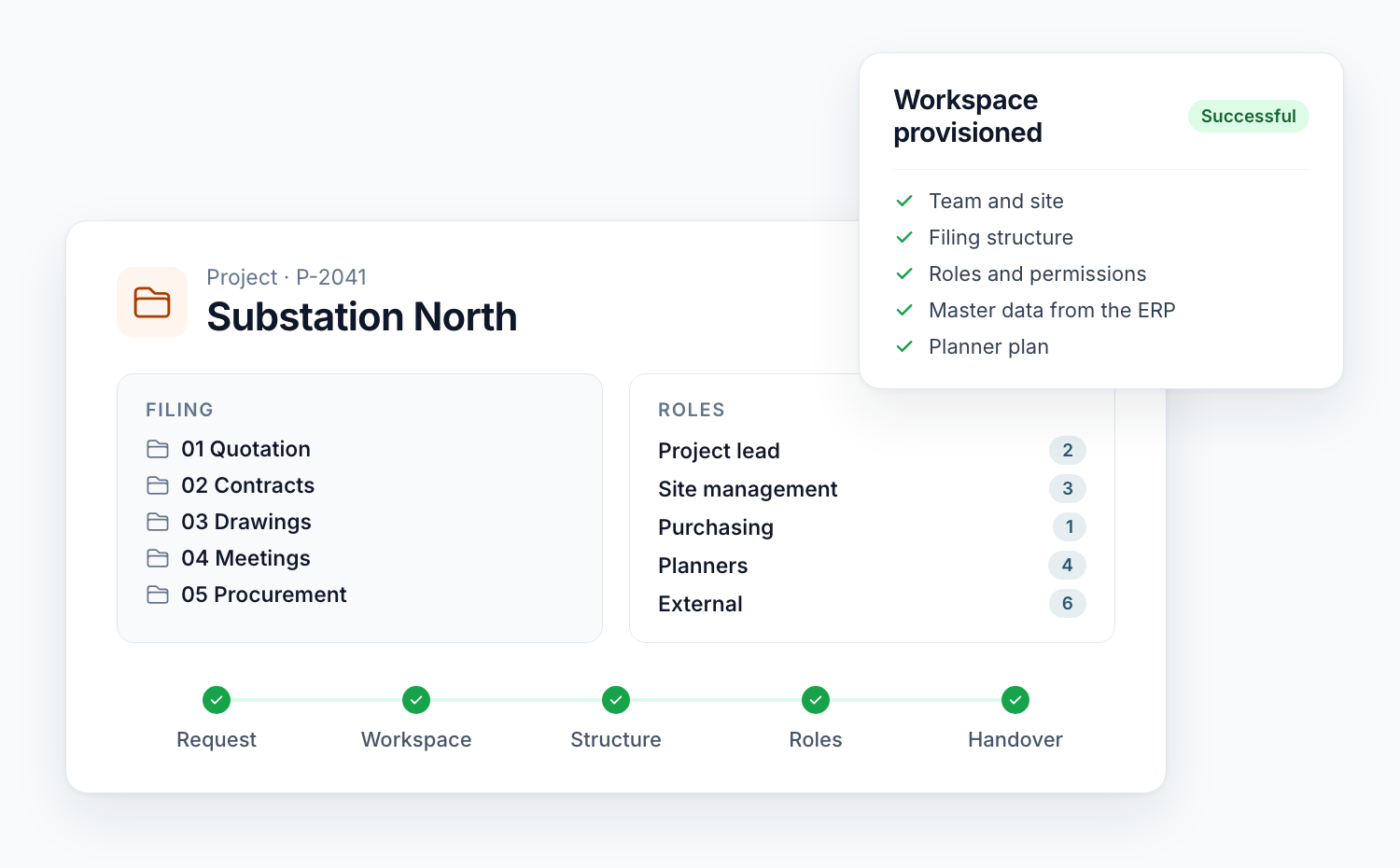
What Teams templates and site templates do for project workspaces, where they end and how provisioning with a project list, status and restart is built.
Read moreTrack time on Microsoft Planner tasks with a Power App that auto-fills task details, speeds up entry, and improves reporting, so you can focus on work.
Read moreA practical way to create recurring tasks in Microsoft Planner with templates and Power Automate — ideal for onboarding, accounting, and scheduled reviews.
Read moreAutomate recurring Microsoft Planner tasks with SharePoint and Power Automate—create, assign, and keep everything documented without extra overhead.
Read moreSee how SharePoint Timer Jobs, role-based lists and supervision workflows automate recurring compliance tasks end to end and keep every audit trail intact.
Read more
Discover how Microsoft Lists keeps your sales pipeline organized, color-codes priorities with rules and formatting, and nudges you before follow-up is due.
Read moreExplore how Microsoft Lists differ from SharePoint Lists, which business scenarios shine, and how Teams, Outlook, and Power Automate integrations create value.
Read more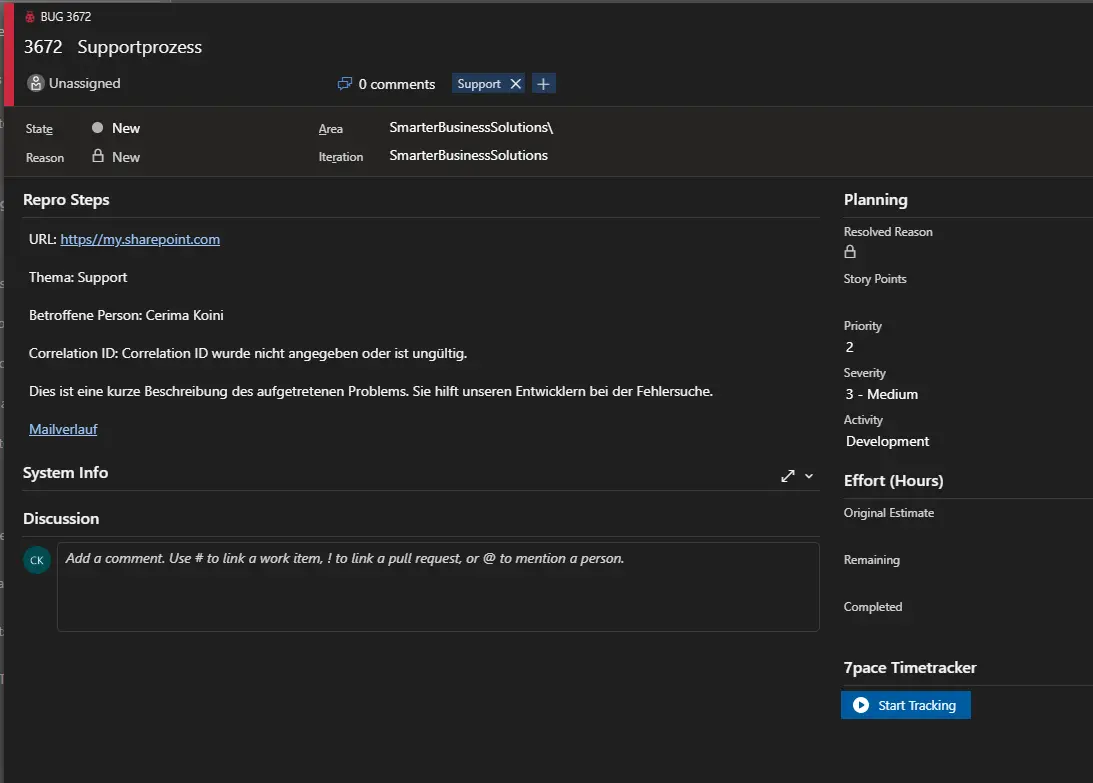
Learn how to capture support emails in Office 365 with Power Automate, automatically create Azure DevOps work items, and keep customers informed with confirmations at every step.
Read moreWe are happy to help with implementation – from a quick assessment to a complete project.