
Getting started
Guide from installation to your first event – with screenshots and examples.
View guideVersion 1.5 of Smarter Event Booking is currently being validated by Microsoft and will be available in the Microsoft Marketplace shortly. Until then the Marketplace installs the previous version; the update follows through the app catalog.

SharePoint & Microsoft 365
Plan and book events, directly in SharePoint.
From the company meeting to mandatory training to a vaccination day split into time slots: Smarter Event Booking keeps dates, seats and registrations in your own SharePoint lists – with a waiting list, a confirmation email and a calendar entry.
Not a SharePoint admin, or just curious? Try the click demo, no installation →
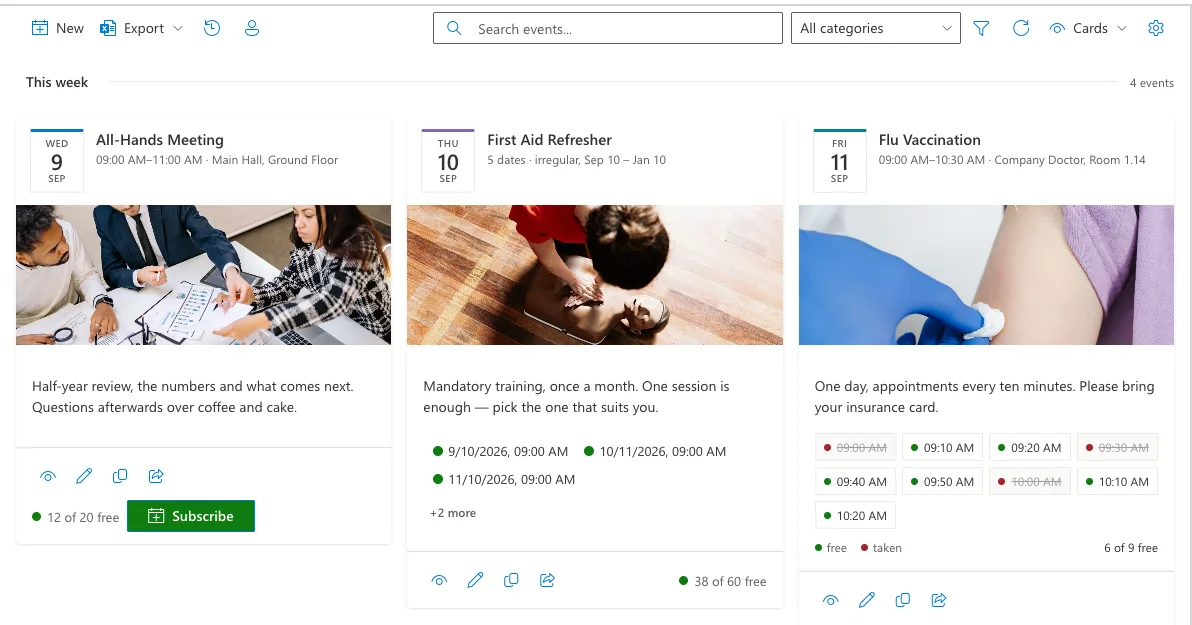
The event and its first date are created in a single step. Anything you rarely need stays collapsed until you open it.
The event sits on the left with its title, description, image, category and colour. The date sits on the right with time, location, seats and deadlines. A footer states what will be saved.
Recurring dates are generated for you, from daily to yearly. A single day can be split into time slots – for example 48 ten-minute slots for a vaccination day.
Leave the field empty and everyone sees the event. Enter people or groups and only they see it – a training course for one department, for instance.
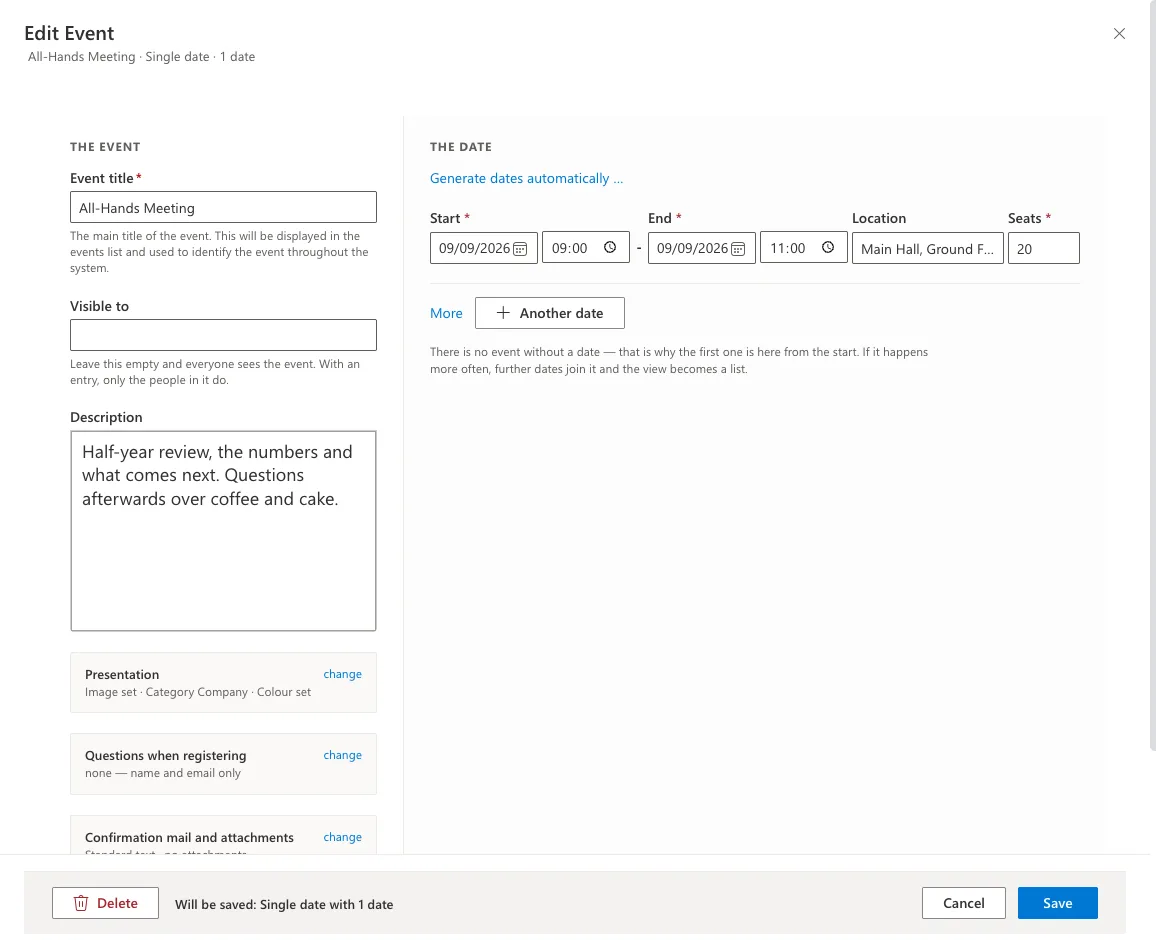
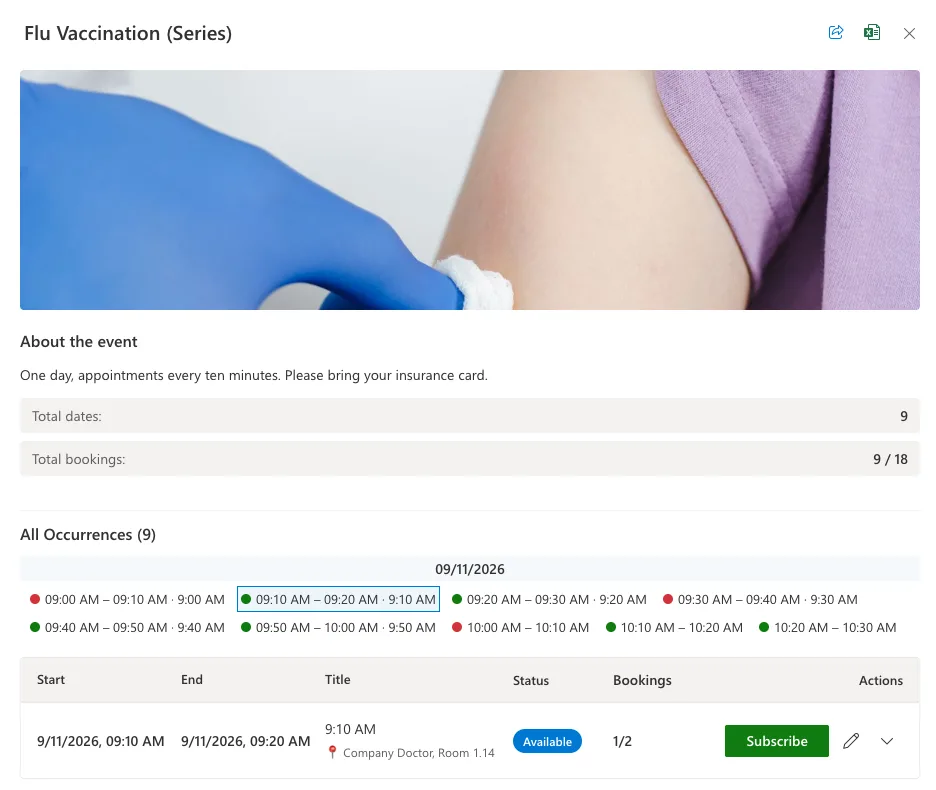
When appointments are handed out one by one, split the day into slots of equal length. They are created in one go and shown as a grid, each slot with its own number of seats.
People pick their own slot when they register. Free and taken slots are easy to tell apart, and a line underneath states where the whole day stands.
Vaccination days, performance reviews, fittings, advisory appointments: anywhere many people come in one after another and nobody should have to wait.
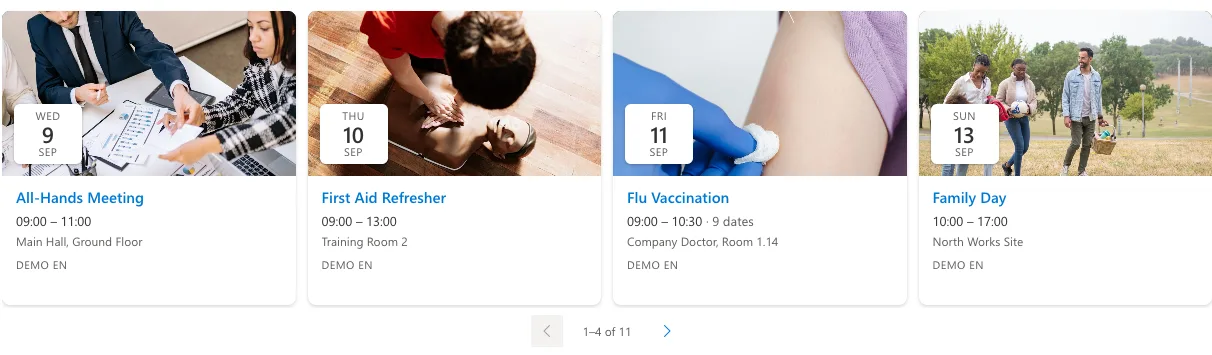
Alongside the management view, the solution ships a second, lightweight web part. It lists upcoming dates – across several sites if you want – and links straight into the event.
Rendered as a carousel it fits an intranet home page. In a narrow column or on a phone it shows exactly one card and pages through them instead of squeezing the content.
Switch between list and carousel in the web part settings. The underlying data stays the same.
Built-in tools or app?
Microsoft 365 ships good tools for simple cases. You only need a dedicated event solution once seats, deadlines and participant lists come into play.
If the left column covers your case, you don’t need an app – you’ve already paid for the built-in tools. Smarter Event Booking exists for everything on the right.
Procurement through Microsoft AppSource – with local prices, taxes and centralized billing.
You pay for the site collections in which Smarter Event Booking is used – one, up to five, or every site collection in your tenant. No per-user licenses, no hidden costs.
Billed per site collection, not per user
No functional restrictions
Purchasing & licensing
Microsoft separates the app from its license in the marketplace – that’s why you’ll find Smarter Event Booking listed twice. Getting licensed is still quick:
Install Smarter Event Booking from the Microsoft marketplace into your SharePoint environment for free and try every feature without obligation.
View the app in the marketplacePurchase the license as a subscription directly on Microsoft AppSource. You’ll see the price there in your local currency – including the correct taxes for your country.
See the price in your currencyAssign the license to the site collections where Smarter Event Booking should run. Your data and settings from the trial are preserved.
Buying through AppSource is procurement without the procurement process: the contract runs through the Microsoft account your organization already has.
You buy from Microsoft – no vendor onboarding or supplier checks in your purchasing department.
With the correct VAT for your country, in your local currency.
The license appears on your existing Microsoft 365 invoice – alongside your other subscriptions.
Manage, scale or cancel the subscription at any time in the Microsoft 365 admin center.
Microsoft technically separates the app from its license: you install the app for free in your environment and purchase the license as a separate subscription. Microsoft mandates this split for all SharePoint apps with marketplace licensing. For the purchase, the listing with the “License” suffix is the right one.
Your data lives in your own SharePoint lists and is preserved. Once the license is activated, you continue right where you left off.
Not necessarily. Payment runs through your organization’s billing profile at Microsoft – by credit card or invoice, depending on your configuration.
The purchase is made in your organization’s Microsoft account – usually by someone with permission for marketplace purchases, for example a billing administrator.
Directly in the Microsoft 365 admin center – you manage the license like any other Microsoft subscription.
Questions about the purchase process?Get in touch – we’re happy to guide your IT team through the first purchase.
Once a date is full, people join the waiting list. When a seat frees up, the next person moves in.
Every registration triggers a confirmation email, with an ICS attachment for Outlook and, if you like, information material as a file.
View and extend participant lists and export them to Excel – including the answers from your own registration forms.
Guides and legal information for Smarter Event Booking.
Guide from installation to your first event – with screenshots and examples.
View guideSolutions for common problems and technical difficulties when using Smarter Event Booking.
Find helpLegal terms and conditions for using Smarter Event Booking.
Read termsBlog
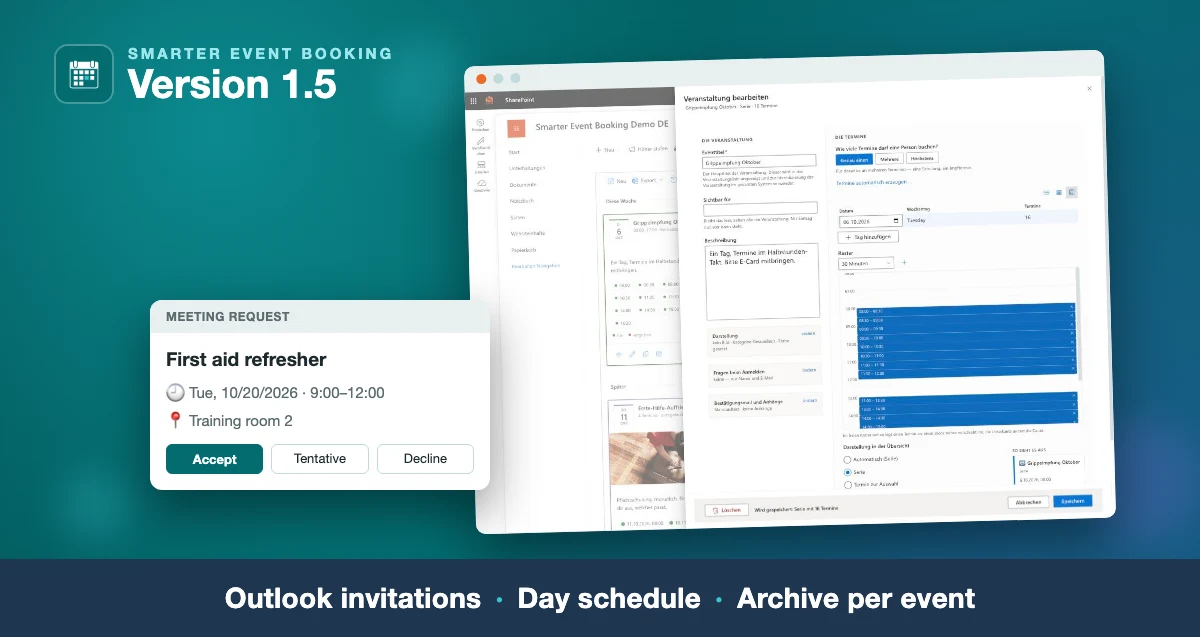
The new version: the confirmation as a real Outlook invitation, time slots edited in a table and a day schedule, and one message to all attendees of an event.
Read more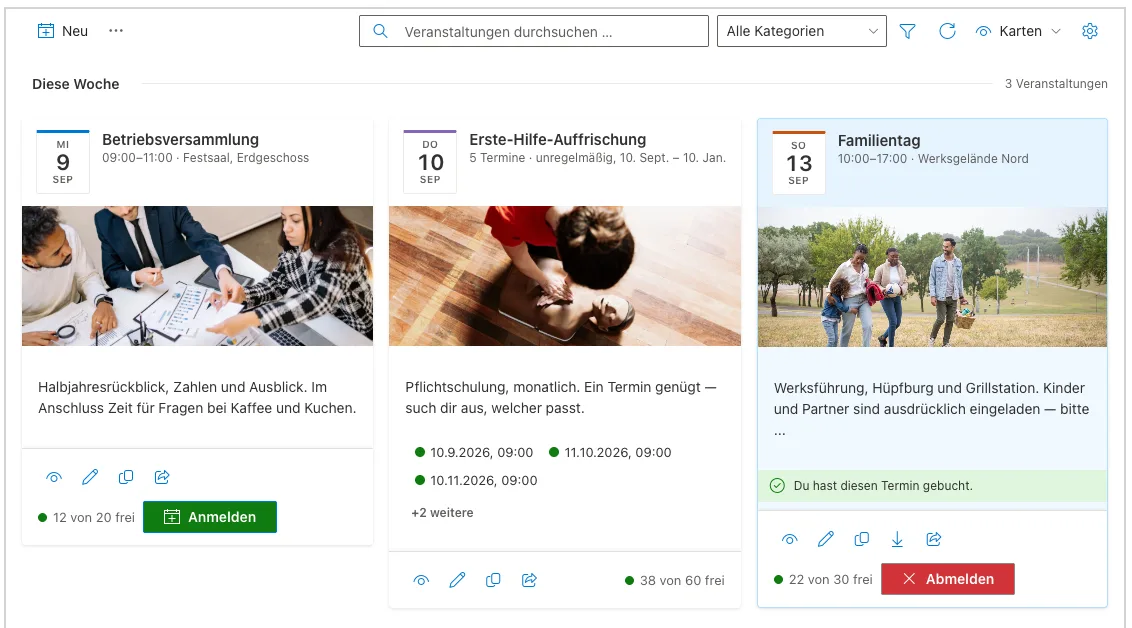
The new version on Microsoft Marketplace: one form for every kind of date, time slots for vaccination days, a waiting list and a card row for your home page.
Read more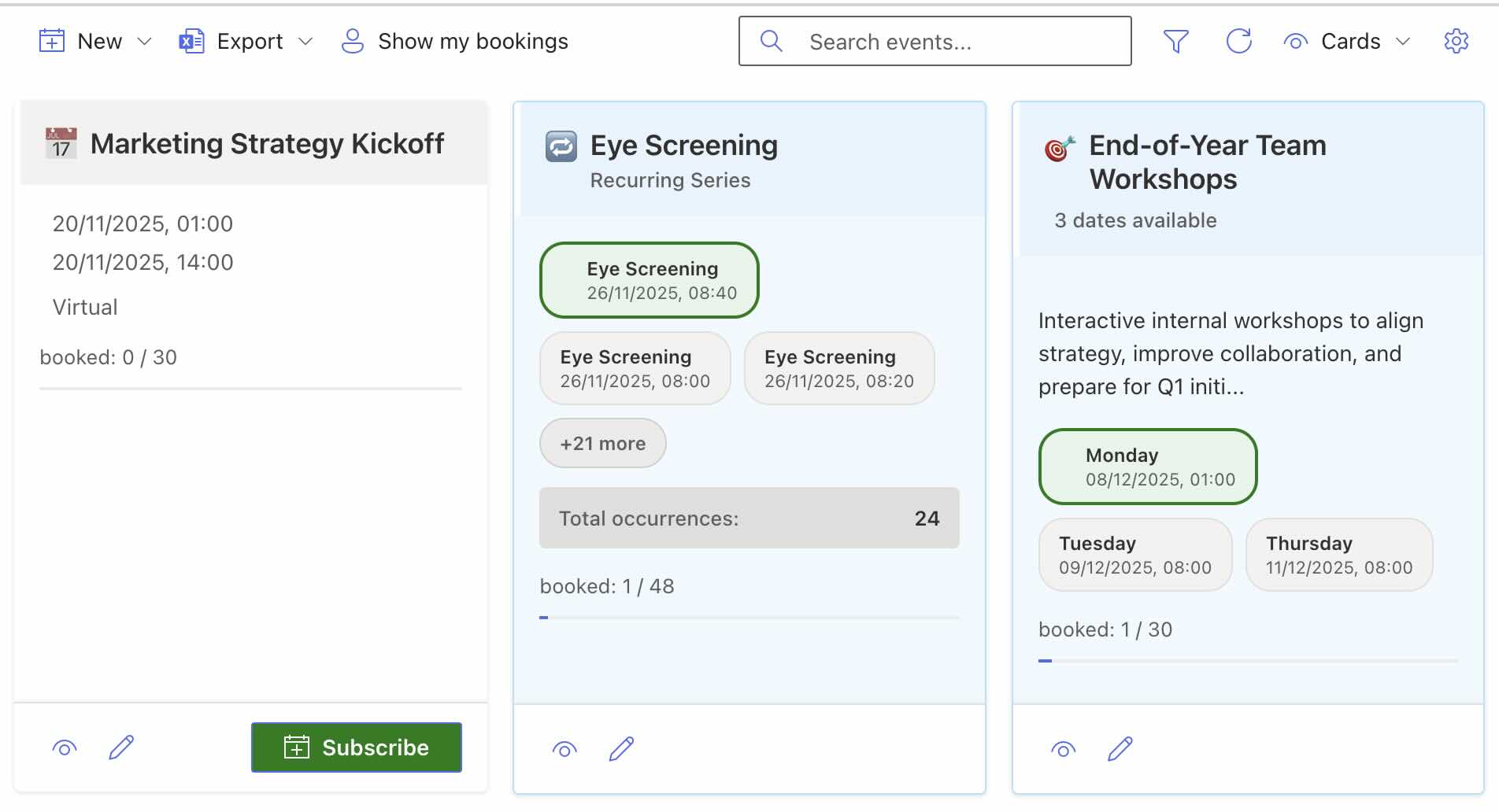
New views, event types, modernized interface and numerous new features – Smarter Event Booking v1.1.0 sets new standards for event management in SharePoint Online.
Read moreTry the solution on Microsoft AppSource without obligation – or contact us with questions about rollout and licensing.