Plan before the run
Scope, libraries and settings are recorded before the start. What is archived is fixed before the first file is copied.

Archiving for SharePoint Online
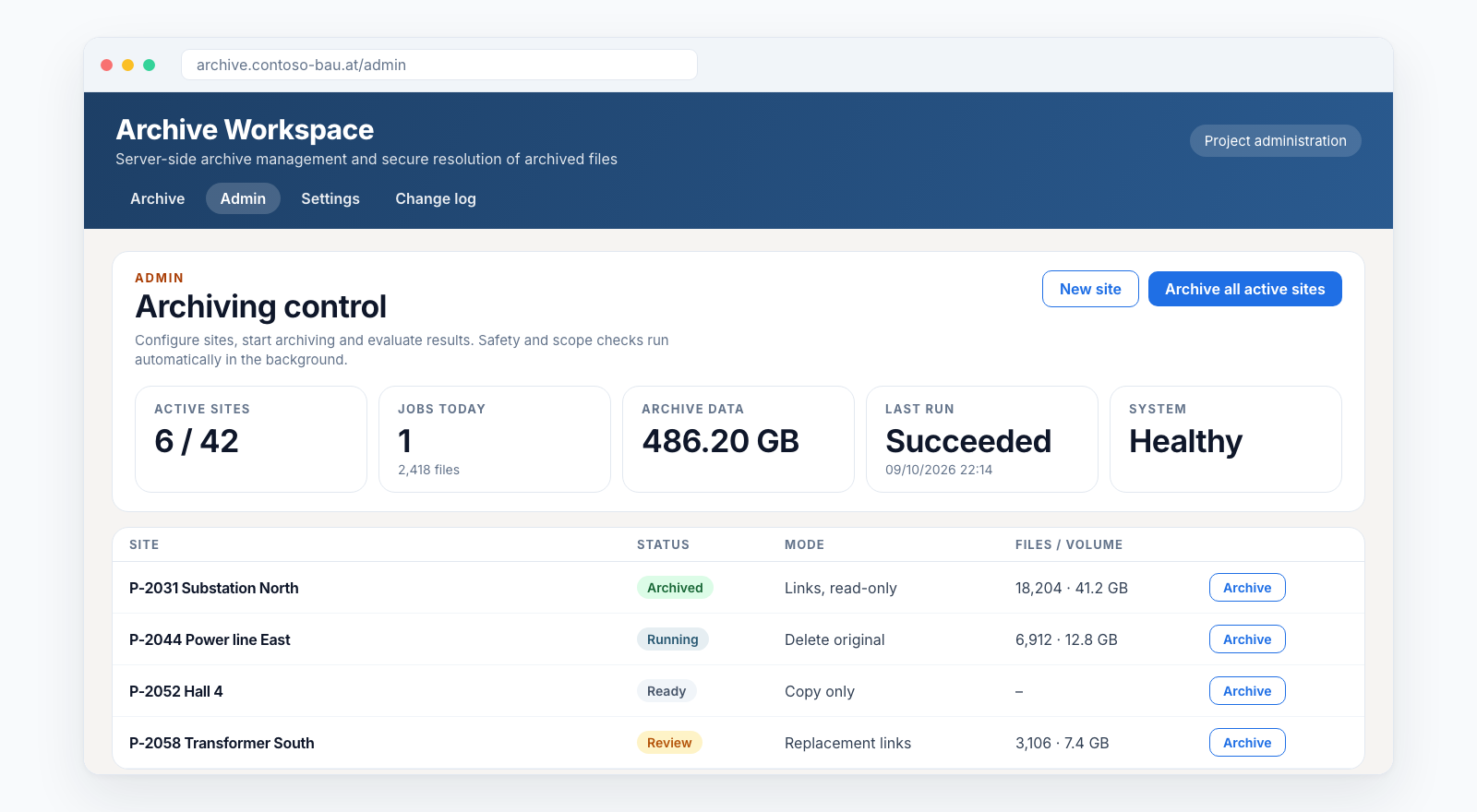
Archive completed projects, with evidence per file and in your own Azure.
Smarter Archiving copies the files of completed SharePoint sites to Azure Storage in your own subscription, verifies every file with SHA-256 and only then cleans up SharePoint: delete the original, set a replacement link or make the site read-only. Every step is logged, every file stays findable.
The problem
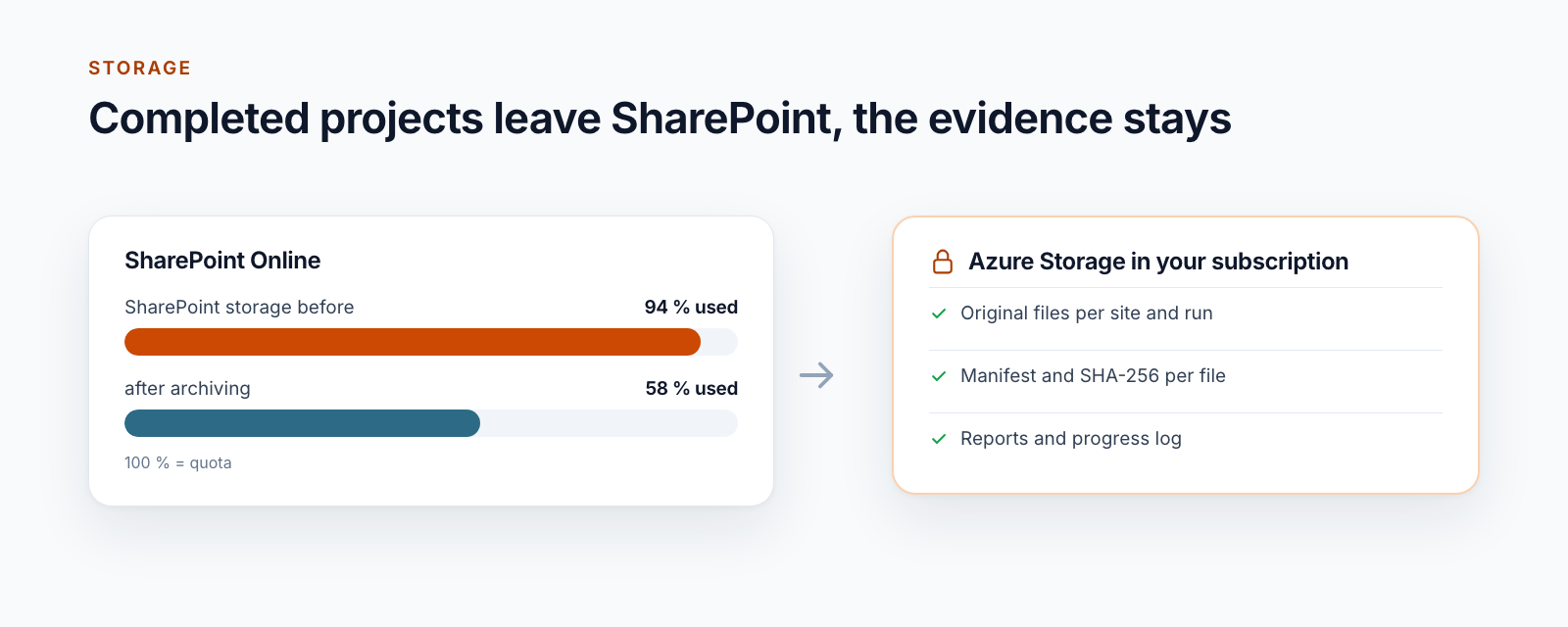
Project workspaces are rarely opened after the project ends, but never deleted. Over the years they fill the SharePoint quota, and additional storage in Microsoft 365 costs money every month.
Simply deleting is not an option: documents must stay findable, and nobody wants to explain why a file is missing. A backup does not help here. It protects for emergencies and frees no storage.
Flow
Five steps that run the same way for every site. Nothing changes in SharePoint until the copy is fully verified.
You define which site is archived, which libraries belong to it and what happens to the originals afterwards.
Result
Archive rule per site
Before the start, the service checks scope and permissions and records a fixed plan: which files, which libraries, which settings.
Result
Immutable plan
The files go to Azure Storage in their original format, separated by site and run. A run survives restarts and resumes after an interruption.
Result
Original files in the archive
For every file, the SHA-256 checksum from SharePoint and from the archive is compared and recorded in a manifest with size and time.
Result
Evidence per file
Depending on the rule, the original stays, is deleted or is replaced by a link to the archive. Report and summary go to those responsible.
Result
Report and email
If a file has changed since the plan, it stays in SharePoint. If a result is unclear, the service reports “unknown” instead of success and can be rechecked specifically.
Building blocks
All building blocks run in production at the first customer. You decide per site which modes you use.
Scope, libraries and settings are recorded before the start. What is archived is fixed before the first file is copied.
Three storage accounts in your subscription: for operation, for evidence and for the archive. No public access and no shared keys.
Checksum from the source and from the stored archive, compared and recorded in the manifest. Archive files are only created, never overwritten.
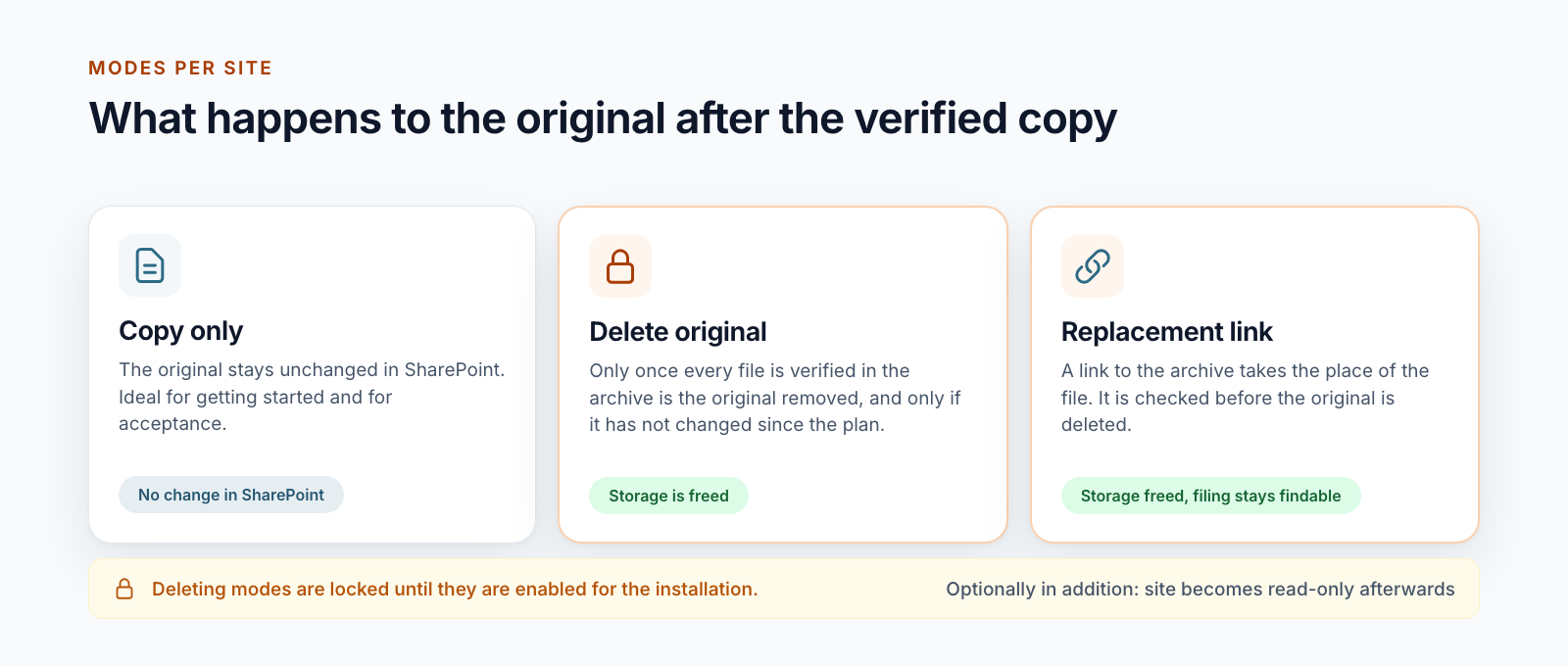
A link to the archive takes the place of the file. It is checked before the original is deleted, and again against size and checksum when opened.
Originals are only removed if they have not changed since the plan. Optionally, the site becomes read-only afterwards.
In the web interface, authorised people find archived sites and files and download single files or whole folders as ZIP.
Progress log per run, CSV exports, summary by email and alerts in Azure Monitor.
Start, completion and failure as signed events, for example to set the project status in your project list to “archived”.
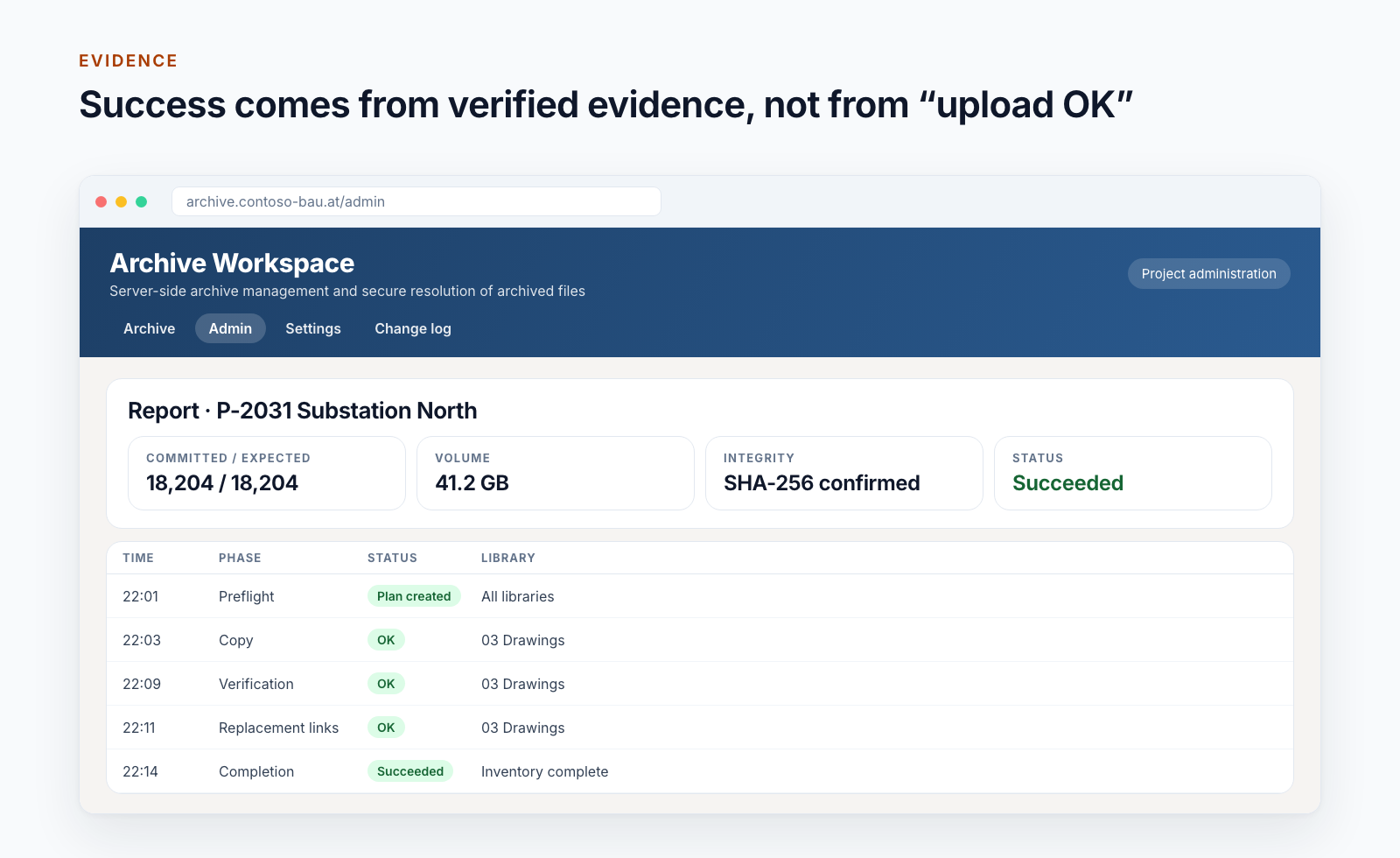
An uploaded blob does not prove an archive. Smarter Archiving calculates the checksum of the source file and reads back the stored file before it counts as archived. Only when every file of the plan is confirmed this way does the run count as successful.
Deleting steps only start once all files of the plan are confirmed.
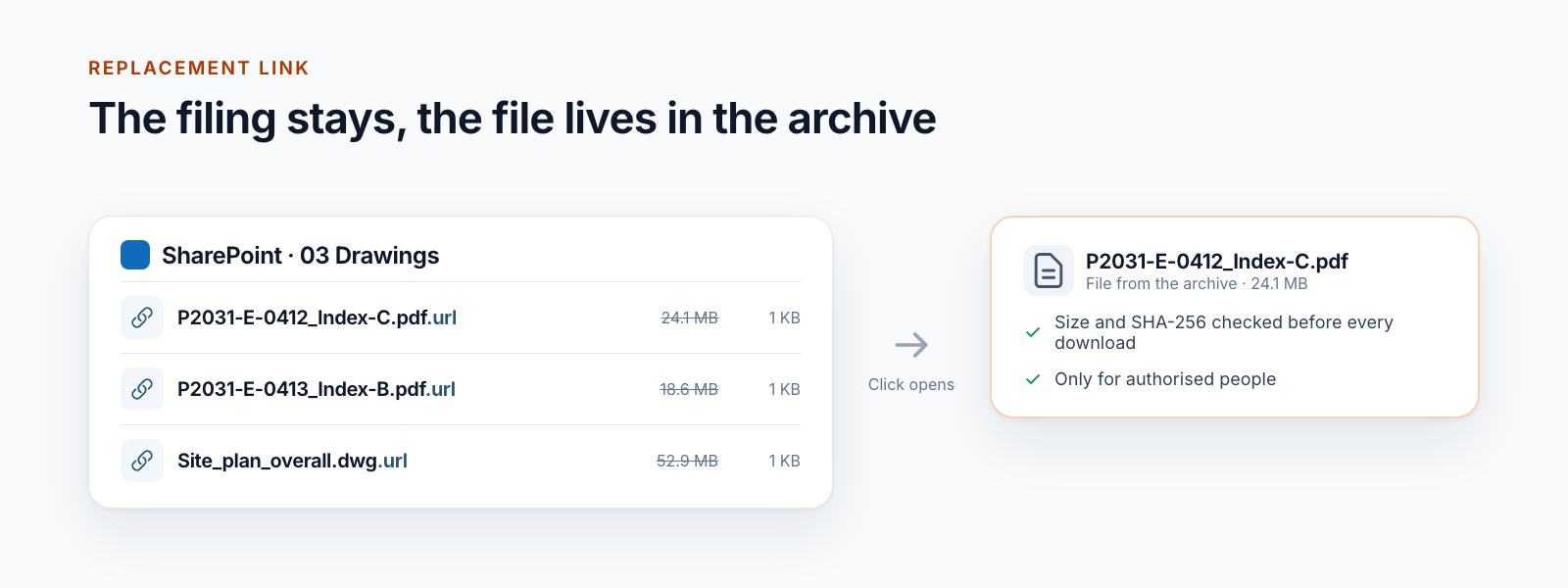
Anyone looking for a drawing from a completed project in three years finds it where it always was. Instead of the file, the library holds a link that opens it from the archive. The storage in SharePoint is free.
The first sites run in “copy only” mode. Only after business acceptance are replacement links and deletion enabled for the installation.
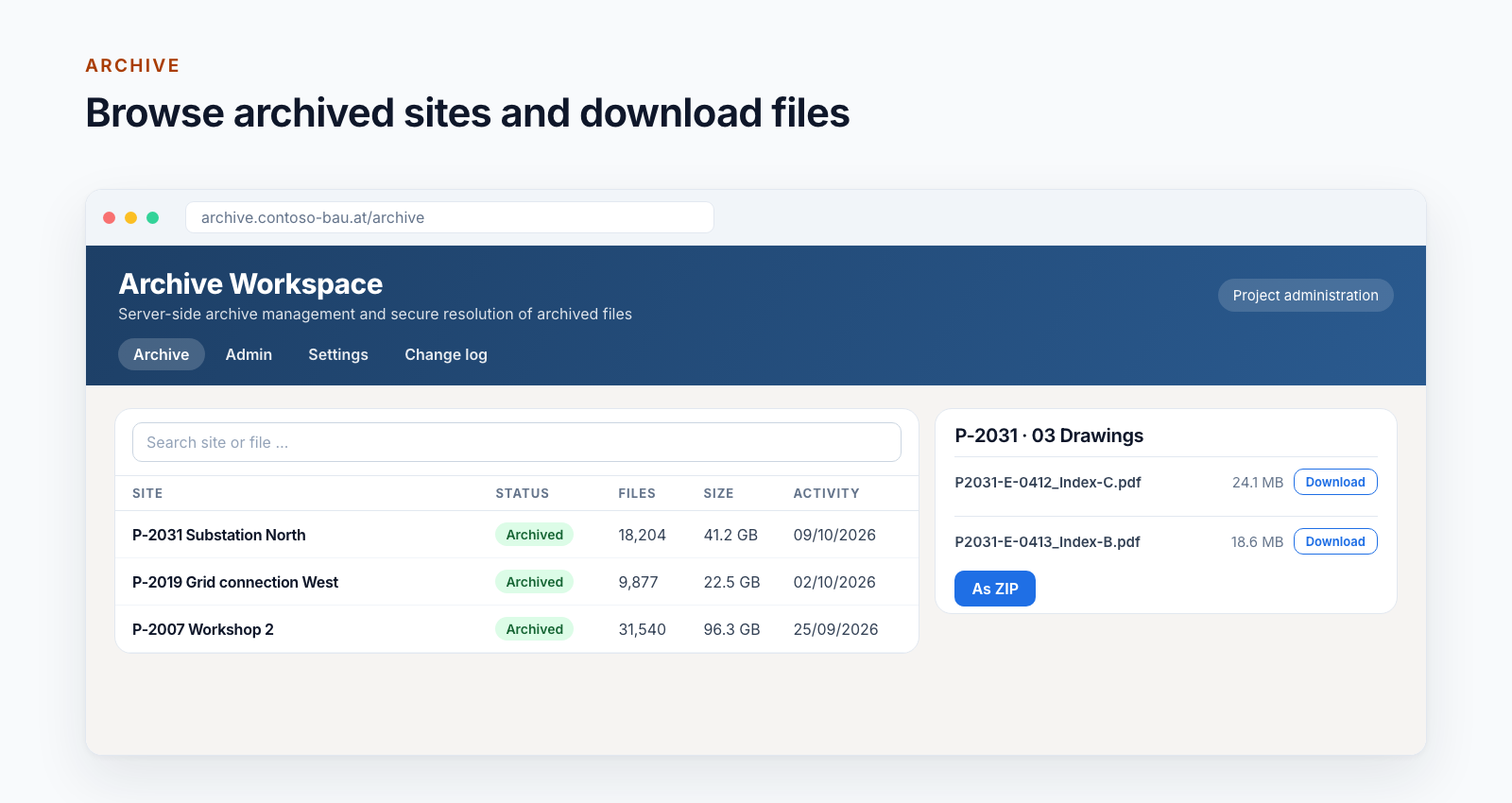
Archived sites are listed in the Archive Workspace web interface: with search, status, number of files and size. From there, single files or whole folders can be downloaded.
![Email “[Succeeded] SharePoint archiving” with completion, duration, sites, size, originals deleted and replacement links created; next to it signed lifecycle events for your systems](/images/smarter-archiving/en/completion-mail.png)
After every run, those responsible receive a summary: how many sites were archived successfully, how much volume, what happened to the originals. Optionally, Smarter Archiving reports start, completion and failure as signed events to your systems.
Introduction
Smarter Archiving is a finished product with fixed safety rules. What differs per customer are the rules per site and the connection to your processes.
Selectable per site. Deleting modes are locked until they are enabled for the installation.
Built-in tools or app?
Microsoft 365 provides retention, backup and a cheaper storage tier. Smarter Archiving starts where documents should leave Microsoft 365, verifiably and under your control.
If the left column covers your case, you don’t need an app – you’ve already paid for the built-in tools. Smarter Archiving exists for everything on the right.
Approach
Smarter Archiving is rolled out to your Azure subscription. Access to SharePoint is limited to the selected sites.
A few completed sites in “copy only” mode. Reports and evidence show what was archived.
Business and IT check samples in the archive and the reports together.
Only then are replacement links and deletion enabled for the installation.
Sites in small waves, with a summary after every run.
Technology
Smarter Archiving runs entirely in your Azure subscription. Data and evidence do not leave your environment.
No. A backup protects your tenant for emergencies. Smarter Archiving takes completed content out of SharePoint verifiably and frees storage. The two complement each other.
In Azure Storage in your own subscription. We have no access unless you grant it.
The current files from the document libraries of a site, in their original format. Version histories, lists, pages and permissions are not archived. For old versions, there is version cleanup beforehand.
Only once every file of the plan is confirmed in the archive, and only in sites for which you chose deletion or replacement links. Files that have changed since the plan stay.
People with the archive role, through the web interface or through the replacement links in SharePoint. Every download is checked against size and checksum.
Smarter Archiving proves for every file that the copy matches the original. It does not provide immutability in the sense of WORM or deletion locks; for that, the storage accounts in Azure can be complemented with immutability policies.
It is started in the web interface, for one site or all active ones. Through events, it can be connected to your project closure.
An offer in the Azure Marketplace is in preparation. Until then, you obtain Smarter Archiving directly from us, including setup in your subscription.
Further reading
The posts in this series look at requirements, technology and introduction.
Why Keepit and Microsoft 365 Backup remain valuable protection layers while a customer also required a directly controlled SharePoint archive copy in Azure.
Read postWhat we learned about discovery, retries, concurrency, integrity, and consistent evidence while building a customer-controlled SharePoint archive.
Read postHow completed SharePoint projects are approved, archived in customer-controlled Azure, accepted, and rolled out safely.
Read postDelete old versions in SharePoint Online with PowerShell and an Azure Function: driven by a list, app-only, with a time budget, log and dry run. With code.
Read postWe look at your storage metrics together and show you the Archive Workspace using an example.