
Documentation
Complete guide to setting up and using Smarter Timesheet.
View documentation
SharePoint & Microsoft 365
Track and analyze project hours, directly in SharePoint.
Smarter Timesheet is the lightweight, SharePoint-native time tracking solution for Microsoft 365: record working hours, compare planned and actual time, and keep an eye on overtime, project allocation and resource utilization.
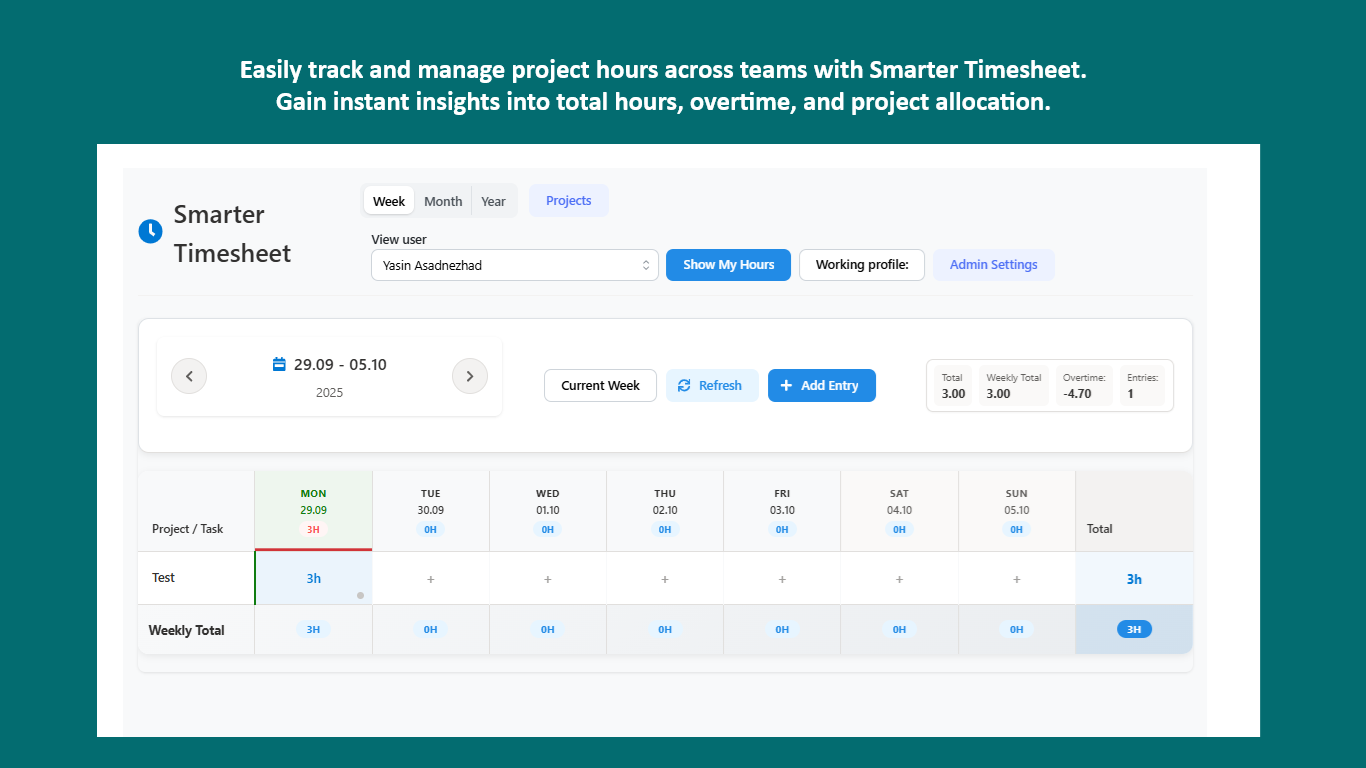
Smarter Timesheet brings time tracking to where your teams already work – SharePoint and Microsoft 365.
Record project hours in just a few clicks. The intuitive weekly and daily views show totals, overtime calculations and how working time is distributed.
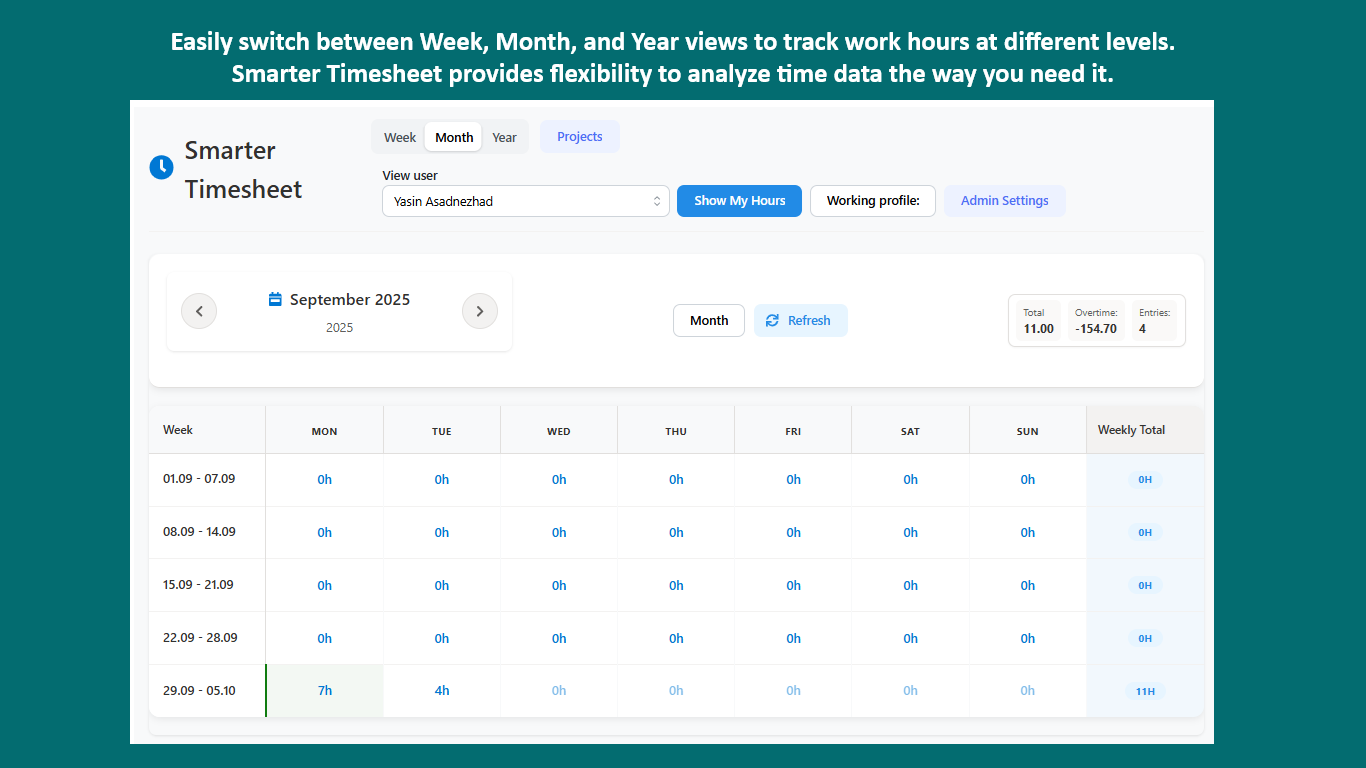
Switch between weekly, monthly and yearly views to analyze time data at the right level of detail – for planning and reporting.
Administrators configure weekly hours, workdays and time formats centrally. Users personalize their own work profiles.
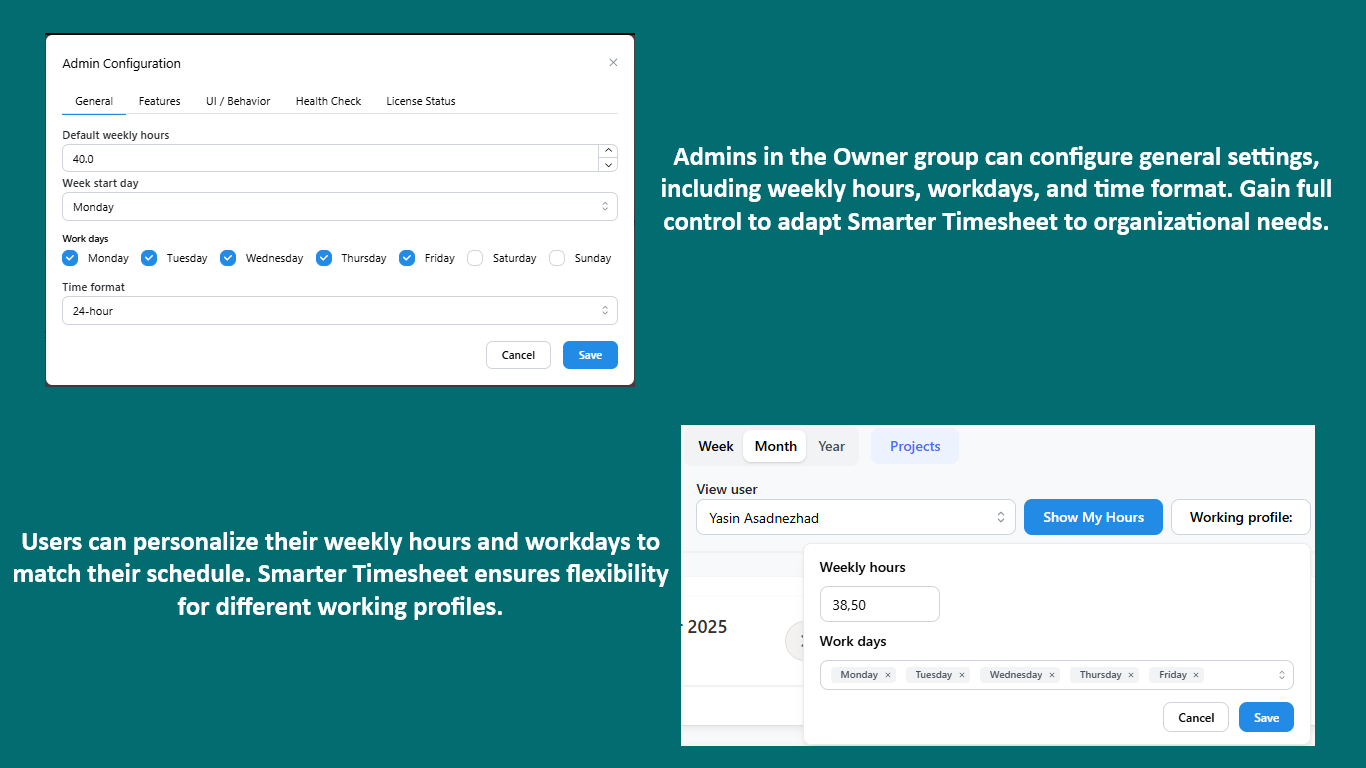
Smarter Timesheet adapts to your organization: administrators configure weekly hours, workdays and time formats centrally for all users.
At the same time, each user personalizes their own work profile – keeping time tracking clear even across different working models.
Overtime calculation and tracking, project allocation insights, resource utilization reports and the comparison of planned versus actual time are all part of the feature set.
Built-in tools or app?
For a handful of hours per month, a list is fine. Smarter Timesheet pays off once time tracking should be regular, team-wide and reportable.
If the left column covers your case, you don’t need an app – you’ve already paid for the built-in tools. Smarter Timesheet exists for everything on the right.
Procurement through Microsoft AppSource – with local prices, taxes and centralized billing.
You only pay for the users who actually work with Smarter Timesheet – transparent and without hidden costs.
Only active users are licensed
No functional restrictions
Purchasing & licensing
Microsoft separates the app from its license in the marketplace – that’s why you’ll find Smarter Timesheet listed twice. Getting licensed is still quick:
Install Smarter Timesheet from the Microsoft marketplace into your SharePoint environment for free and try every feature without obligation.
View the app in the marketplacePurchase the license as a subscription directly on Microsoft AppSource. You’ll see the price there in your local currency – including the correct taxes for your country.
See the price in your currencyAssign the licenses to the people who use Smarter Timesheet. Your data from the trial is preserved.
Buying through AppSource is procurement without the procurement process: the contract runs through the Microsoft account your organization already has.
You buy from Microsoft – no vendor onboarding or supplier checks in your purchasing department.
With the correct VAT for your country, in your local currency.
The license appears on your existing Microsoft 365 invoice – alongside your other subscriptions.
Manage, scale or cancel the subscription at any time in the Microsoft 365 admin center.
Microsoft technically separates the app from its license: you install the app for free in your environment and purchase the license as a separate subscription. Microsoft mandates this split for all SharePoint apps with marketplace licensing. For the purchase, the listing with the “License” suffix is the right one.
Your data lives in your own SharePoint lists and is preserved. Once the license is activated, you continue right where you left off.
Not necessarily. Payment runs through your organization’s billing profile at Microsoft – by credit card or invoice, depending on your configuration.
The purchase is made in your organization’s Microsoft account – usually by someone with permission for marketplace purchases, for example a billing administrator.
Directly in the Microsoft 365 admin center – you manage the license like any other Microsoft subscription.
Questions about the purchase process?Get in touch – we’re happy to guide your IT team through the first purchase.
Fully integrated with SharePoint – no external software and no complicated setup.
Fast and easy to use without clutter – focused on time tracking.
Export your time data and analyze it with Excel or Power BI for detailed reporting.
Documentation and legal information for Smarter Timesheet.
Complete guide to setting up and using Smarter Timesheet.
View documentationLegal terms and conditions for using Smarter Timesheet.
Read termsNeed help? Our support team is happy to assist you.
Contact supportTry Smarter Timesheet on Microsoft AppSource without obligation – or contact us with questions about rollout and licensing.