

Outlook web add-in · Now on Microsoft Marketplace
Smarter O2S
Emails with the project. Documents inside Outlook.
Important information belongs with your team, not just in a personal mailbox. File emails in the right SharePoint folder and work with your team’s documents without leaving Outlook.
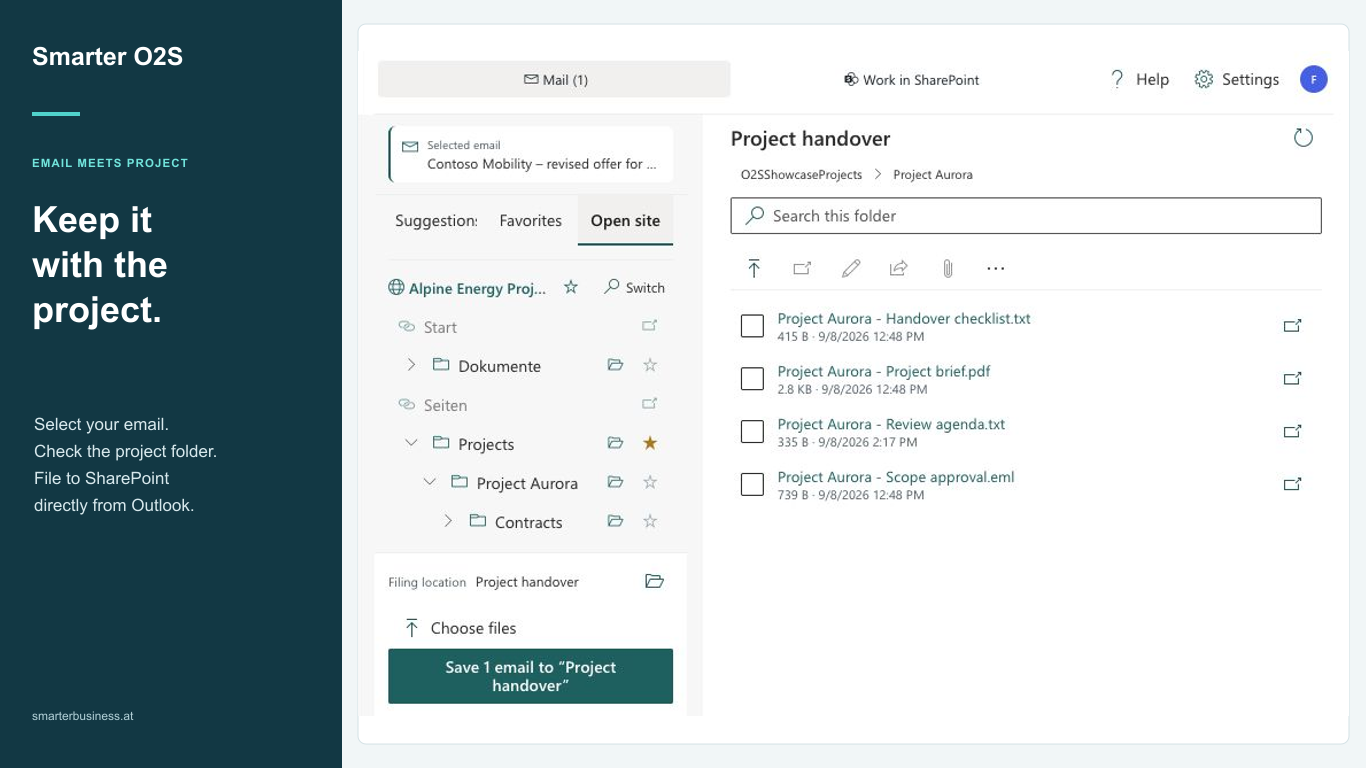
The right email in the right place
Select one or more emails and review filing suggestions. Alternatively, use favorites and site navigation to find the right folder. You confirm the destination; O2S saves the message as an EML file with email metadata.
Previous filings and the history show where a message has already been stored.
Complete metadata in the same workflow
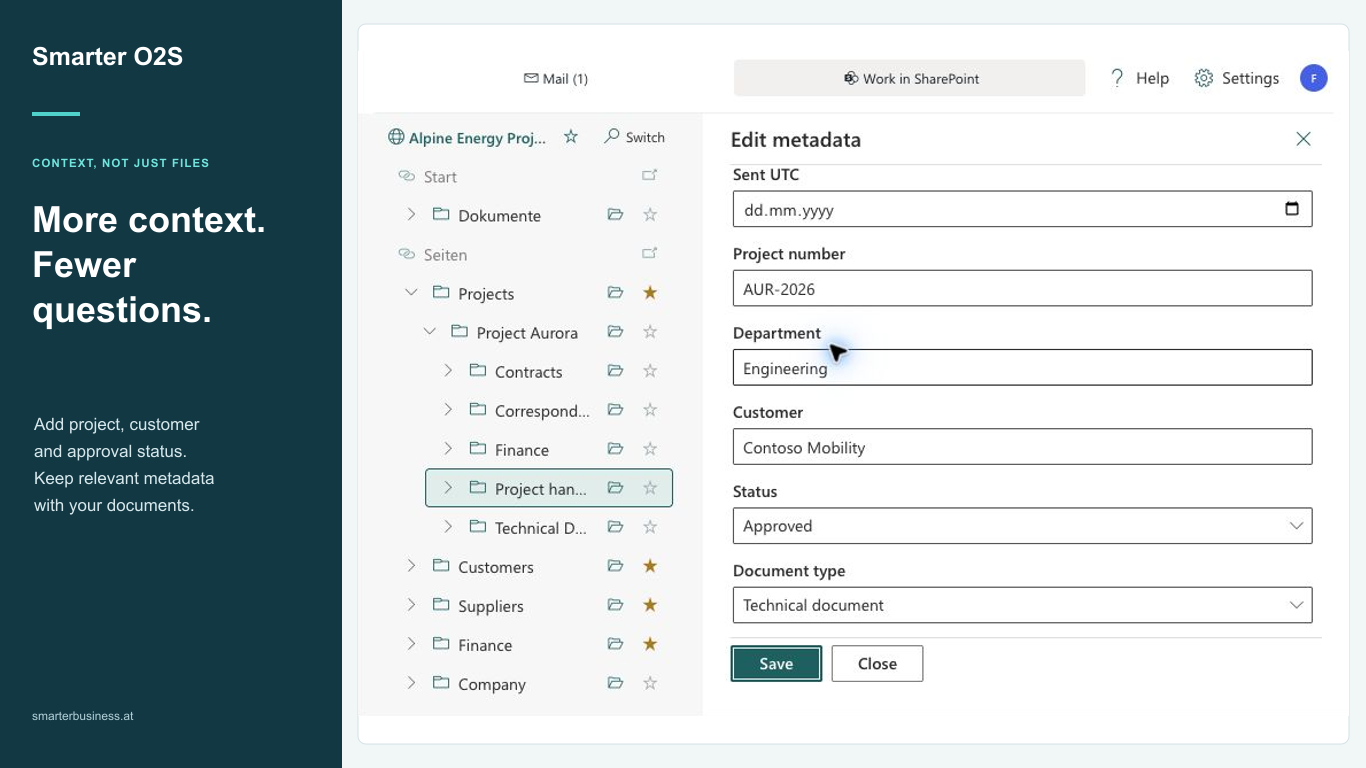
When a library needs additional information, complete its required fields in Outlook. Apply common values to compatible uploads and reuse templates for matching fields.
Upload local files with Choose files. Drag and drop is available where the Outlook client supports it.
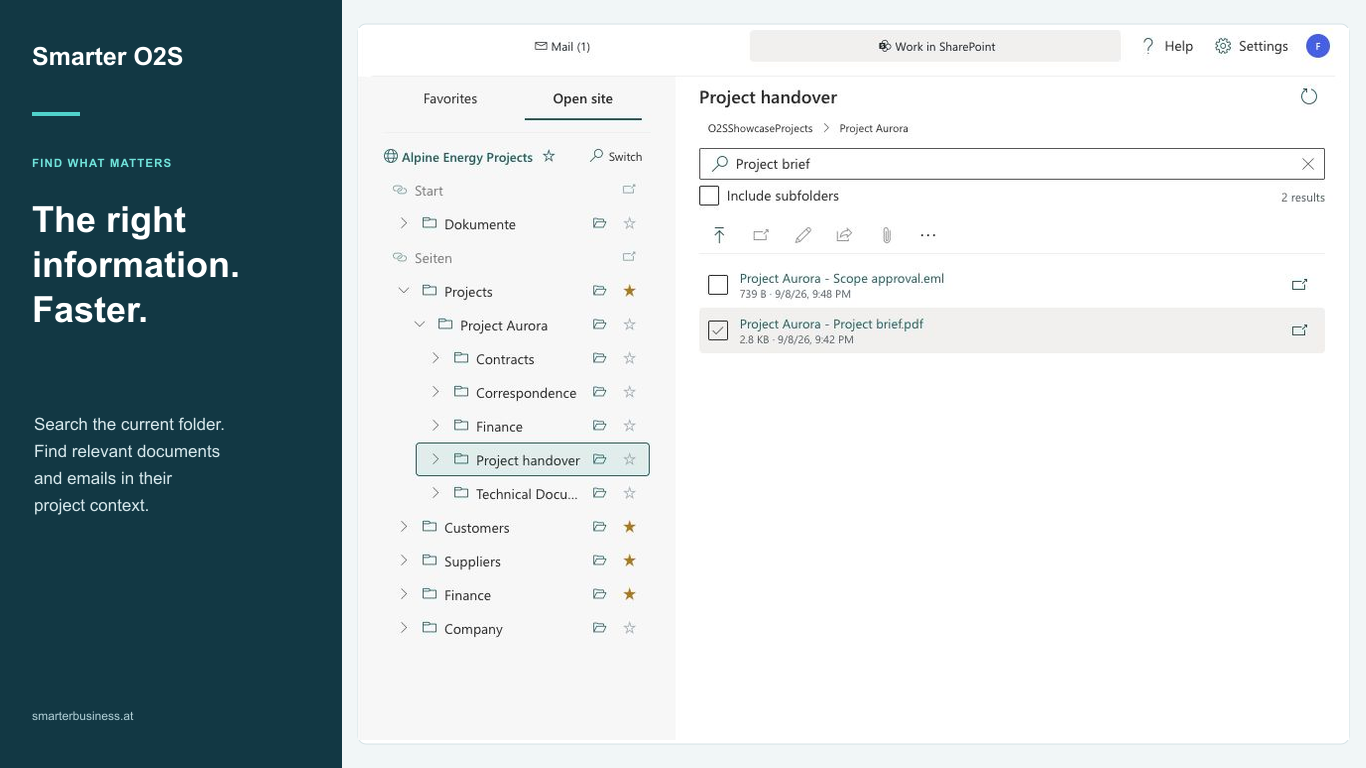
Find documents without switching windows
Search the current folder, open documents and use your favorites. The expanded pane shows navigation and folder contents side by side.
Search uses the SharePoint index. Check new uploads immediately in the folder listing; search results may follow later.
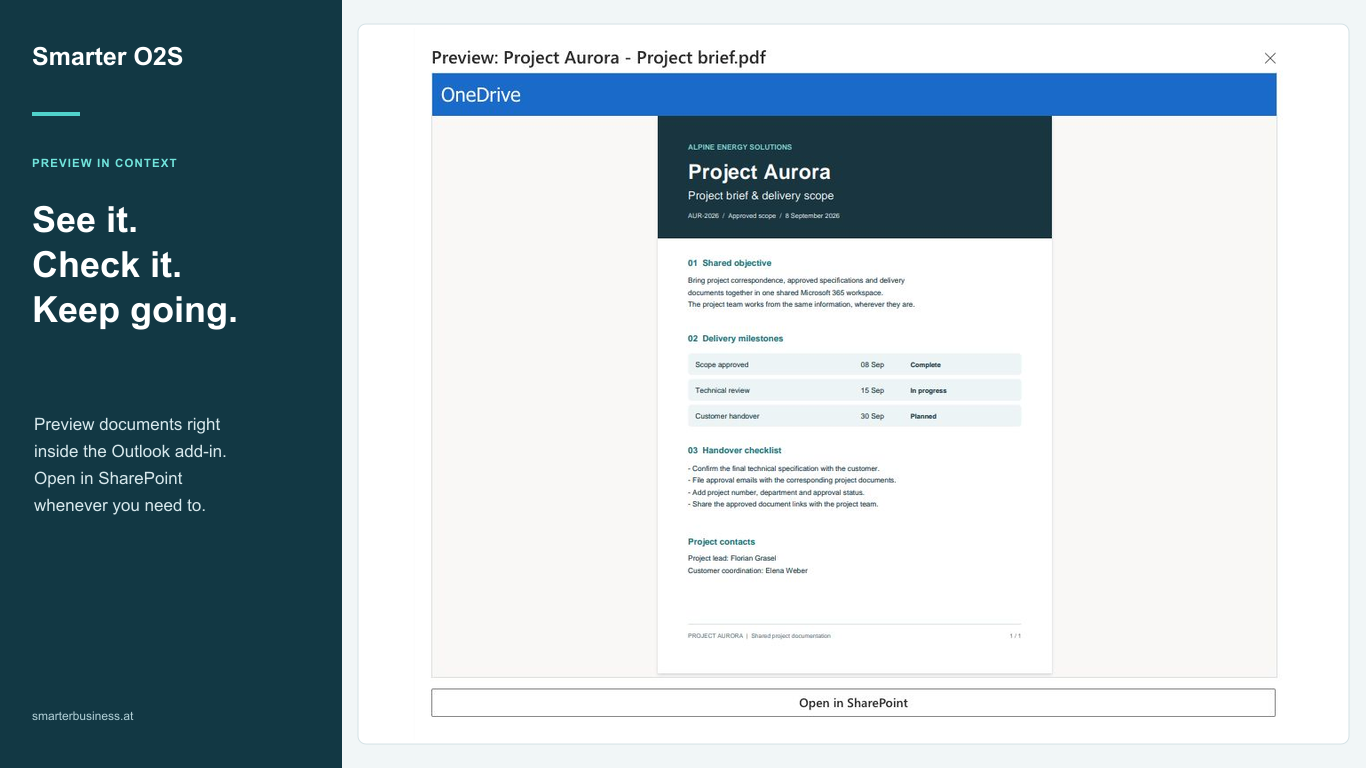
Review and reuse
Preview supported documents, open or edit them, and create an Outlook draft with links or file attachments. You decide what to share or send.
Preview, sharing and Teams actions depend on file type, Outlook client, tenant policies and your permissions.
Does Smarter O2S fit your environment?
- A Microsoft 365 work or school account with Exchange Online, SharePoint Online and a provisioned personal OneDrive.
- Outlook on the web or a supported Outlook desktop client on Windows or macOS. Individual features depend on the client.
- Deployment and approval of the documented delegated permissions by your IT team. Users’ existing SharePoint access rights still apply.
SharePoint Online is supported. SharePoint on-premises, mobile Outlook and whole Outlook-folder migration are not supported. A separate OneDrive filing tab is not included.
Setup & 14-day trialContent in your Microsoft 365 environment
Emails and documents are filed in your tenant. Personal settings and filing history use personal OneDrive storage. SBS processes the organization and contact records needed for trials and licensing. See the privacy policy for details.
Try it with your team for 14 days
The add-in is free to install. An eligible organization starts one fully featured 14-day trial inside O2S. The initiator confirms a contact email; colleagues in the same tenant share its end date. No payment details, automatic purchase or paid renewal.
Continued use requires a license. Contact us for pricing and an offer for your organisation. Purchasing through Microsoft Marketplace will follow; you can already install and try the Outlook add-in.