Getting started
Overview, prerequisites and setup in seven steps.
View guide
Visitor check-in for Microsoft 365
Register visitors in Outlook, check them in by QR code at reception.
Smarter Visitor Registration connects invitation, reception and overview: hosts register guests in the Outlook appointment, visitors check in and out at the terminal themselves, and reception always sees who is on site. The solution runs in your own Azure subscription.
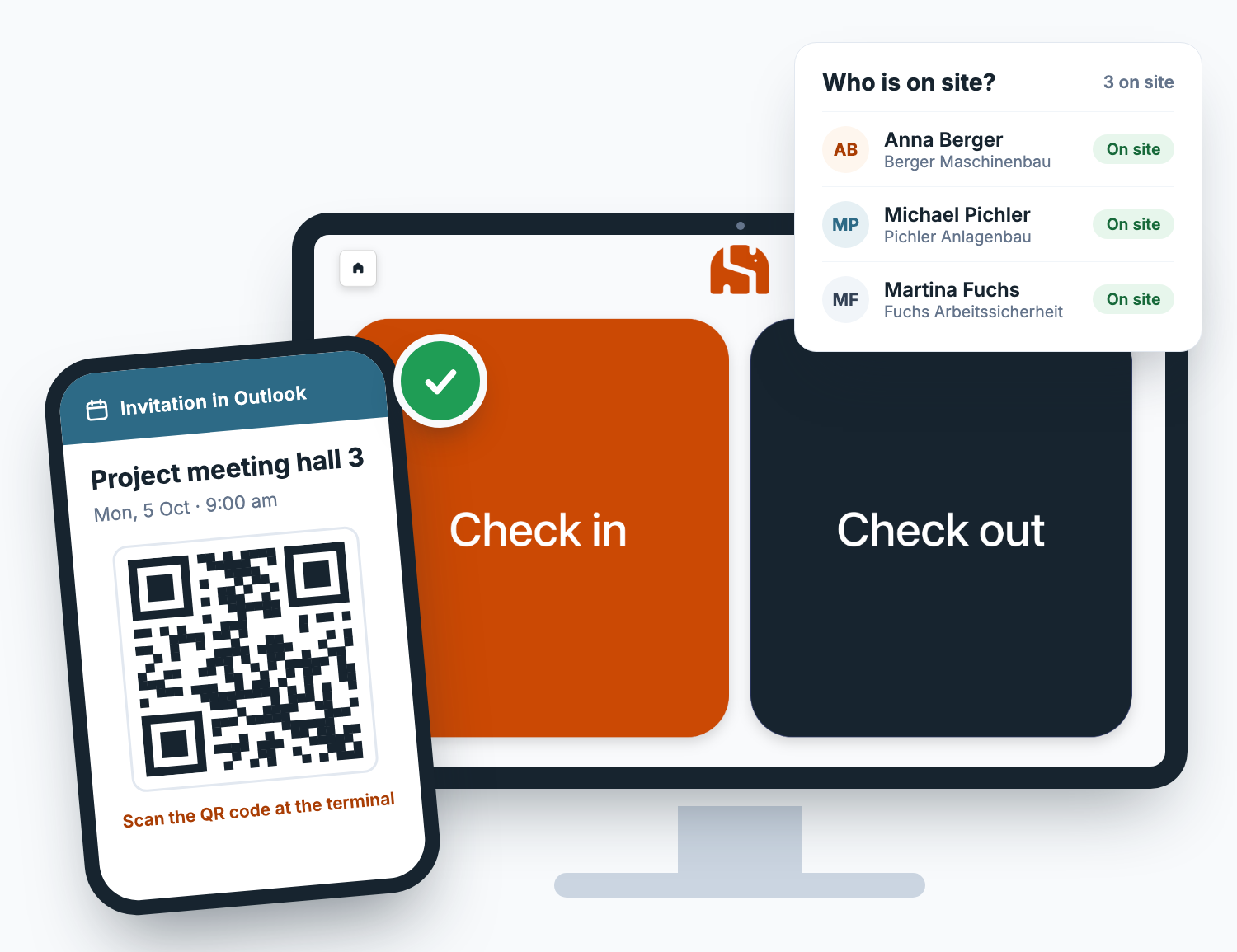
One continuous process without a paper list: registration starts in Outlook and ends at the terminal.
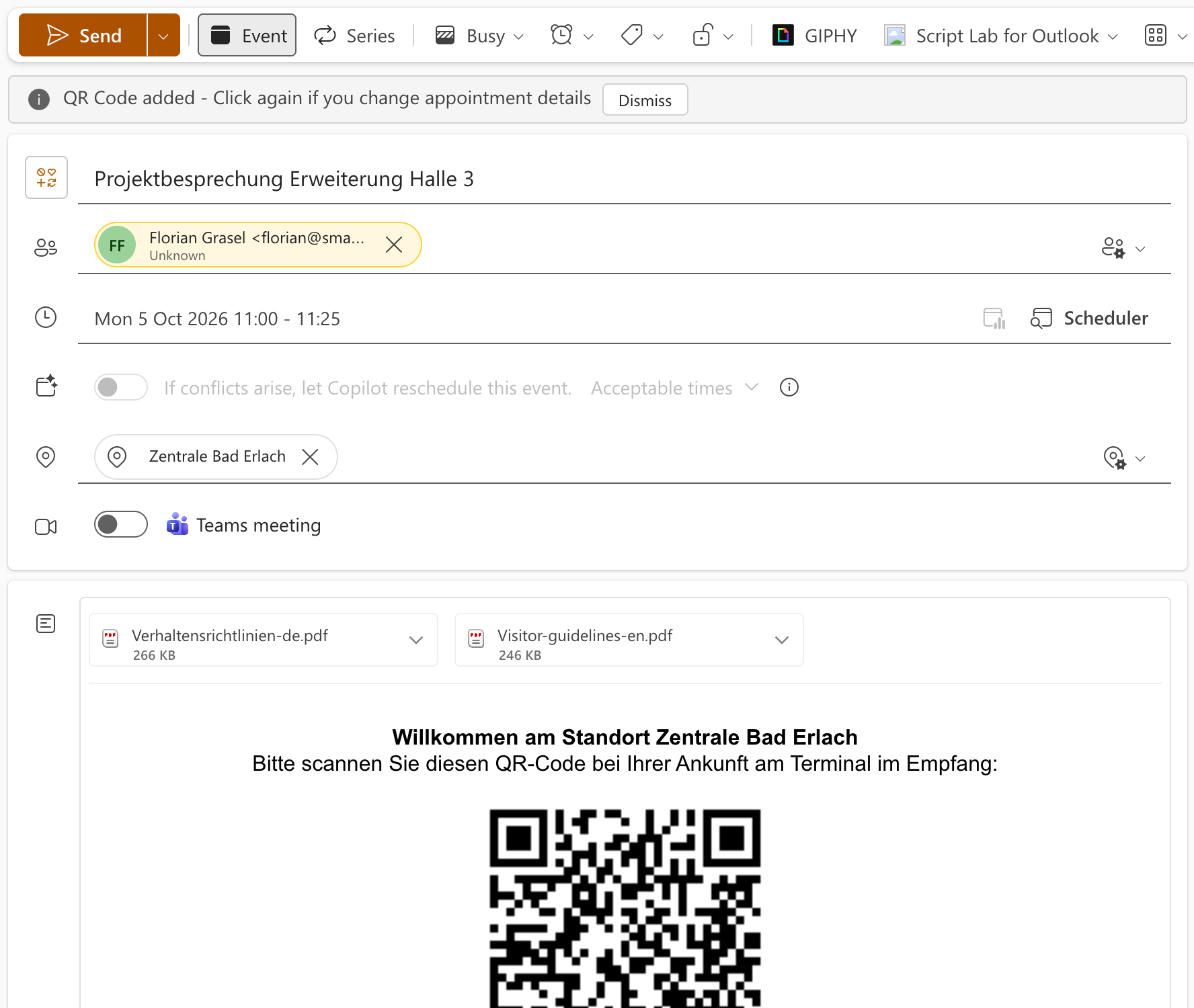
One click in the appointment inserts the QR code into the invitation and registers all attendees as expected visitors.
Visitors scan the code at the tablet in reception, confirm their details and – if required – your behavior guidelines.
Analytics shows planned, on-site and checked-out visitors per location, also as a display for a screen.
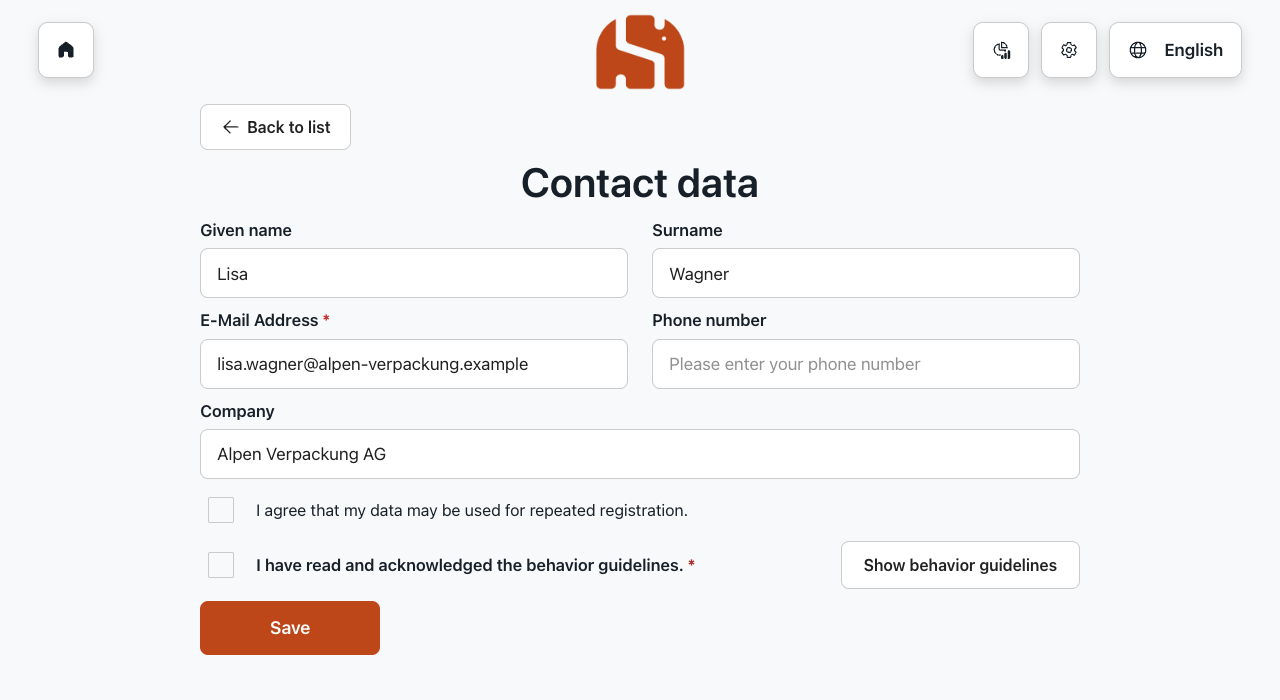
Two large buttons, clear steps: the terminal is built for people who see it for the first time. It runs on a tablet or PC in the browser or in Microsoft Teams.
You set the logo and colours of the terminal in the settings. The text on the buttons adapts automatically for good readability.
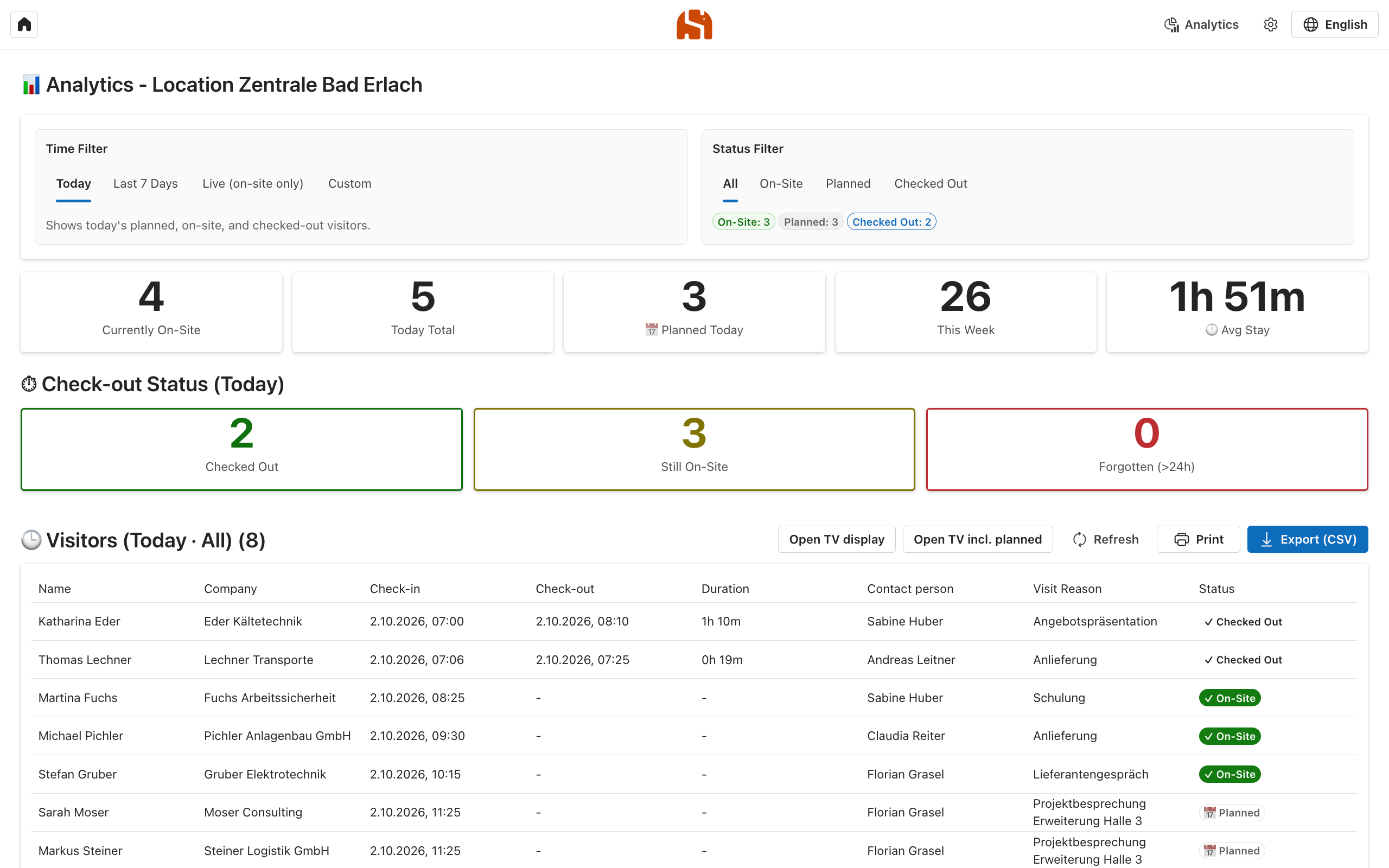
Analytics shows per location who is expected, who is on site and who has already left – with contact person and reason for the visit.
In an emergency, the “Live (on-site only)” filter gives you the list of all visitors on site – printed if needed.
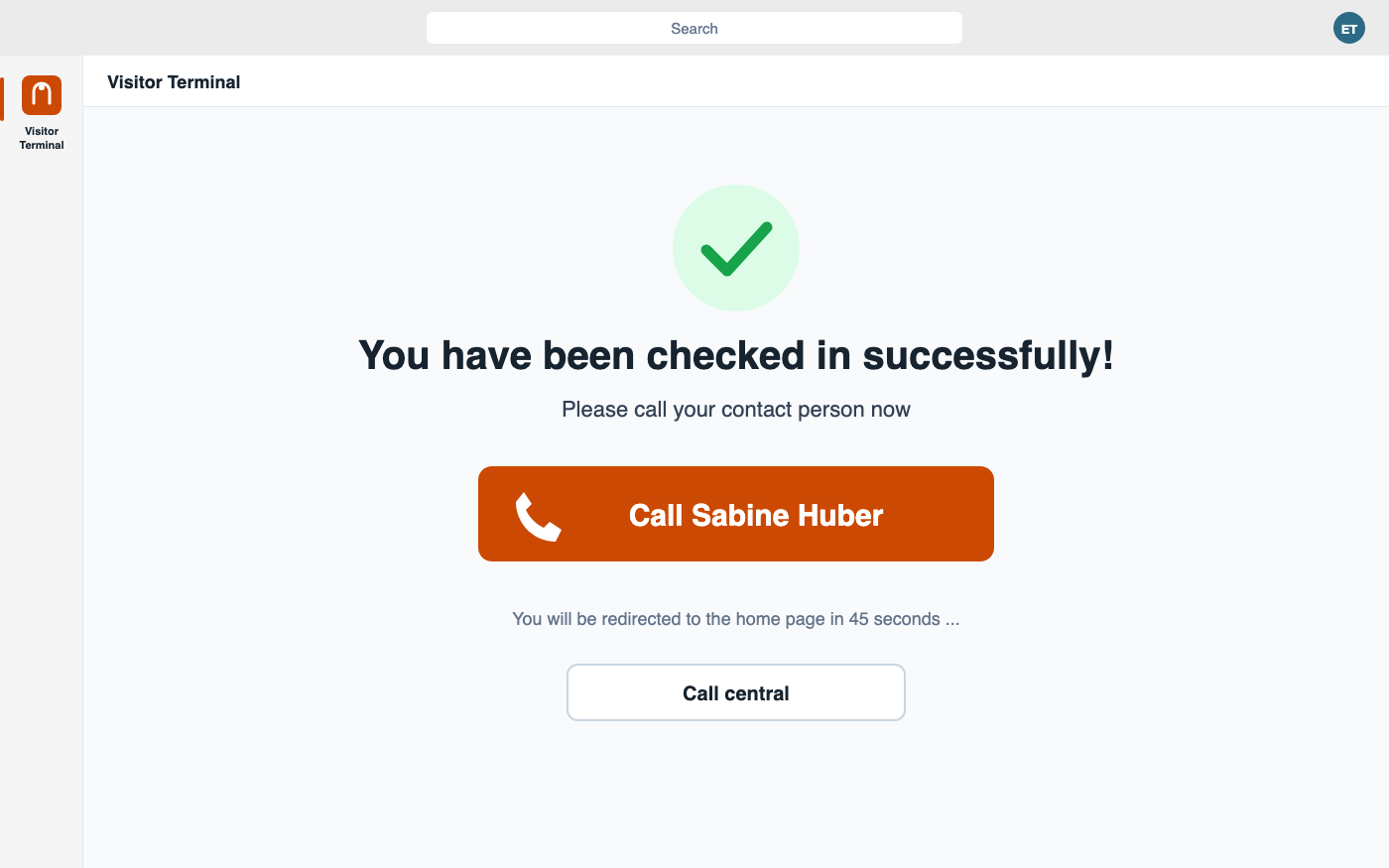
As an app in Microsoft Teams, the terminal calls the contact person after check-in – or the front desk if nobody answers. This helps receptions that are not staffed all the time.
With a setup policy you configure Teams for the kiosk account so that only the visitor terminal is pinned. The documentation describes the setup step by step.
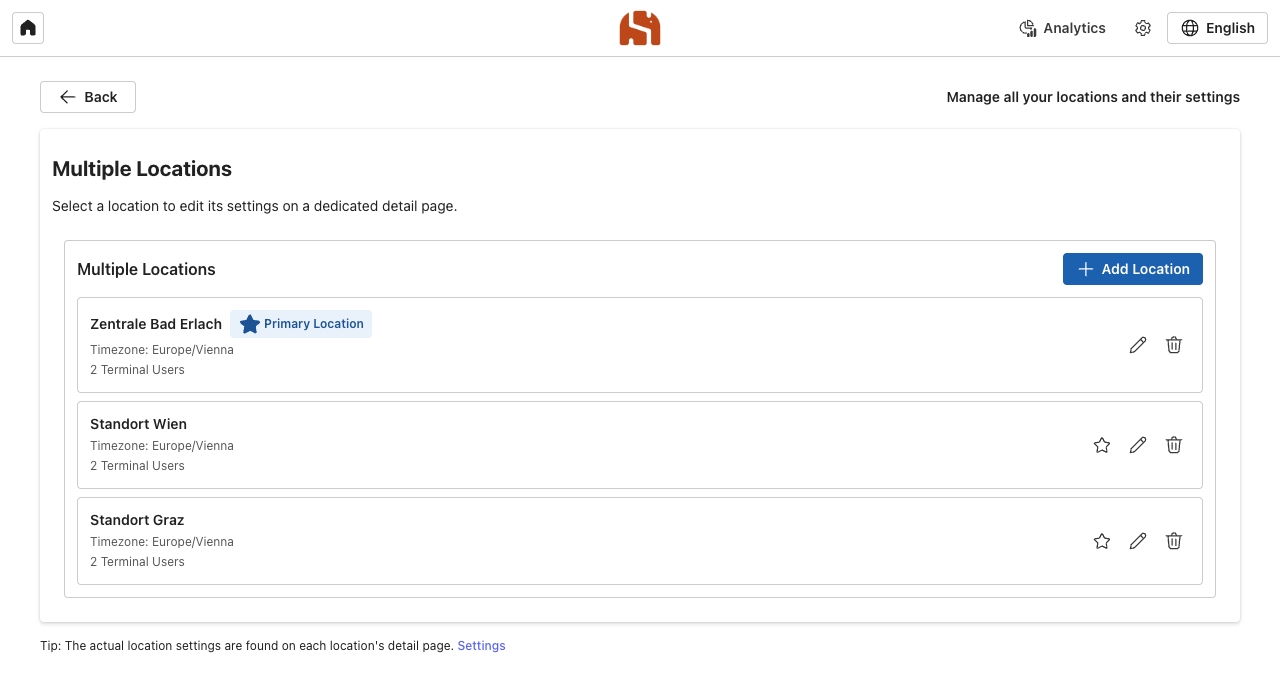
Each location has its own terminal users, guidelines, email templates and analytics. The Outlook add-in assigns appointments to the right location automatically, by the appointment location or by groups.
You control permissions through groups in Microsoft Entra ID: administrators, analytics per location and the terminal account.
The application runs in your Azure subscription. Visitor data is stored in your database – we have no access to it.
No separate user management: access through your accounts and groups, single sign-on in Outlook and Teams.
Visitors decide whether their contact details are stored. Without consent, the visit is anonymised at check-out.
Built-in tools or app?
For a small reception with few guests, a simple list is often enough. Smarter Visitor Registration is built for organisations that want to record and trace visits reliably.
If the left column covers your case, you don’t need an app – you’ve already paid for the built-in tools. Smarter Visitor Registration exists for everything on the right.
Documentation and legal information for Smarter Visitor Registration.
Overview, prerequisites and setup in seven steps.
View guideDeployment in Azure, consent in Microsoft Entra and the setup wizard.
View installationLegal terms for Smarter Visitor Registration.
Read termsQuestions about visitor registration? We are happy to help.
Contact supportWe show you the process from invitation to check-out in a short demo and discuss installation and licensing by number of locations.