
Documents
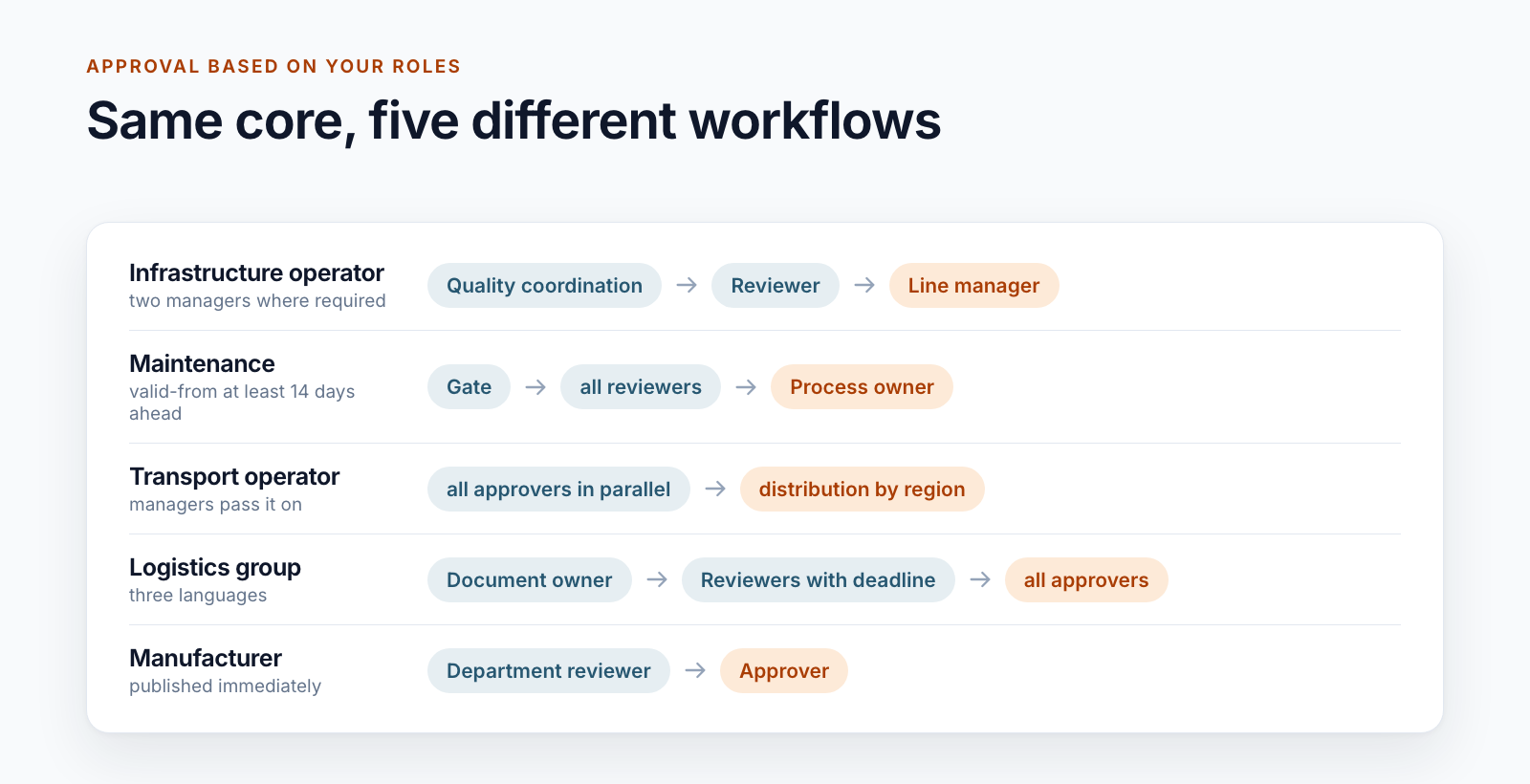
SharePoint document approval workflow: five real-world examples
Five examples of approval workflows for controlled documents in SharePoint. Which questions shape the workflow and why a standard workflow rarely fits.
Read moreBlog · Tag
All articles tagged “Power Automate”.
17 posts: “Power Automate”
Five examples of approval workflows for controlled documents in SharePoint. Which questions shape the workflow and why a standard workflow rarely fits.
Read more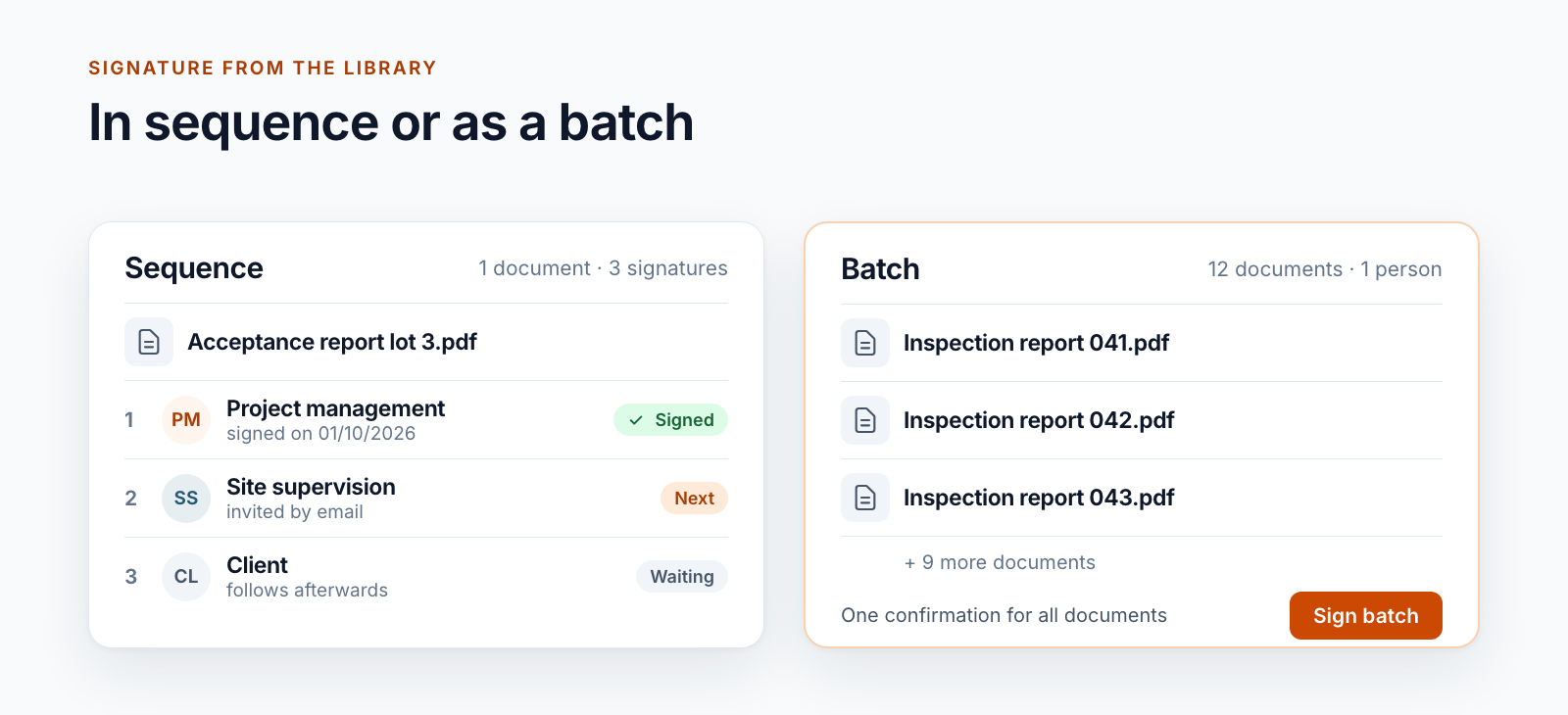
Qualified signatures from the SharePoint library: one document, several signers in sequence or many documents as a batch. Including the limits.
Read moreLearn how Power Automate and AI Builder capture, validate, and archive incoming invoices with guided flows, AI‑powered field extraction, and SharePoint storage.
Read more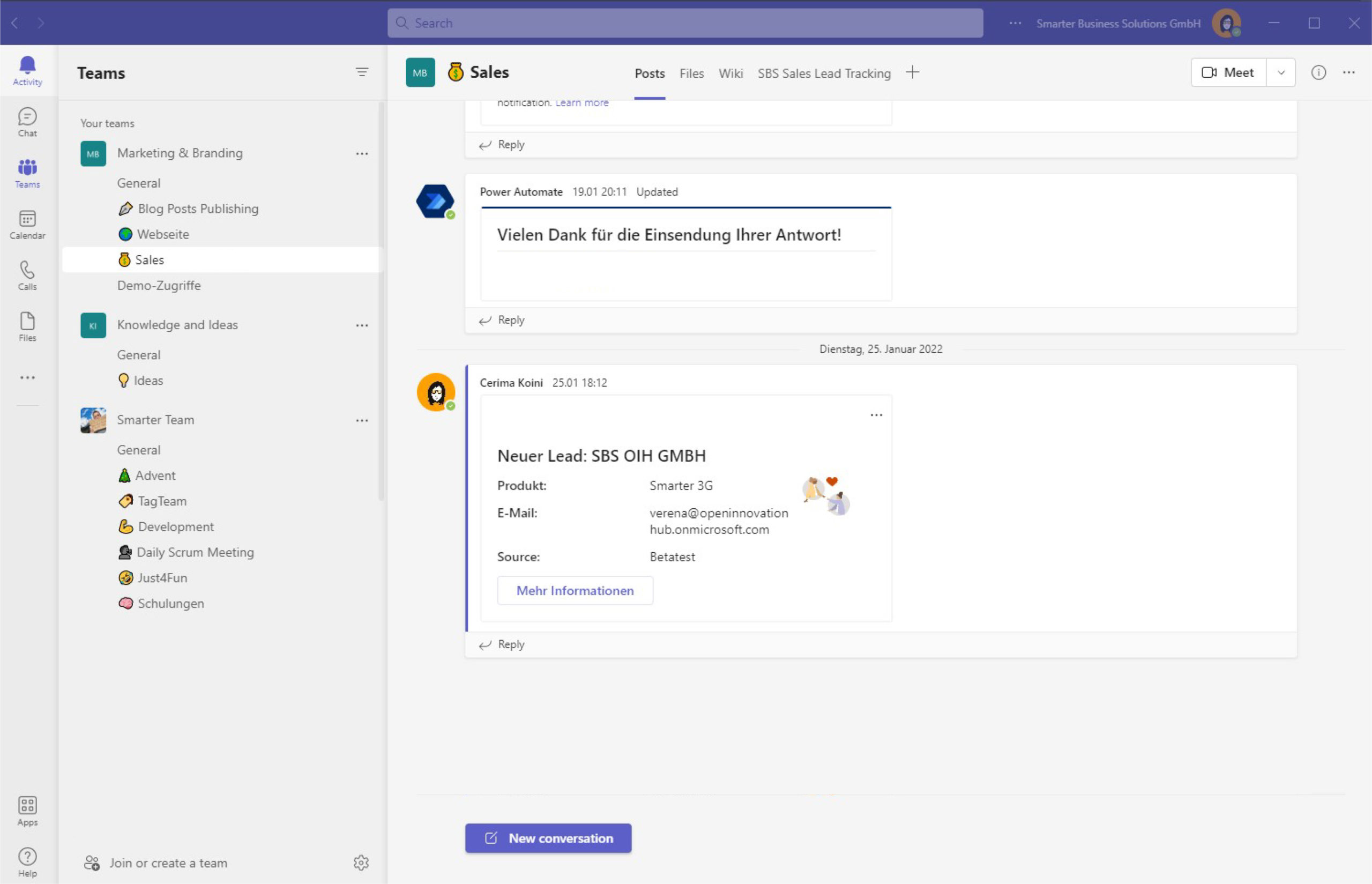
Notify your team about new leads using Adaptive Cards, deep links and list conversations in Microsoft Teams—automated with Power Automate for faster follow-ups.
Read more
Azure Functions pulls leads from Azure Tables and maps them into Microsoft Lists. Scheduled runs keep your CRM up to date and trigger welcome emails.
Read morePart one of our series shows how we built a lean CRM workflow with Microsoft 365 and Power Automate to capture leads from many sources and alert the team.
Read moreA practical way to create recurring tasks in Microsoft Planner with templates and Power Automate — ideal for onboarding, accounting, and scheduled reviews.
Read moreLearn how to precisely place a digital signature in SharePoint PDFs: capture canvas click coordinates, compute positions, and integrate with A‑Trust.
Read moreSee how our SharePoint workflow collects digital signatures: assign signers, set positions, notify by email, and download the signed PDF.
Read moreAutomate recurring Microsoft Planner tasks with SharePoint and Power Automate—create, assign, and keep everything documented without extra overhead.
Read moreSee how SharePoint Timer Jobs, role-based lists and supervision workflows automate recurring compliance tasks end to end and keep every audit trail intact.
Read more
Discover how Microsoft Lists keeps your sales pipeline organized, color-codes priorities with rules and formatting, and nudges you before follow-up is due.
Read morePage 1 of 2
We are happy to help with implementation – from a quick assessment to a complete project.