Skip to content

6 posts: “Digital signature”

Getting acknowledgement confirmed: traceable staff
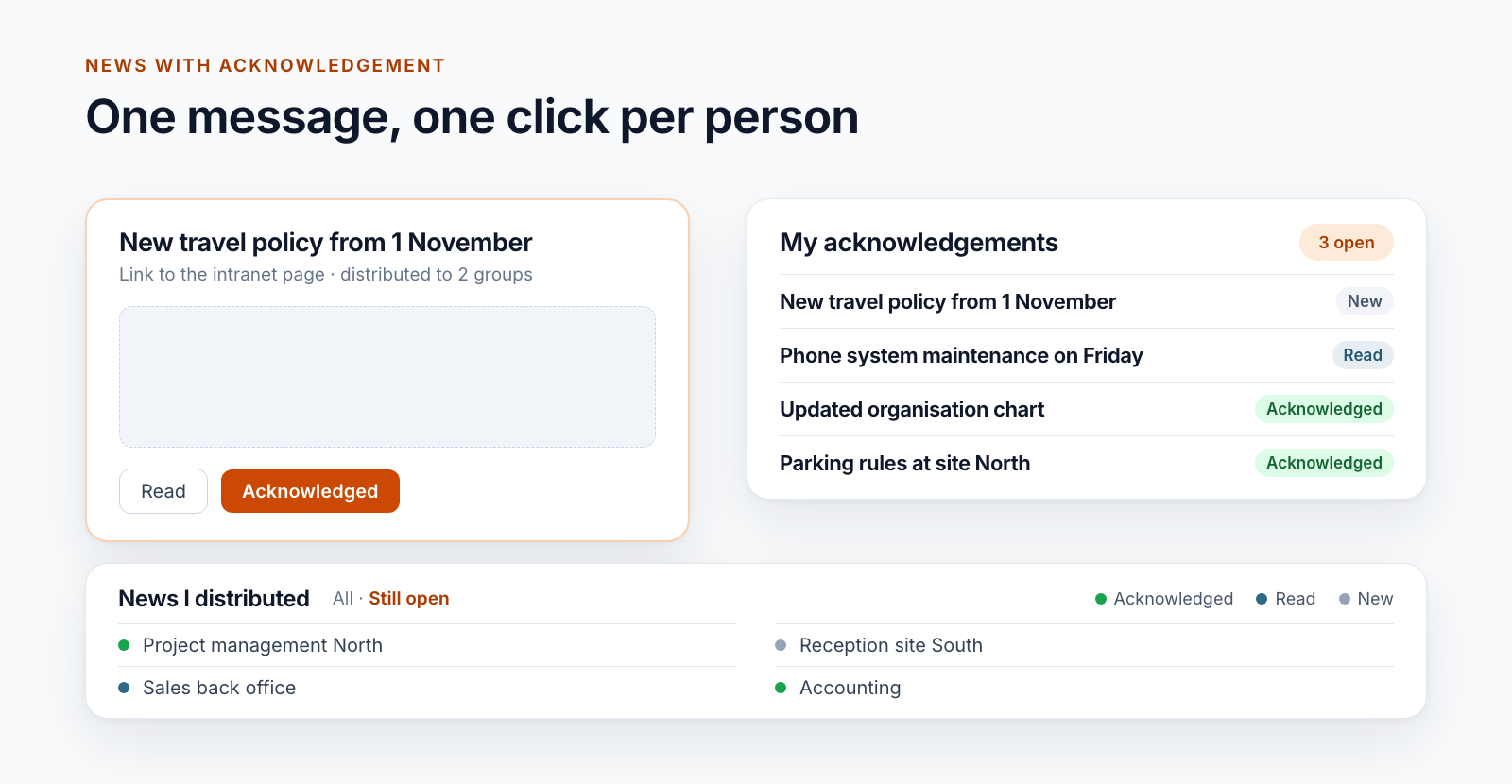
Diagram: on the left a message with the buttons Read and Acknowledged, on the right the list of own acknowledgements with status, below the sender’s view
Documents

Getting acknowledgement confirmed: traceable staff information in SharePoint

Replace sign-off sheets and email read receipts: staff confirm policies and notices in the intranet with one click, and the status per person is visible.

Read more
Project data from ERP and SAP in SharePoint: four
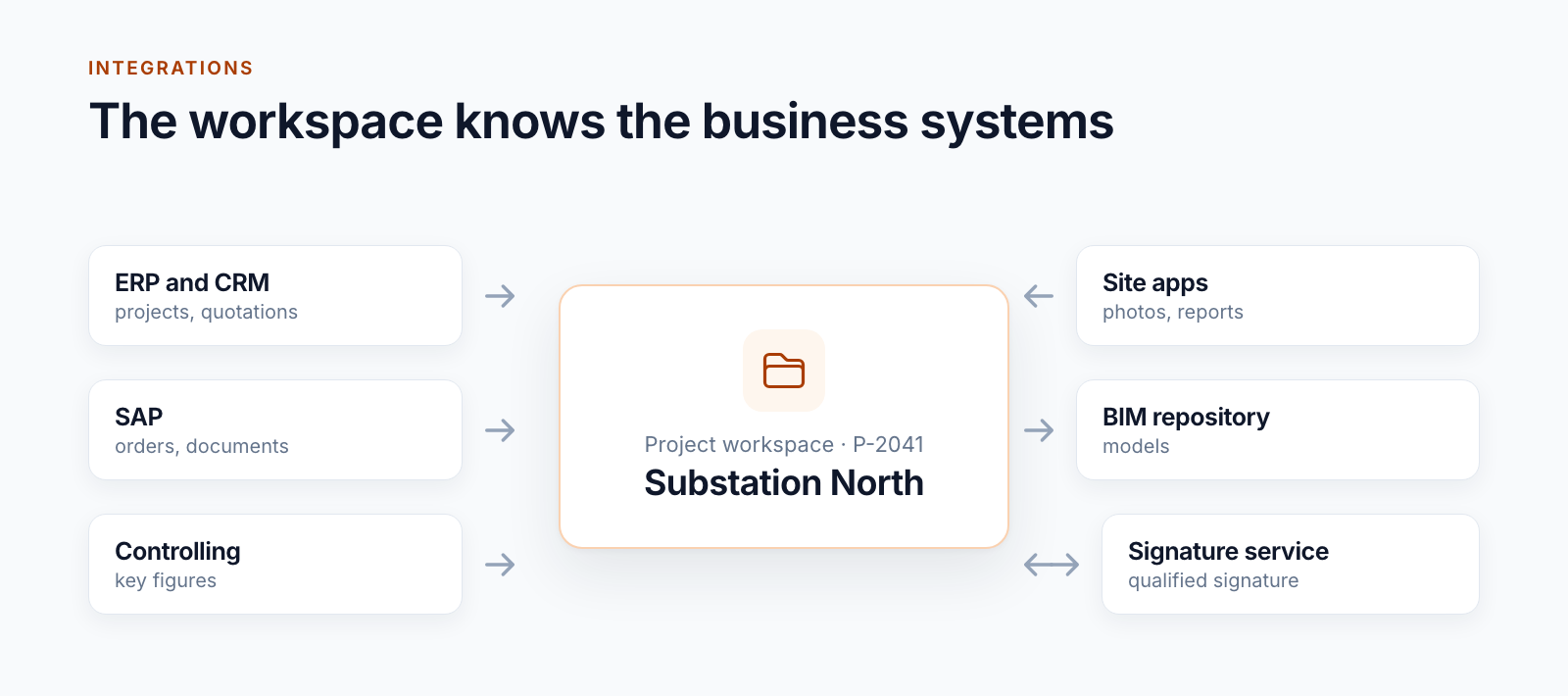
Diagram: project workspace in the centre, connected to ERP and CRM, SAP, controlling, site apps, BIM repository and signature service
Projects

Project data from ERP and SAP in SharePoint: four patterns

How SharePoint project workspaces are connected to ERP, CRM, SAP and site apps: four patterns from practice and what keeps them stable in operation.

Read more
Signing documents in SharePoint: single and batch
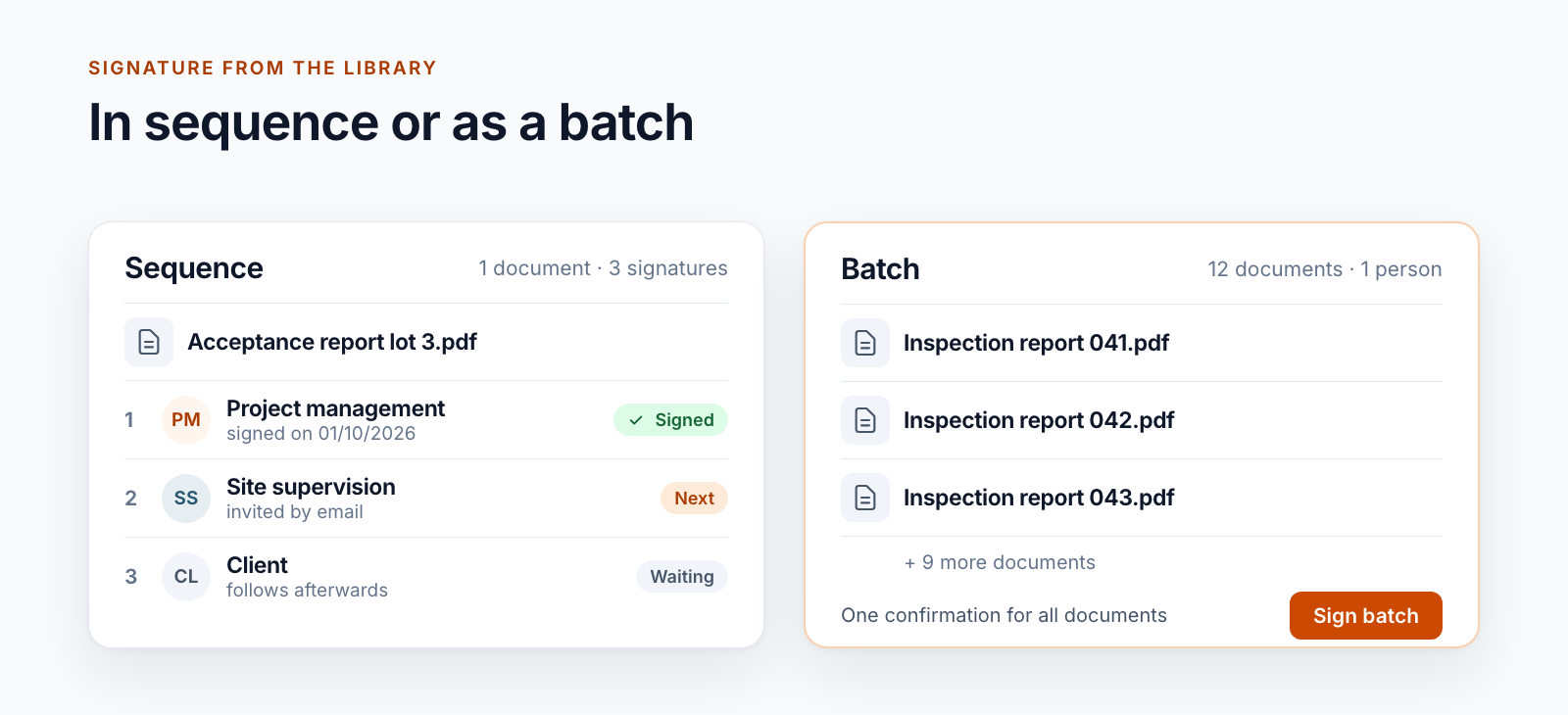
Diagram: on the left a sequence with three signers in order, on the right a batch of twelve documents signed with one confirmation
Documents

Signing documents in SharePoint: single and batch signature

Qualified signatures from the SharePoint library: one document, several signers in sequence or many documents as a batch. Including the limits.

Read more
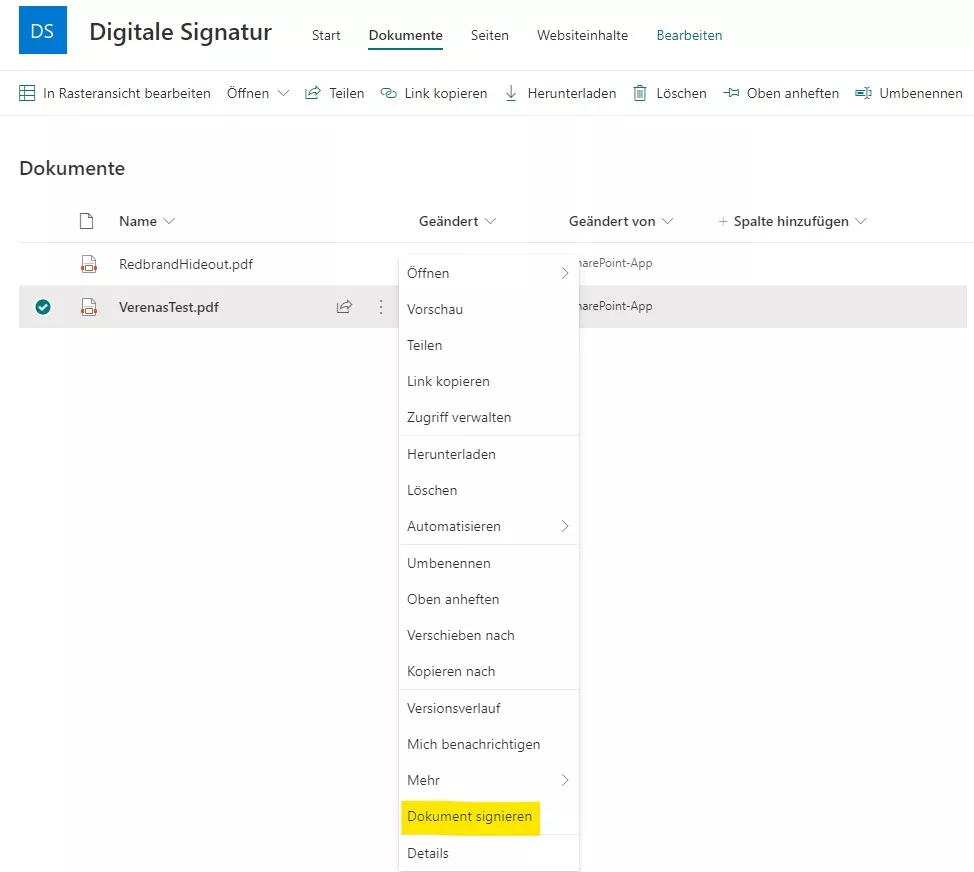
Digital Signatures in SharePoint Online: Our Approach
Documents

Digital Signatures in SharePoint Online: Our Approach

How we adapted our digital signature solution for SharePoint Online: core architecture, SSOM/CSOM, dependency injection with Ninject, and a provider-hosted add-in.

Read more
Specify the Position of a Digital Signature in PDFs
Documents

Specify the Position of a Digital Signature in PDFs

Learn how to precisely place a digital signature in SharePoint PDFs: capture canvas click coordinates, compute positions, and integrate with A‑Trust.

Read more
Digital Signatures for SharePoint Documents, Simplified
Documents

Digital Signatures for SharePoint Documents, Simplified

See how our SharePoint workflow collects digital signatures: assign signers, set positions, notify by email, and download the signed PDF.

Read more

Questions about one of the topics?

We are happy to help with implementation – from a quick assessment to a complete project.