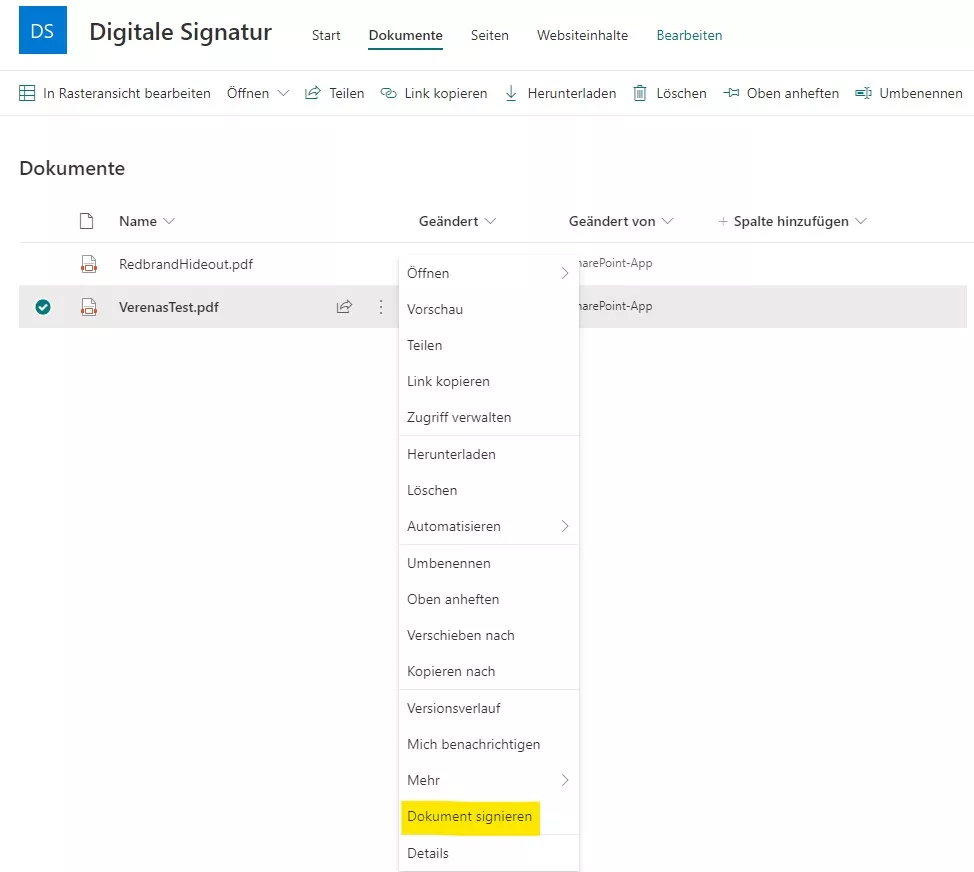
We’ve already presented our solution for digital signatures for SharePoint documents. In this article, we explain how we adapted our application so that digital signatures also work seamlessly in SharePoint Online.
Building a Core Project
To enable installation in SharePoint Online, we split the application into multiple projects. We introduced a core project that contains no SharePoint-specific functionality. The core encapsulates the fundamental logic using interfaces only; it deliberately avoids concrete implementations.
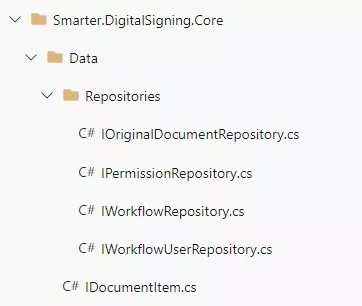
The implementations of these interfaces live in separate projects. We created an SSOM project (Server-Side Object Model), which can be used, for example, with SharePoint 2019. For SharePoint Online, we added a CSOM project (Client-Side Object Model). Depending on requirements, additional projects can be added—for instance, a variant that reads data from a database instead of SharePoint.
Dependency Injection with Ninject
To easily choose which implementation to load, we use dependency injection via the NuGet package Ninject. Ninject uses modules that are loaded into the project. In such a module, a class is bound to an interface via the Bind method.
Example: SSOM repository module
public class SsomRepositoryModule : NinjectModule
{
    private readonly string _url;

    public SsomRepositoryModule(string url)
    {
        _url = url;
    }

    public override void Load()
    {
        Bind<IWorkflowRepository>()
            .To<SsomWorkflowRepository>()
            .WithConstructorArgument("url", _url);
    }
}
This class is instantiated when the interface is resolved:
WorkflowRepository = kernel.Get<IWorkflowRepository>();We use two Ninject modules—one for the SSOM project and one for the CSOM project. Additionally, we introduced a module provider interface that returns the correct Ninject module with the proper bindings.
// Module provider interface
public interface IRepositoryModuleProvider
{
    NinjectModule GetRepositoryModule(string url);
}

// SSOM implementation of the module provider
public NinjectModule GetRepositoryModule(string url)
{
    return new SsomRepositoryModule(url);
}
Targeting Different SharePoint Versions
The core functionality can now be reused across projects that target different versions. For SharePoint Online, we implemented a provider-hosted add-in. On the page, we specify the required module providers when instantiating the PageInitializer. The provider delivers the correct Ninject module, ensuring the application receives the appropriate interface implementations. For SharePoint Online, we use the CsomRepositoryModuleProvider.
var contextUrl = HttpUtility.UrlDecode(Page.Request["SPHostUrl"]);

var pageInitializer = new PageInitializer<T, CsomRepositoryModuleProvider>(Page);
// Initialize processes the request and triggers the remaining functionality
pageInitializer.Initialize(contextUrl);
Switching between implementations is straightforward—change a single line. If you want to use the SsomRepositoryModule, specify the corresponding type when creating the PageInitializer and you’ll automatically receive the SSOM implementations.
var pageInitializer = new PageInitializer<T, SsomRepositoryModuleProvider>(Page);Interested in more details about our digital signature solution for SharePoint Online? We’d be happy to talk.
- Digital Signature
- Microsoft 365
- SharePoint
- SharePoint Online
- User Adoption