An approval arrives by email, while the related documents live in SharePoint. Smarter O2S brings them together in Outlook: file emails and attachments, complete metadata, and find and reuse existing documents.
The new Outlook web add-in is now available in Microsoft Marketplace. It replaces the classic Windows/COM Office2SharePoint add-in as our current product.
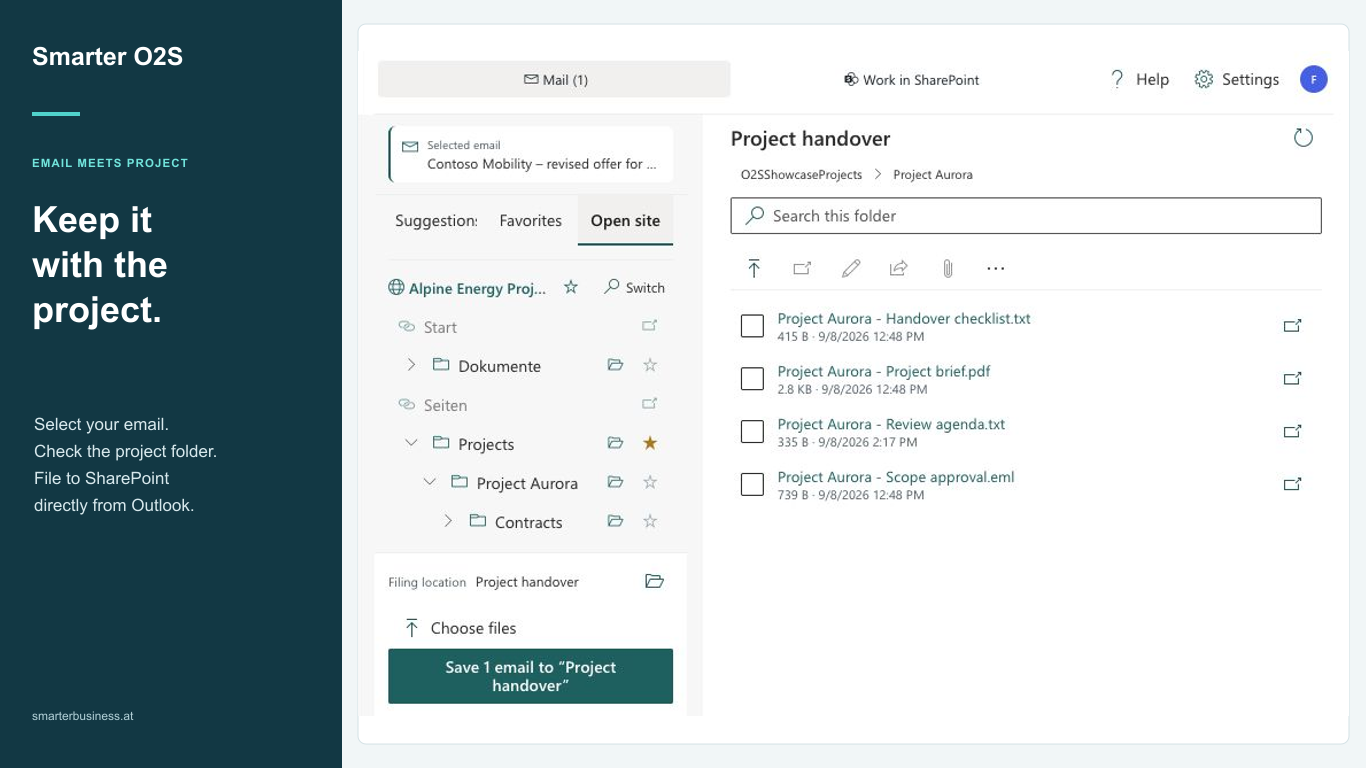
File emails in the right place
O2S suggests SharePoint destinations. You can also select a favorite or open a site and navigate to a library. The selected email is saved as an EML file. Recent filings and the indication on a previously filed email help you find the destination again.
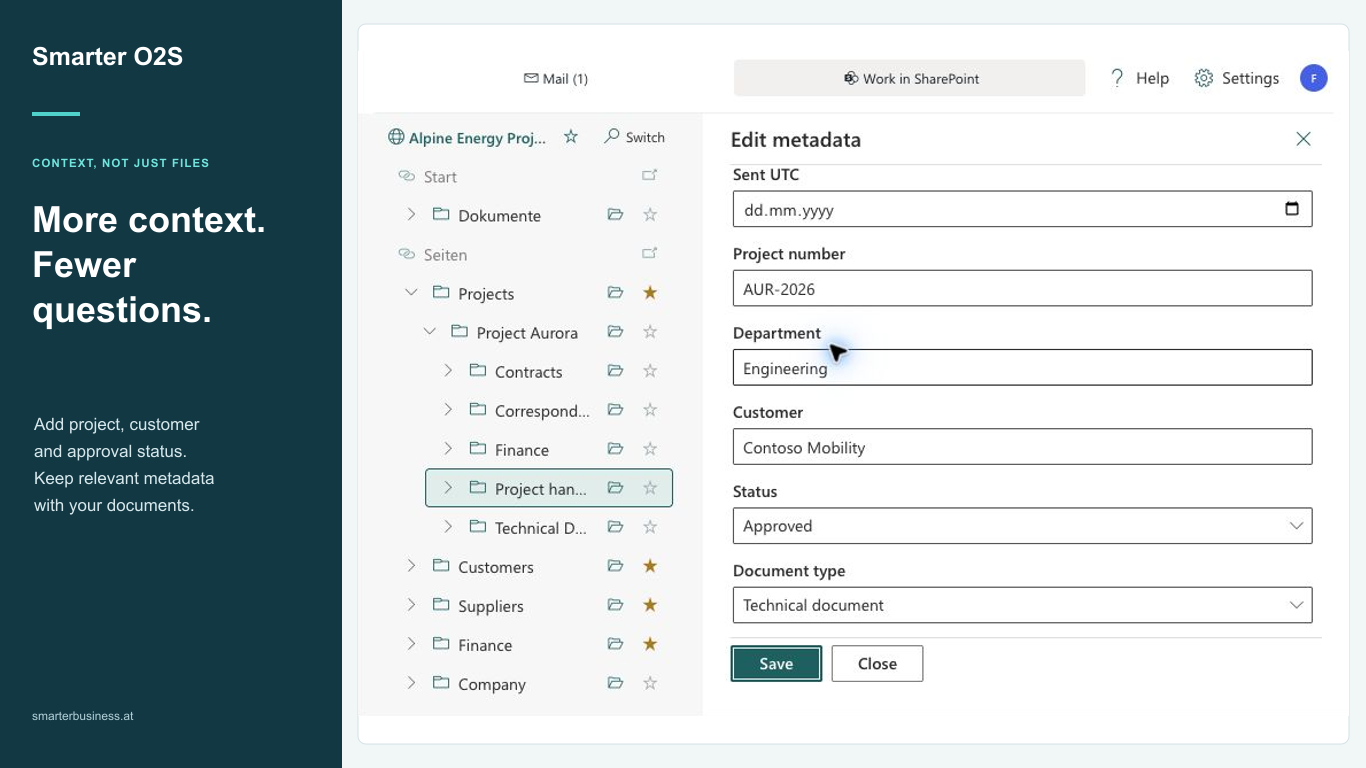
Complete metadata as you file
Required library fields are requested during filing. Metadata templates let you reuse recurring values for compatible fields. Upload local documents with Choose files; drag and drop is also available in supported Outlook clients.
Work with SharePoint without leaving Outlook
Search the current folder and access existing files in the SharePoint workspace. The expanded pane places navigation and content side by side. Search uses the SharePoint index: new uploads appear immediately in the folder listing, but may take longer to appear in search results.
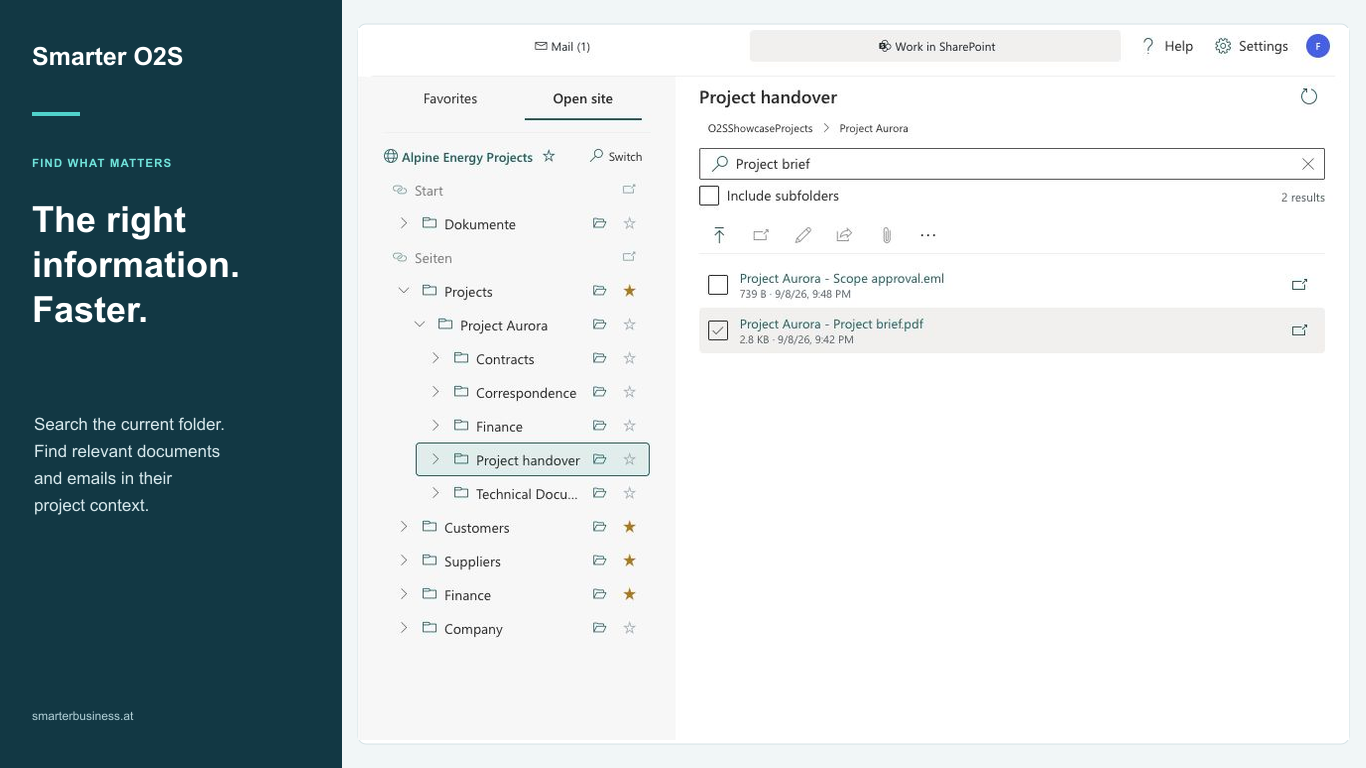
Preview supported documents, then open them or create an Outlook draft containing links or attachments. You decide what to send.
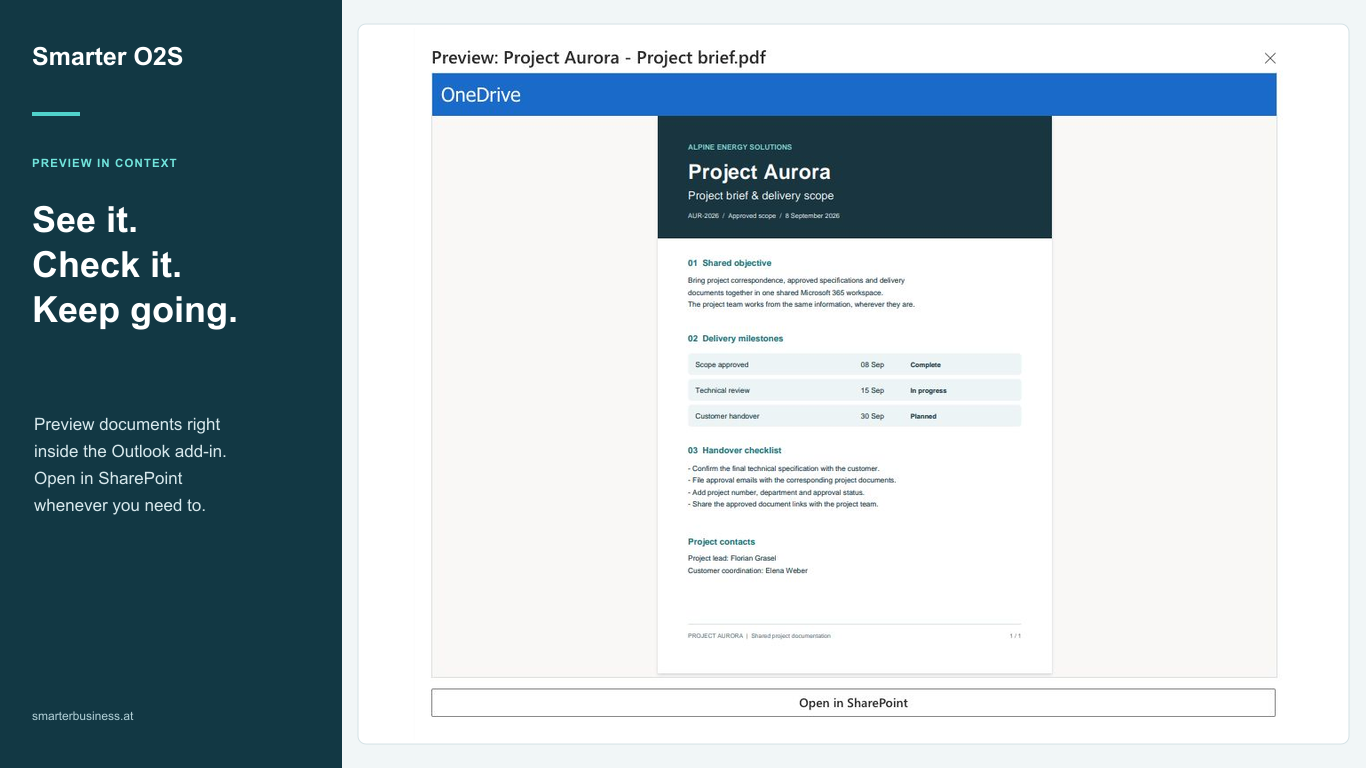
The screenshots use demo data. Appearance, preview and individual actions depend on the Outlook client, file type and permissions.
Built for Microsoft 365 – with clear requirements
Smarter O2S supports Outlook on the web and supported Outlook desktop clients on Windows and macOS. It requires Exchange Online, SharePoint Online and a provisioned personal OneDrive. Your IT team deploys the add-in and approves the documented permissions; existing user access rights continue to apply.
Emails and documents reside in the selected SharePoint destination. Personal settings and filing history are stored in OneDrive. SBS processes the organisation and contact data required for the trial. See the privacy notice for details.
SharePoint on-premises, mobile Outlook and whole Outlook-folder migration are not included. Features and historical references for the classic COM version therefore do not automatically apply to the new product. Existing installations and agreements are not migrated automatically.
Try it with your team for 14 days
The add-in is free to install. An eligible organisation starts a fully featured 14-day trial directly in O2S. The initiator confirms a contact email; colleagues in the same tenant share the expiry date. No payment details, automatic purchase or paid renewal are involved.
Pricing and purchasing through the new Microsoft Marketplace SaaS offer will follow. Contact us for pricing and an offer for your organisation.
Get started
- Outlook
- SharePoint Online
- Microsoft 365
- Microsoft Marketplace
- Smarter O2S