With version 1.5.0, the registration confirmation of Smarter Event Booking lands right in the personal calendar. Once again most of it comes from practice: customers who run vaccination days with fifty time slots, offer training over several months and would rather see the appointment in their own calendar than in a mail attachment.
The appointment lands in the personal calendar
Until now the registration confirmation was a mail with a calendar file attached. Anyone who wanted the appointment in their calendar had to open the file and save it – and often forgot.
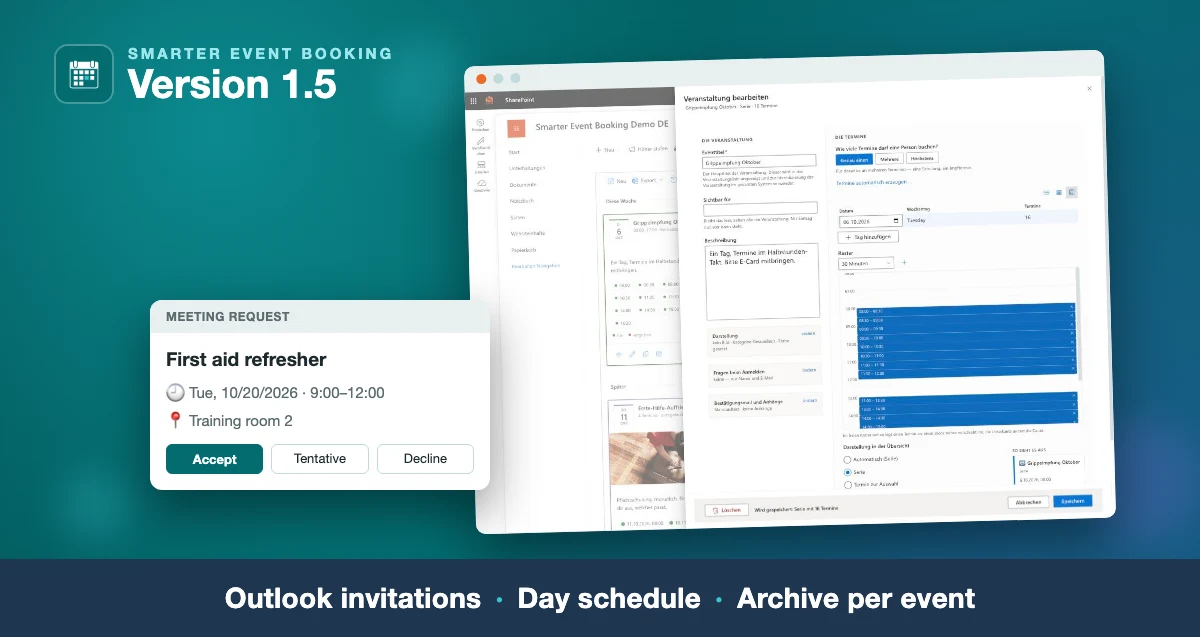
The confirmation can now arrive as a real Outlook invitation: a meeting request from a shared mailbox that people accept like any other meeting. Unsubscribing sends a cancellation, and the appointment leaves the calendar again. Accepts and declines arrive in the shared mailbox.
Switch it on in the configuration under Email → “Calendar entry in the confirmation” → “As an invitation from the shared mailbox”. Without a shared mailbox, the calendar file stays. How to set up the mailbox is described in Getting started.
Also new: times in confirmation mails follow the site’s time zone. The mail is composed in the browser of the person who registers – a colleague abroad used to get their own local time in the text.
Plan time slots without typing
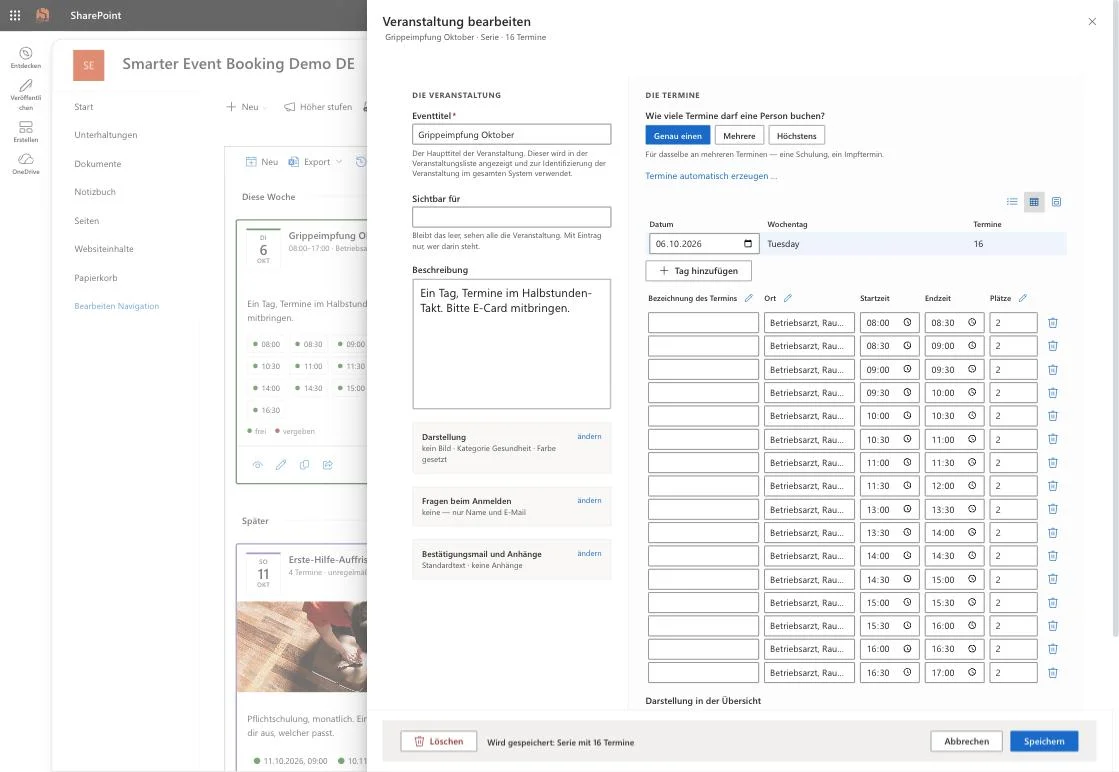
Anyone creating twenty time slots on one day used to type forty times and the same location twenty times. Above the list of dates there are now two more views.
The table shows all dates of a day as rows. The pencil in a column header sets location, seats or title for all of them at once.
The day schedule shows the dates as blocks on a time axis. Dragging on free space creates a date, a block can be moved, and its bottom edge changes the duration – snapped to 5 to 60 minutes if you like.
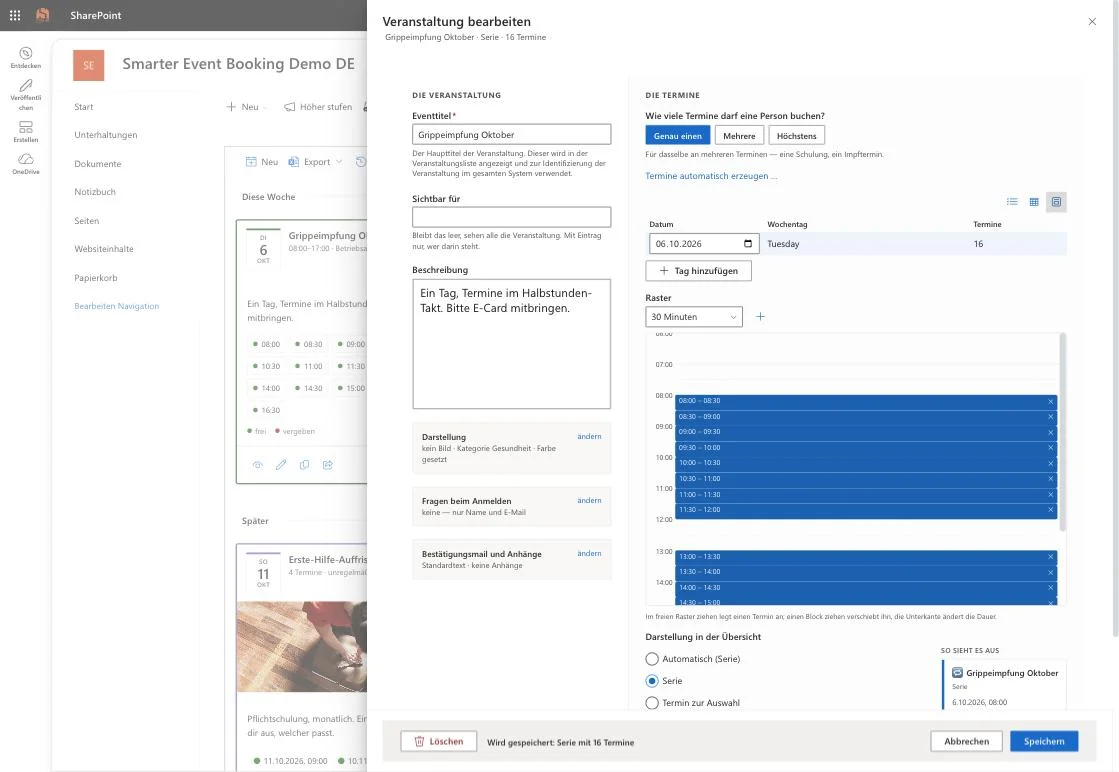
Above both sits a table of days: changing a date there moves the whole day without touching the times; “Add day” repeats the same schedule on the next day.
And because a date can be moved with one gesture in the day schedule: when a date that already has registrations gets a new time, saving asks first – with the old and new time and the number of people affected.
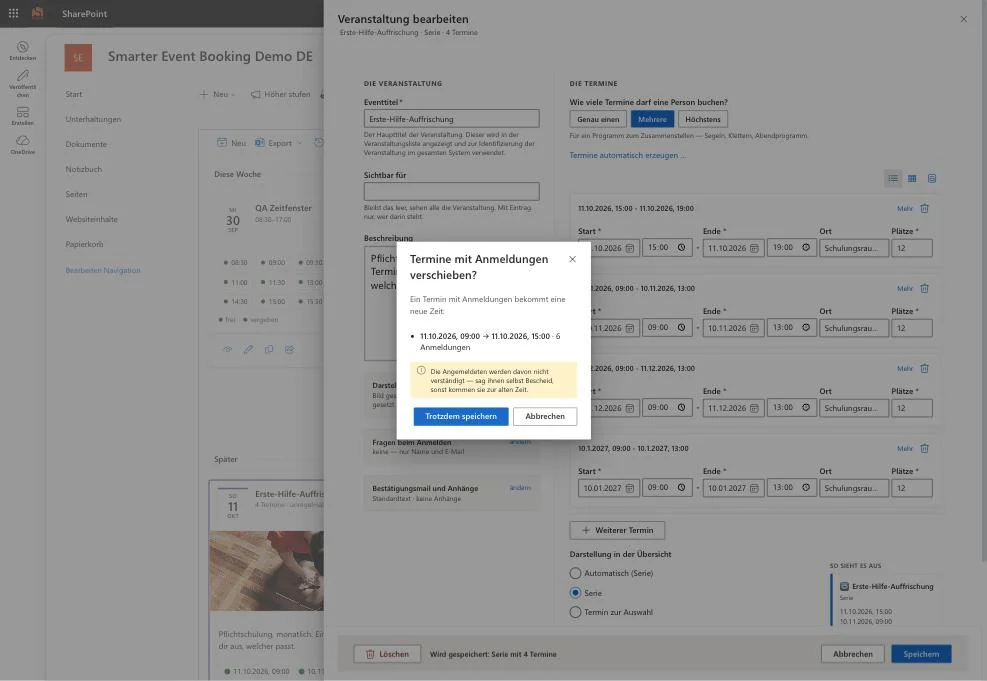
The screenshots show the German interface; the app follows each user’s display language.
Message all attendees of an event
Whoever moves a training wants to reach everyone – not date by date. Next to the export, the event panel now offers “Message all attendees of the event”. The message goes to those registered for any of its dates, each person once, waiting lists excluded.
Past events instead of past dates
The archive used to list every date on its own – a vaccination day with 48 slots appeared 48 times. It now shows one row per event with its period, number of dates and locations. One click opens it like a current event, with all its dates and attendees.
What else is new
- Days instead of dates on the cards: from four upcoming dates, a card shows one entry per day – “5 dates on 10/13/2026 · 2 free” – instead of three dates and “+5 more”.
- Day plan in the event panel: from four dates on one day they can be shown on a time axis, like Outlook’s day view.
- Calendar file for events with several dates: the download used to exist for single dates only.
- One carousel card per event, with optional auto-advance.
- Colour frame and all cards the same height as settings, both off until switched on.
- Attendee list sorted alphabetically by default; the browser remembers the chosen order.
- Registration deadline after the start is allowed – for courses that run over months.
Installation and update
Via Microsoft Marketplace or your tenant’s app catalog. Existing installations are updated in place – events, dates and registrations are kept. This version needs no new list columns and no new permissions; every new display option stays off until someone switches it on.
Read more
- Smarter Event Booking at a glance — features and licensing per site collection.
- Getting started — from installation to the shared mailbox for Outlook invitations.
- Troubleshooting — what goes wrong in practice and why.
You can try it via Microsoft Marketplace: 14 days as a trial licence, then licensed per site collection.
- Smarter Event Booking
- SharePoint
- Microsoft 365
- Update
- Event Management
- Microsoft Marketplace
- Outlook