Many large organisations live in two worlds. People work in SharePoint and Teams. Records are kept in LiveLink, which has been called OpenText Content Server for years and is still LiveLink in everyday language.
Anyone searching for “LiveLink SharePoint” mainly finds migration tools. In large organisations, the question is often a different one: both systems stay, and documents have to move from one to the other at the right time. This post describes two such handovers that we have built: approved documents from a document management system and construction documents from a project portal.
Who does what
| SharePoint and Teams | LiveLink | |
|---|---|---|
| Purpose | Collaboration, lifecycle, approval | Retention over decades |
| Content | Drafts, working versions, valid versions | Completed, approved documents |
| Structure | Project, process, team | File plan, asset, retention class |
| Lifetime | Until project closure or the next version | Until the end of the retention period |
The handover is the moment a document moves from one structure to the other. It works when three questions are answered: what is handed over, when, and how do you know it has arrived?
Pattern 1: every published version goes to the archive
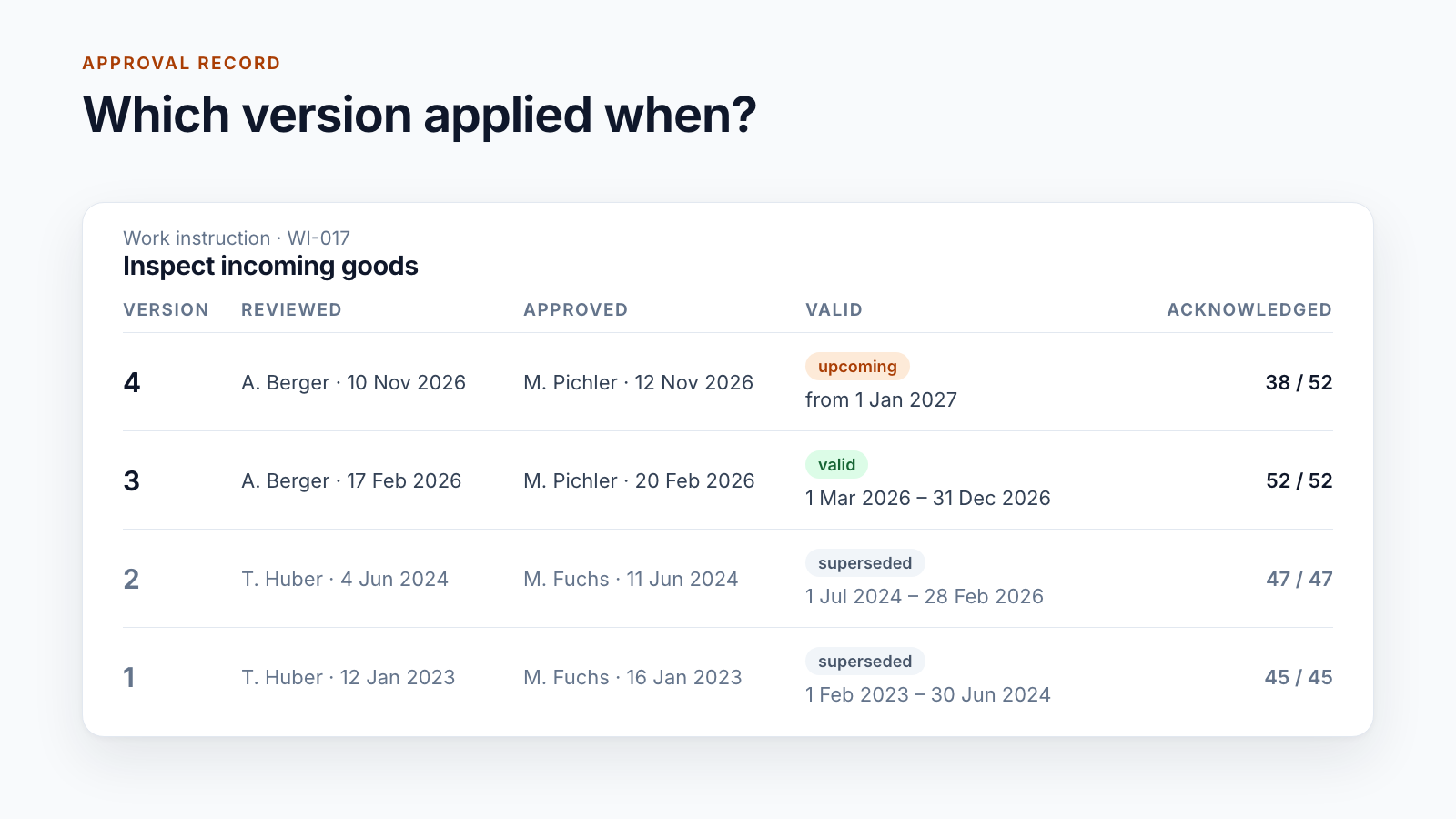
At a logistics group, a document management system in SharePoint controls the governing documents: editing, review, approval, publication. On publication, every version is additionally handed over to LiveLink.
When. The handover follows immediately after approval. For documents with a valid-from date in the future, it is part of the nightly run that publishes the version on the effective date. If the metadata of a valid document changes later, it is handed over again.
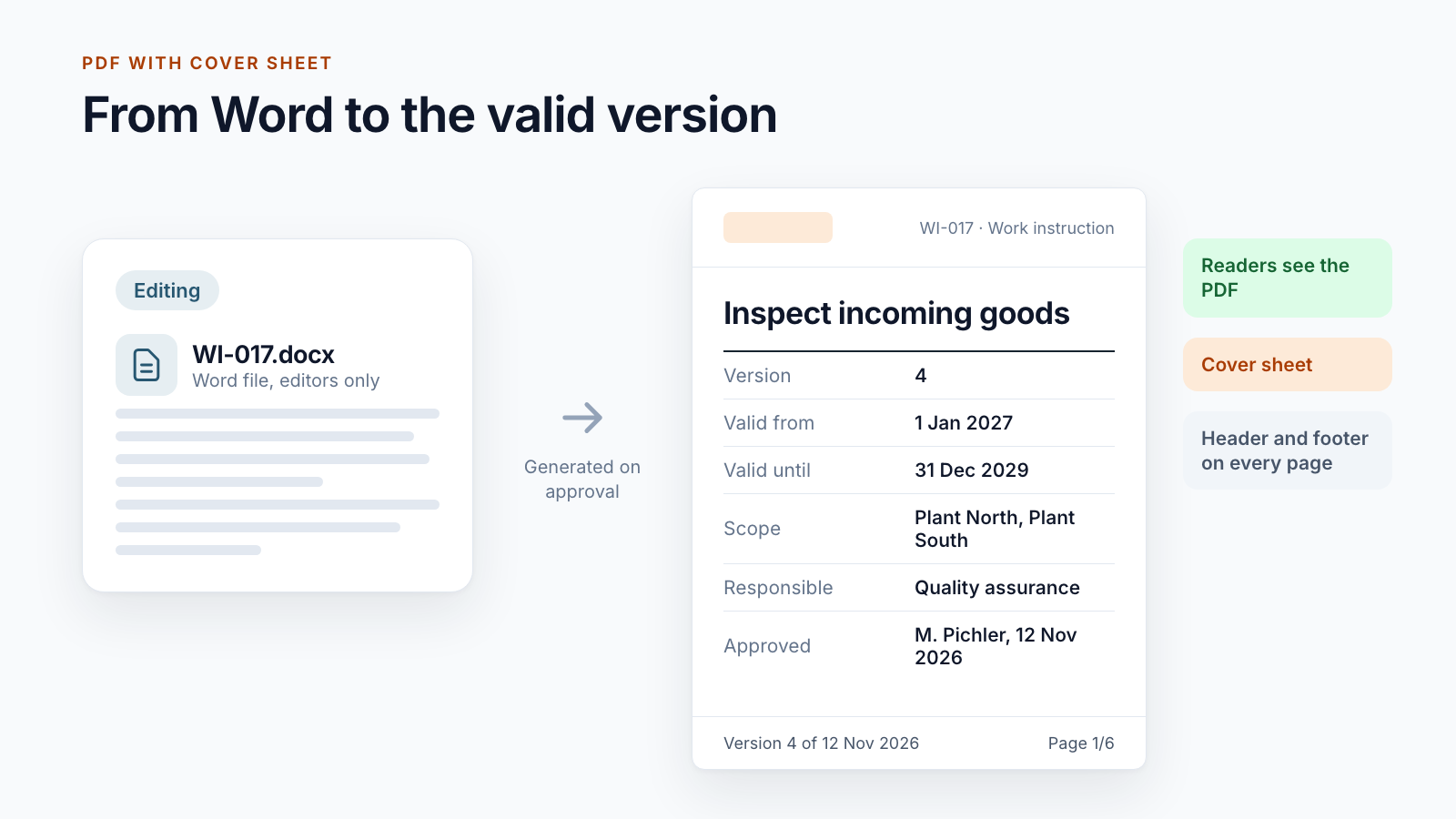
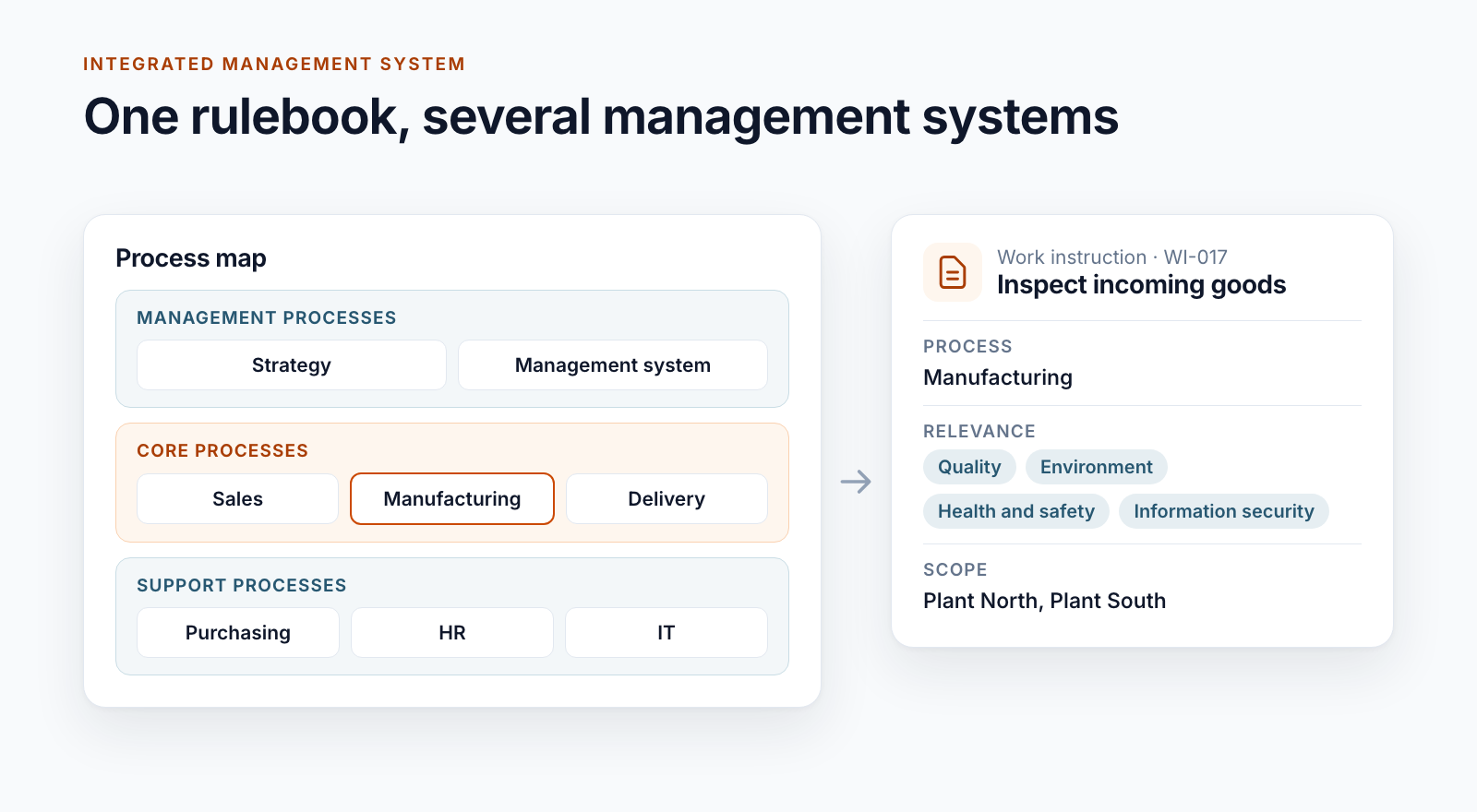
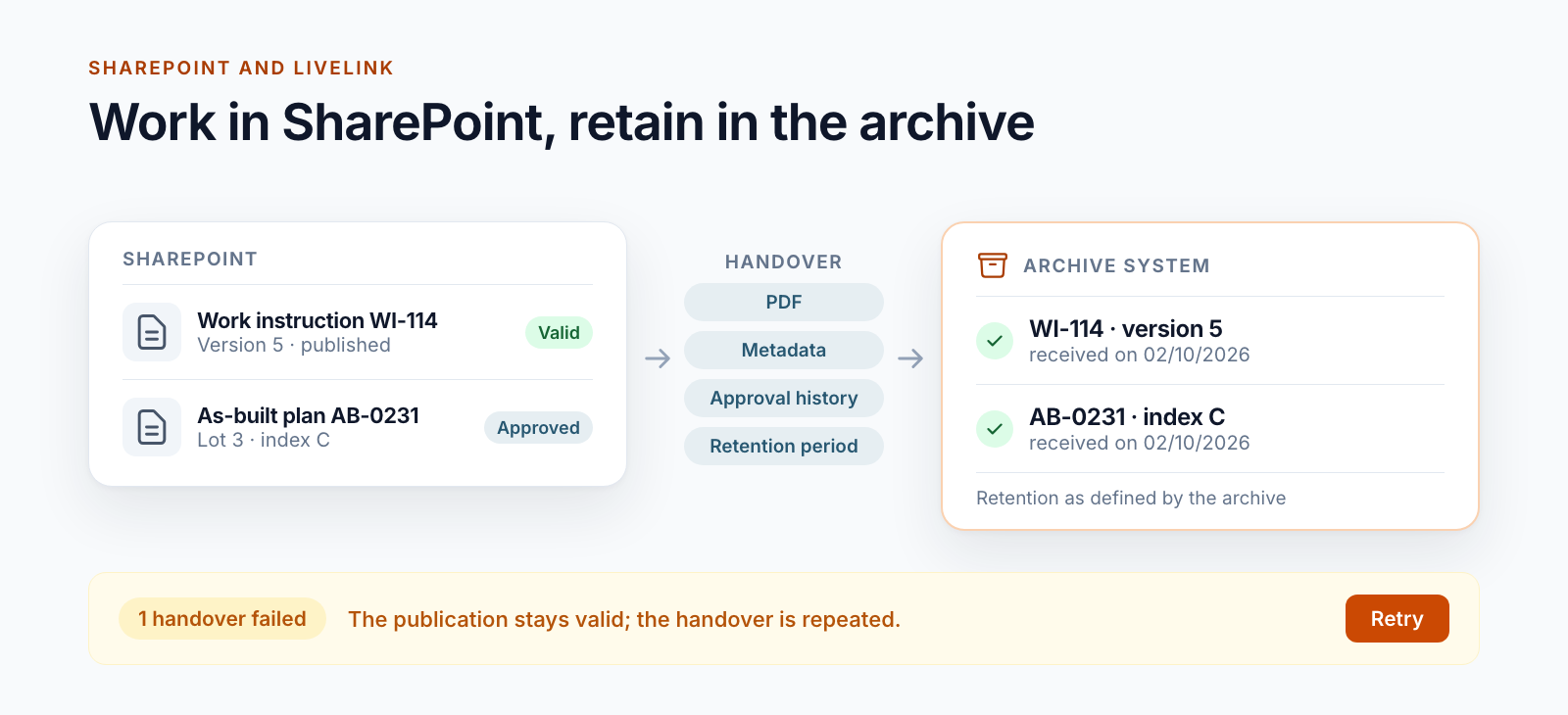
What. The reader version is handed over: the PDF with cover sheet, header and footer, exactly as employees see it. The Word source stays in the DMS. Around twenty metadata fields go with it, including document type, process, scope, valid from and valid until, language, confidentiality, document owner, approver, version and the retention period in years. The complete approval history is sent as well: who reviewed and approved when, with comments.
Where. The DMS does not know the folder structure of the archive. The message contains no target folder. Where the document is filed in LiveLink is decided by the receiving side.
Back. The path runs in one direction. The DMS does not read from LiveLink and deletes nothing there. The approval history of the document contains a “LiveLink” entry with time and result.
Pattern 2: construction documents go to the operator
In a rail infrastructure project, drawings, verifications, minutes and official notices accumulate over years. The project builds; afterwards, a different unit in the group operates the asset. It needs the documents in its own structure: by asset, line and kilometre instead of by project and construction lot.
Here, the operator’s asset documentation sits between the project portal and LiveLink. It receives documents through an interface, converts them to PDF/A, adds a barcode and watermark and files them in the archive.
Selection. On the project site, someone from the project team selects the libraries to be handed over, across the main project and its construction lots. Individual documents are handed over. A handover protocol is created for each project.
Checks before sending. Before anything leaves the project, every document is checked:
- Is it marked as relevant for the asset documentation?
- Is the file format suitable for permanent retention?
- Can document type, asset and project be assigned unambiguously?
- Do line and kilometre match, and is the asset still active?
- Does a document with limited retention have an expiry date?
Whatever fails the check stays in the project and is listed in the export log with the reason.
Metadata. Every document carries the information the operator searches by: subject, reference number and date, document type, lines with kilometre from and to, assets, land parcels, project, retention and access restriction. For this, the document type of the project portal is mapped to the document type of the asset documentation. This mapping is maintained in an administration interface and is not part of the code.
Formats. Whatever the asset documentation can convert becomes PDF/A. Models, drawings in their original format, videos and documents that are already signed go across unchanged. For signed documents, a conversion would invalidate the signature.
Feedback. After acceptance, the service writes three values back to the document: status, identifier and a link to the entry in the asset documentation. This happens without creating a new version and without overwriting “Modified by”. The document is not locked.
As of October 2026, this handover runs from the SharePoint Server environment of the project portal. For the project workspaces in SharePoint Online, it is in preparation.
The technical path
Neither pattern calls LiveLink directly. In each case, a service of the group with a narrow interface sits in between. In the first case, it is a handover service that accepts a document together with its metadata as one message. In the second, it is the asset documentation with its own calls: create the document, transfer the content, update the details and read it back as a check.
There are reasons for this:
- LiveLink runs in the group’s data centre. An upstream service or an API gateway is the controlled way in.
- Folder structure, categories and permissions in the archive belong to the archive team. The source should not need to know them.
- If LiveLink is upgraded or restructured, the interface to the source stays the same.
Where no such service exists, there is the direct path. Content Server offers a REST interface for creating documents, adding versions and setting categories with attributes. In addition, OpenText offers its own products for connecting to Microsoft 365. They are worthwhile if content from the archive is to be visible in Teams and SharePoint. For a targeted handover of individual document types, a lean interface is often the shorter route.
What matters in operation
The handover must not hold up the work. If it fails, the document stays published. A work instruction applies even if the archive is unavailable at that moment. The handover is made up later.
Errors need a place. In the DMS, every failed handover ends up in an error list. A daily report to the administrators names the documents stuck in the “LiveLink” step. The administration area has a retry button.
Do not retry blindly. If it is unclear whether a transmission arrived, the service must not simply send it again. Otherwise the document sits in the archive twice, or the archive rejects the second transmission because it already knows the version. The handover of construction documents therefore keeps a record of every sub-step per document: created, content transferred, read back, log written, document updated. After an interruption, it resumes at exactly that point. Unclear cases stay where they are until someone has checked them.
The archive sets the pace. The asset documentation processes around two hundred documents an hour and answers with “too many requests” when a backlog builds up. The service then waits for as long as the response specifies. On the source side, large PDFs need a lot of memory. In the nightly run of the DMS, no more than two documents are therefore published and handed over at the same time.
Dry run first, then live. The write path is locked by default. A run first shows what it would hand over and what it rejects. Only after this review is it released.
How long is long?
Every company knows retention periods of seven or ten years. Infrastructure is measured differently. For railway assets in Austria, the regulation on railway construction design documents requires the documents to be kept until the asset is taken out of service (§ 3 (4) EBEV). A bridge or a tunnel stands for a hundred years and longer. The documents have to remain readable for that long.
The same provision permits electronic retention if changes to approved versions are documented, superseded versions are preserved and a printout is possible at any time.
This defines what a handover has to deliver:
- A format that lasts. PDF/A instead of the format of the software the document was created with.
- Metadata that makes sense without the project. In thirty years, nobody will remember the construction lot. The asset and the line kilometre remain.
- A retention value on every document. For the construction documents, there are two classes: permanent or limited with an expiry date. In the DMS, every document carries a period in years.
- A system built for the purpose. A project workspace is cleaned up after project closure. An archive is designed for decades.
Which periods apply to your documents is a matter for your legal department. This post does not replace that assessment.
What the handover is not
- No search across both systems. Anyone searching the archive searches in the archive.
- No two-way synchronisation. Changes in the archive do not come back to SharePoint.
- No deletion. If a document is archived or deleted in SharePoint, the version handed over stays in the archive.
- No migration. Existing content in LiveLink stays where it is.
Seven questions before you connect
- Which documents go to the archive: all of them, certain types, only approved versions?
- What triggers the handover: the approval, an effective date, project closure, a person?
- Which metadata does the archive require, and where does it come from in SharePoint?
- Who decides on the filing location in the archive: the source or the receiving side?
- What happens in the event of an error, and who sees it?
- What should be visible in SharePoint once the document has arrived?
- Does the document stay in SharePoint, is it locked or is it removed at some point?
Handover to an archive system is one of the integrations we build for Smarter DMS and Smarter Project Portal. How far SharePoint itself goes on retention is described in the post Is SharePoint audit-proof?. Further integrations of project workspaces are shown in Project data from ERP and SAP in SharePoint. How signed documents are created is covered in Signing documents in SharePoint.
Are SharePoint and LiveLink running side by side in your organisation? Let us talk about which documents should move across and when.
- LiveLink
- OpenText Content Server
- SharePoint Online
- Archiving
- Integrations