Many reception desks still have a clipboard: name, company, host, time, signature. The paper sheet is quick to introduce, but it does not reliably answer the most important question: who is in the building right now? This post shows where the paper sheet fails, what a digital visitor log should be able to do, and how we solved it in Microsoft 365 with Smarter Visitor Registration.
Where the paper sheet fails
- Everyone reads along. Whoever signs in sees the names, companies and times of all visitors before them.
- Nobody signs out. The “left at” column usually stays empty. By the afternoon nobody knows who is still in the building.
- The host is not informed. Reception has to phone around before the visitor is picked up.
- Analysing means retyping. How many visitors a location has per week sits on paper in a folder.
- Keeping and destroying is manual work. Whether old sheets are disposed of on time depends on individual people.
What a digital visitor log should be able to do
- Pre-registration: expected visitors are already recorded before they arrive.
- Self-service: visitors check in and out themselves, without reception typing.
- Current status: the log shows at any time who is on site and who forgot to check out.
- Data minimisation: visitors do not see who came before them, and data disappears after a defined period.
- No new tool for hosts: registration happens where the appointment is created anyway.
How it works with Smarter Visitor Registration
Pre-registration in the Outlook appointment
Hosts create an appointment in Outlook as usual and click the add-in button. The invitation then contains a QR code, and all invited people appear in the log as expected visitors.
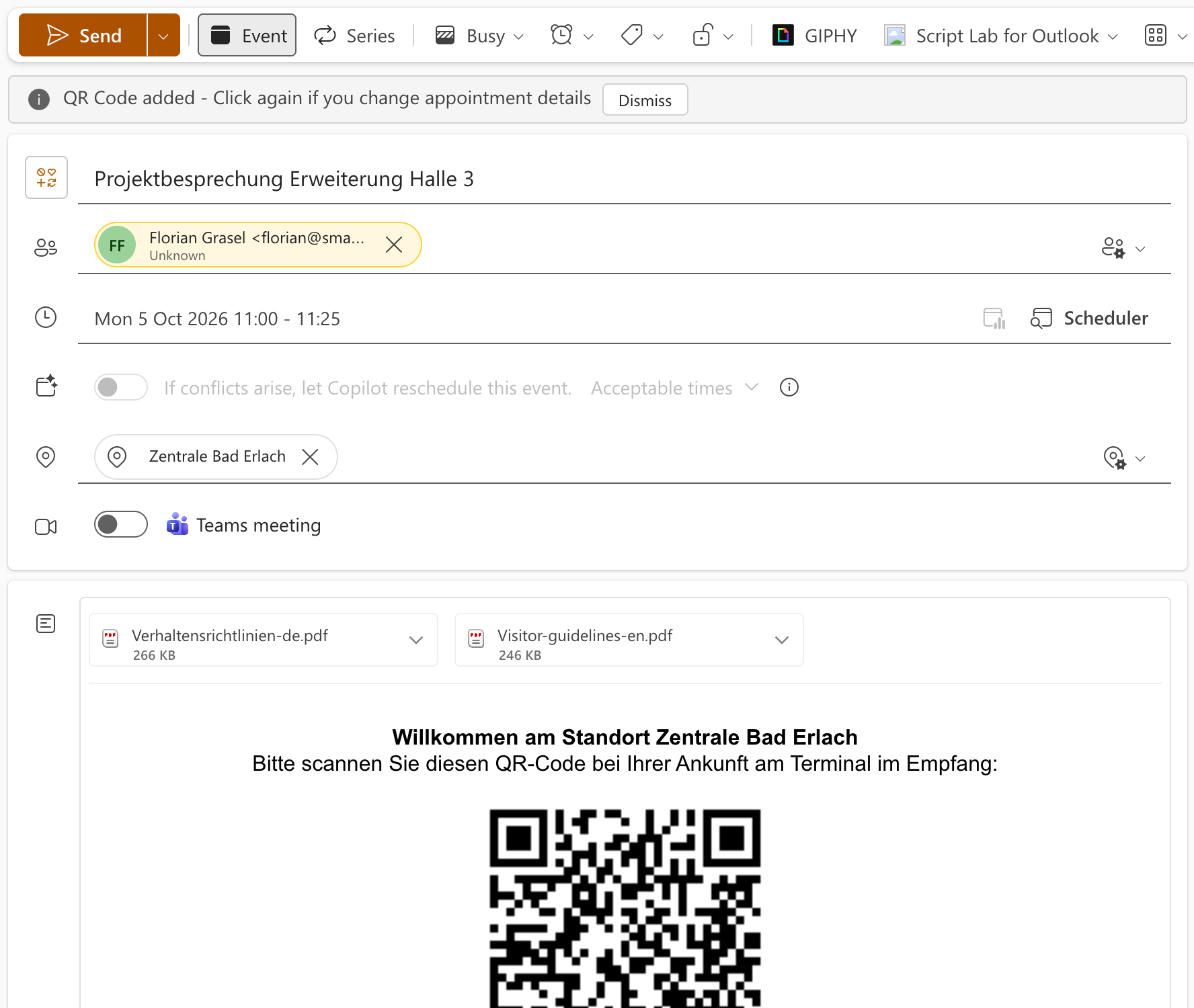
Check-in at the terminal
A tablet or PC at reception runs the terminal. Visitors scan the QR code from the invitation with the camera or a USB scanner, check their contact data and, if set up, confirm your behavior guidelines. Anyone without an invitation, such as a supplier, checks in manually with a short form. The terminal is available in German and English.
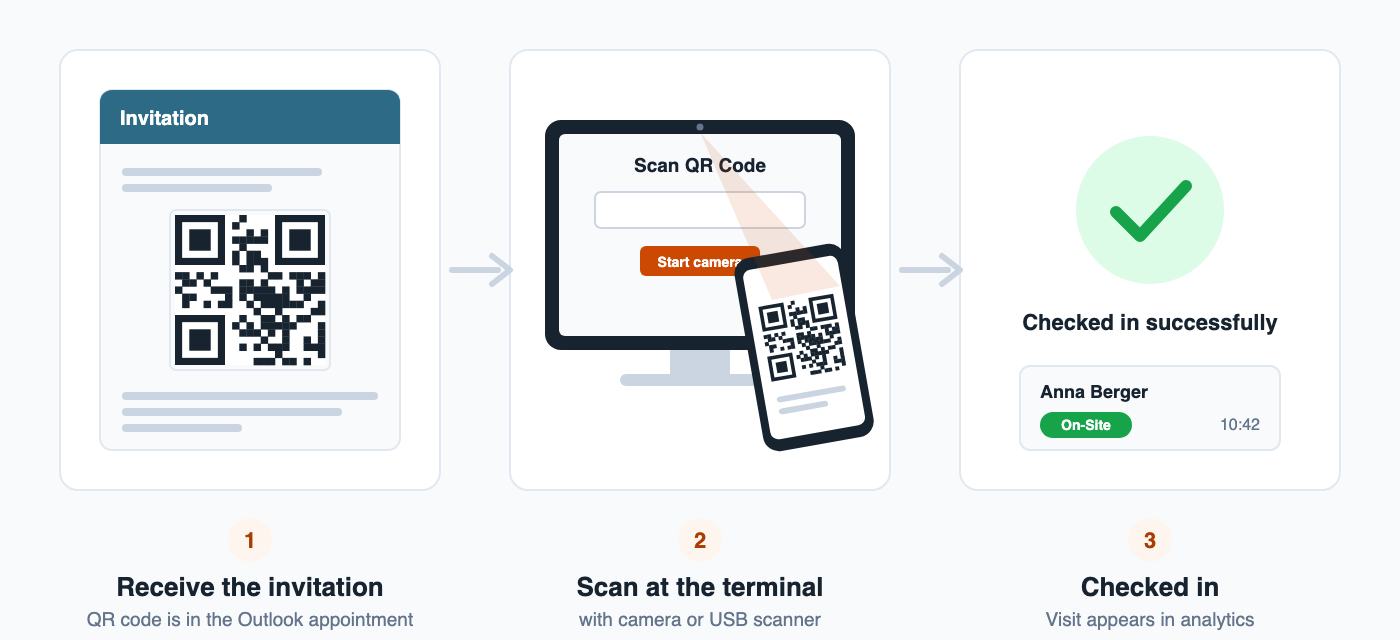
If the terminal runs as an app in Microsoft Teams, the visitor calls their host or the switchboard directly after checking in.
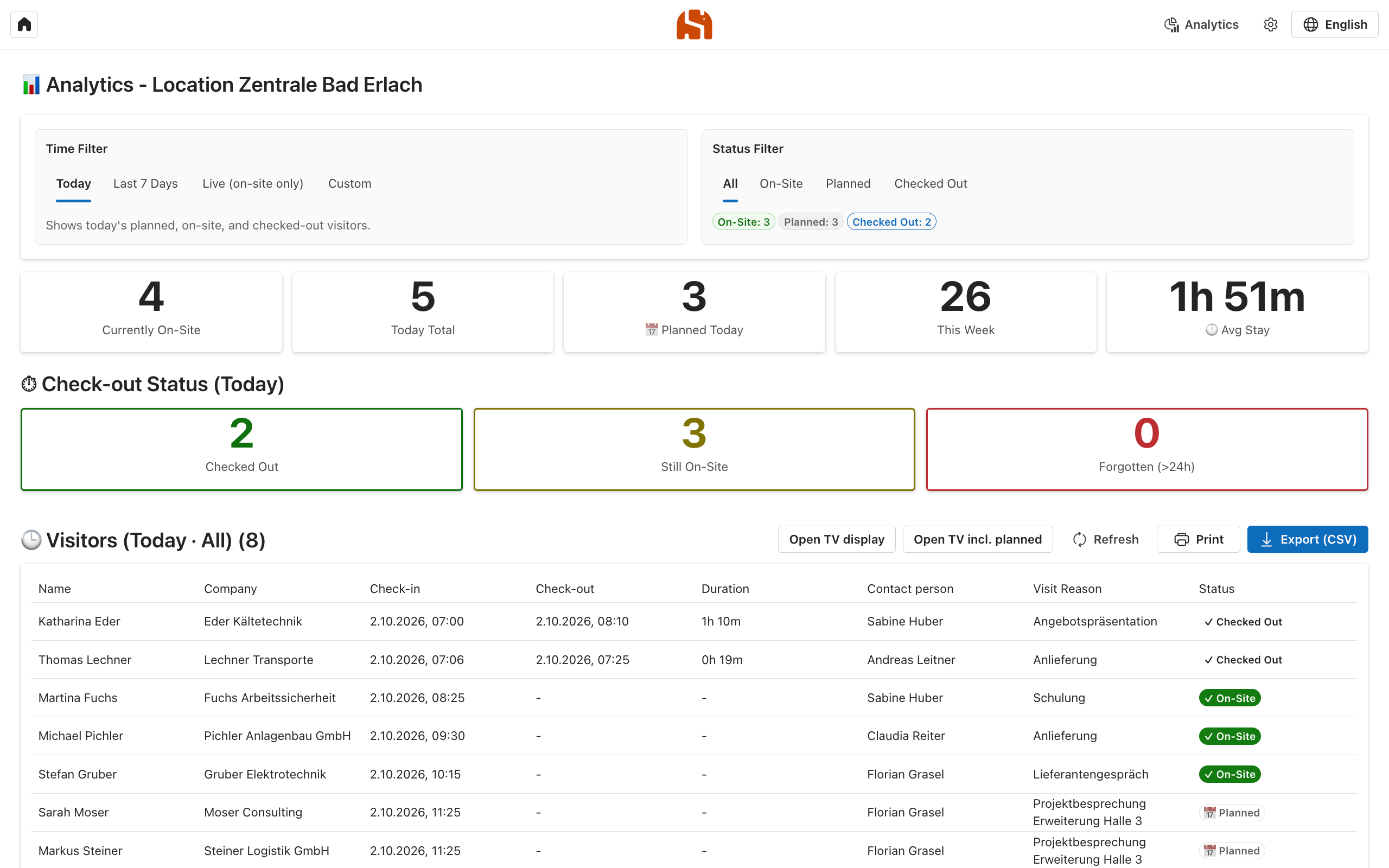
The visitor log: who is on site?
Analytics shows per location who is planned, who is on site and who has checked out, including those who forgot to check out. The list can be printed and exported as a CSV file. There is a separate display for a screen at reception.
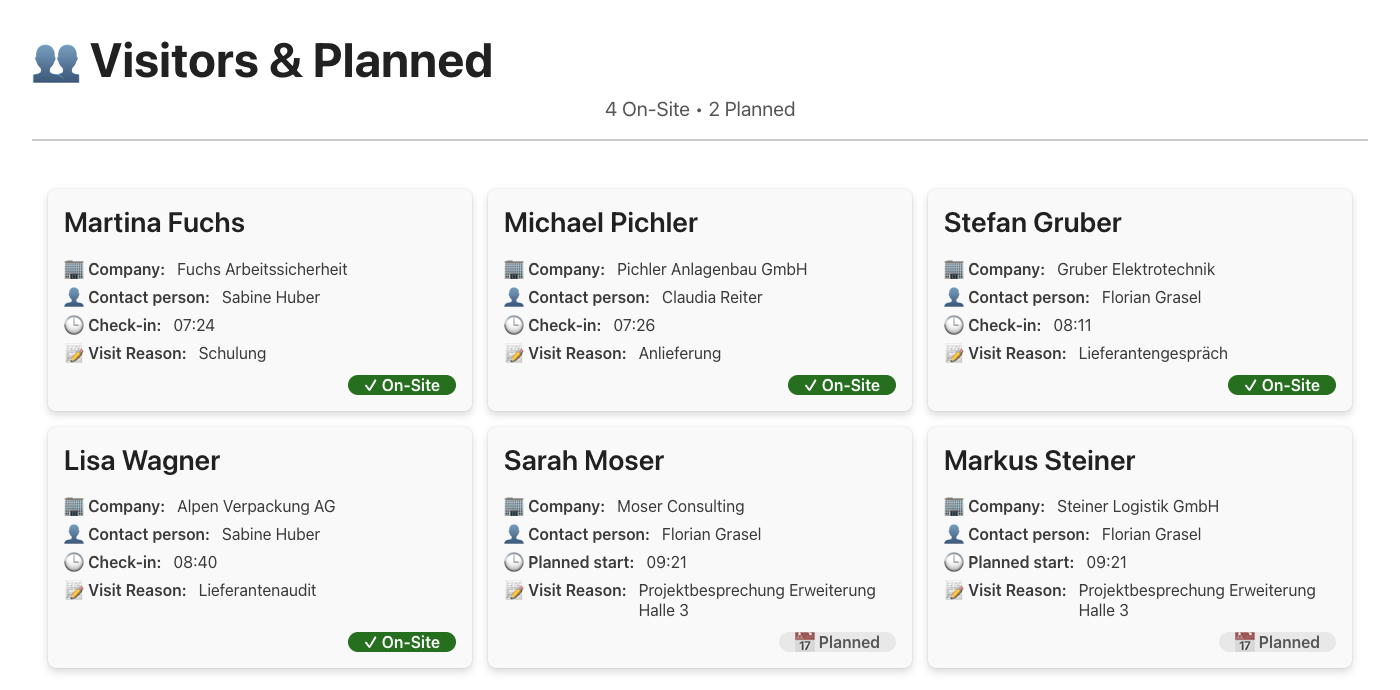
Checking out, even if someone forgets
When leaving, visitors check out with the QR code or their email address. Check-ins left open from the previous day are closed automatically at midnight, so the log starts clean every day.
Data protection: what the software contributes
Whether your visitor registration fits your data protection concept is decided by your process, not by a tool. These are the building blocks Smarter Visitor Registration provides:
- Storage location: the application runs in your own Azure subscription. Visitor data is stored in your database, not with us.
- No open list: the terminal does not show a list of earlier visitors. Anyone checking in by QR code only sees the people of their own appointment.
- Consent: visitors decide at the terminal whether their contact data is kept for the next visit.
- Anonymisation: without this consent, name, email address, company and phone number are replaced at check-out. The statistics are retained.
- Retention periods: an automatic retention period in days can be set for visitor contacts during deployment.
- Access: analytics is only visible to administrators and the group you define for each location.
A note on the reception display: it shows visitor names. Position the screen so that it fits your concept.
What else is included
- Multiple locations with their own terminal accounts, guidelines, email templates and analytics.
- Behavior guidelines per location in German and English, optionally as a mandatory confirmation at check-in and as an attachment to the invitation.
- Truck site plan for deliveries, available directly at the terminal.
- Your look: you set the logo and colours of the terminal yourself.
Licensing is based on the number of your locations.
Read more
- Smarter Visitor Registration at a glance – features and flow.
- Getting started – building blocks, prerequisites and the setup in seven steps.
- Reception and analytics – day-to-day use.
Would you like to replace the paper sheet at your reception? Request a demo.
- Smarter Visitor Registration
- Outlook Add-In
- Microsoft Teams
- Datenschutz
- Microsoft 365