Update 2026: The solution described here is now the product Smarter Archiving, in production use since 2026. The product page describes features, modes and introduction.
The customer already used Keepit to protect Microsoft 365. Deleted or accidentally changed content could be restored. The new requirement did not arise from a missing backup, but from a different question:
Can we administer, access, and operate the archive copy of completed SharePoint projects under our own rules?
The customer did not want to use completed project data solely through a backup service’s storage, access, and commercial model. The additional archive copy had to reside in an Azure subscription administered by the customer, with direct control over the storage account, access, retention, lifecycle, and cost.
That is the form of customer control this project set out to provide.
Backup, data residency, and customer control are different requirements
Keepit and Microsoft 365 Backup each follow a coherent protection model:
- Keepit stores Microsoft 365 backups in its own secure storage systems and deliberately positions its cloud independently from the major public-cloud platforms.
- Microsoft 365 Backup creates rapid recovery points within the Microsoft 365 data boundary.
Both approaches protect data and support recovery. Neither automatically creates the specific file copy in a customer-selected Azure Storage account that the customer can manage through its own RBAC, network, and governance model.
This is not a judgement on the quality of either backup product. It is a different operating model:
| Requirement | Operational backup | Customer-controlled project archive |
|---|---|---|
| Recover deleted or changed content | primary purpose | not the primary purpose |
| Historical recovery points | depends on product scope | not included |
| Archive files in the customer’s Storage account | not automatic | yes |
| Direct access through customer-managed Azure roles | follows the service model | yes |
| Customer-defined storage tier, lifecycle, and cost | follows the service model | in the customer subscription |
| Formal handover of completed projects | may complement the service | core workflow |
The customer’s specific requirement
Completed SharePoint project sites contained technical documentation, plans, and commercial records. The content changed rarely, but still had to remain searchable, traceable, and economical to retain.
The customer defined six clear goals:
- Only completed and approved projects are transferred.
- Archive files reside in the customer’s Azure subscription.
- Permissions, network access, and monitoring follow customer standards.
- Administrators can find and download files without restoring them first.
- Every run records scope, volume, errors, and unresolved work.
- SharePoint remains unchanged during the initial pilot.
The final point matters. Customer control does not come from deleting the source as quickly as possible. It begins with a complete, verifiable, and usable additional copy.
How the Archive Workspace meets that requirement
We implemented the requirement as a dedicated product workflow:
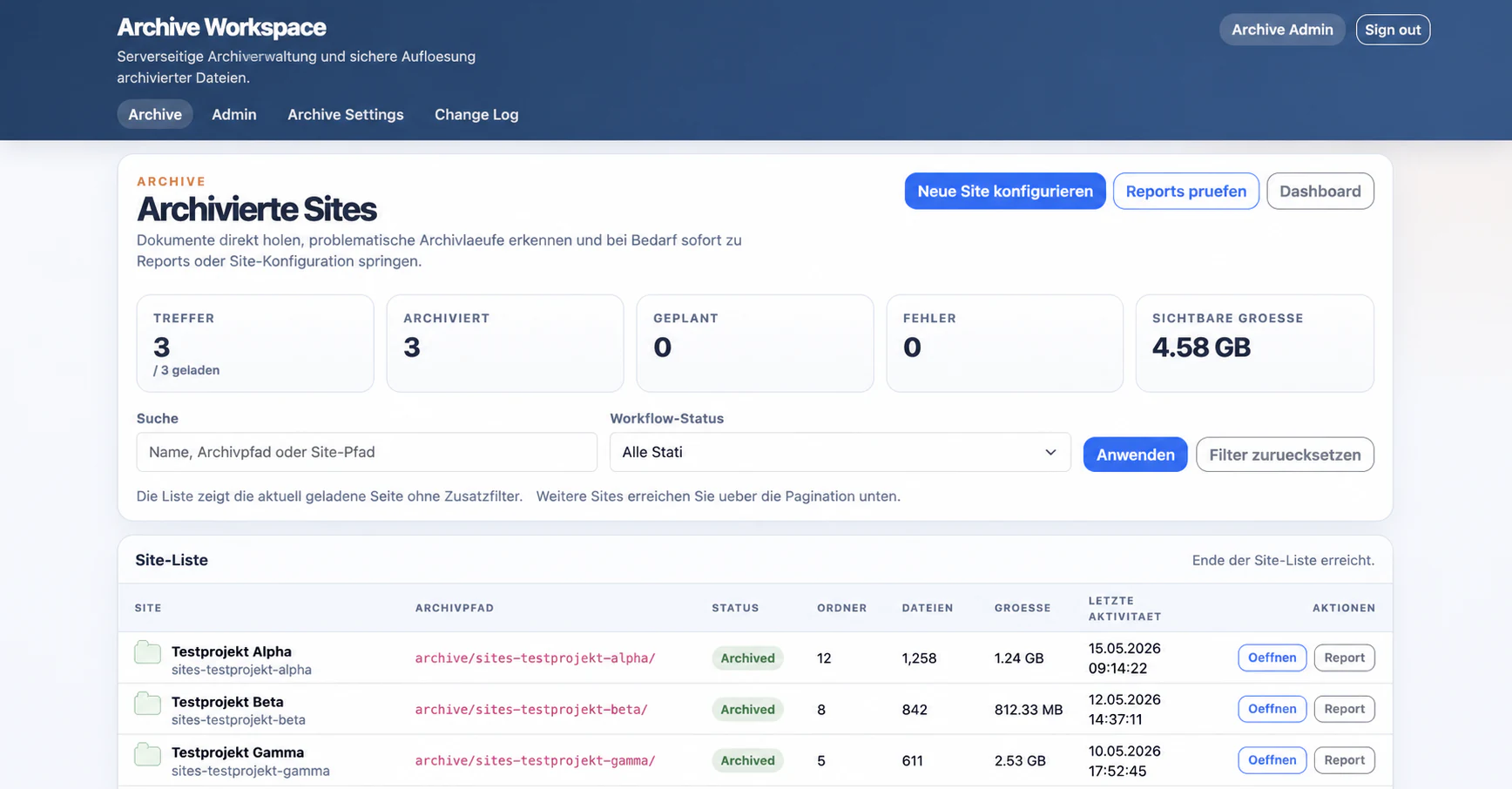
- An administrator selects a configured SharePoint site and its approved libraries.
- The Archive Workspace starts a durable background run; the browser does not need to remain open.
- The solution checks scope, completeness, and stored file content and records discrepancies in a report.
- Authorised administrators can then search the archive by file name or path and download files or folders as ZIP.
Archive objects and technical evidence reside in the customer’s Azure environment. The archive can therefore use the customer’s existing role, network, monitoring, and cost-management model.
The implementation behind durable jobs, safe retries, byte verification, and consistent reports belongs in part 2.
What value does the customer receive?
Direct control over the archive copy
The customer administers the Azure resources that hold the archive files. It grants access, defines lifecycle rules, and sees the resulting Storage costs in its own subscription.
An additional access path
Keepit continues to provide operational recovery. The project archive adds direct file-based access to completed project data. An administrator does not have to restore an individual archive file into SharePoint first.
Traceable project closeout
A site is not considered archived merely because some Blobs exist. Each run has an approved scope, reports every discrepancy, and ends with evidence that business owners and IT can review together.
Transparent cost control
Rarely used project data can use Azure Storage tiers and lifecycle rules. These policies belong to the customer’s Azure governance and remain separate from the archive application.
Less dependence on a single access model
The archive does not replace a backup service. It prevents access to completed project documentation from depending exclusively on that service’s portal, data format, and operating model.
What the solution deliberately is not
The Archive Workspace is neither a replacement for Keepit or Microsoft 365 Backup nor a complete SharePoint image.
It archives the current bytes of discovered files. Version history, list fields, pages, empty folders, original permissions, workflows, and site configuration are outside the product scope. Regulatory retention, cross-region availability, and contractual recovery-time commitments also remain separate requirements.
In addition to copy-only, the product supports controlled deletion, verified replacement links, and optional read-only state. We still recommend copy-only for the initial rollout. Only after the technical report, business sample, and archive access have been accepted should the customer consider changing the source.
Conclusion
The requirement was not “another backup”. The customer wanted direct control over the archive copy: in its Azure subscription, under its access model, with its retention rules, and with a direct path to the files.
Keepit continues to protect day-to-day Microsoft 365 operations. The Archive Workspace adds a customer-controlled SharePoint project archive.
Part 2 covers the main engineering lessons. Part 3 explains approval, acceptance, and safe rollout.
Would you like to assess whether this control model fits your SharePoint estate? Start with one completed test site.