Anyone who operates a quality management system in accordance with ISO 9001 must control its documented information. The standard does not prescribe any software for this. It describes what must be ensured. How you achieve that is up to you.
This post translates the requirements of clause 7.5 into concrete functions and shows which of them SharePoint brings with it. It replaces neither the text of the standard nor the advice of your certification body.
Governing documents and records are two different things
Since its 2015 edition, the standard has spoken uniformly of “documented information”. In practice, the old distinction is still helpful:
- Governing documents say how work is done: process descriptions, procedures, work instructions, form templates. They change, and exactly one version is valid at any time.
- Records (evidence documents) show what has happened: inspection reports, completed checklists, training records. They are no longer changed and are retained for a defined period.
Document control in the narrower sense concerns the governing documents. They are the subject here. Records mainly need orderly filing and retention.
What clause 7.5 requires
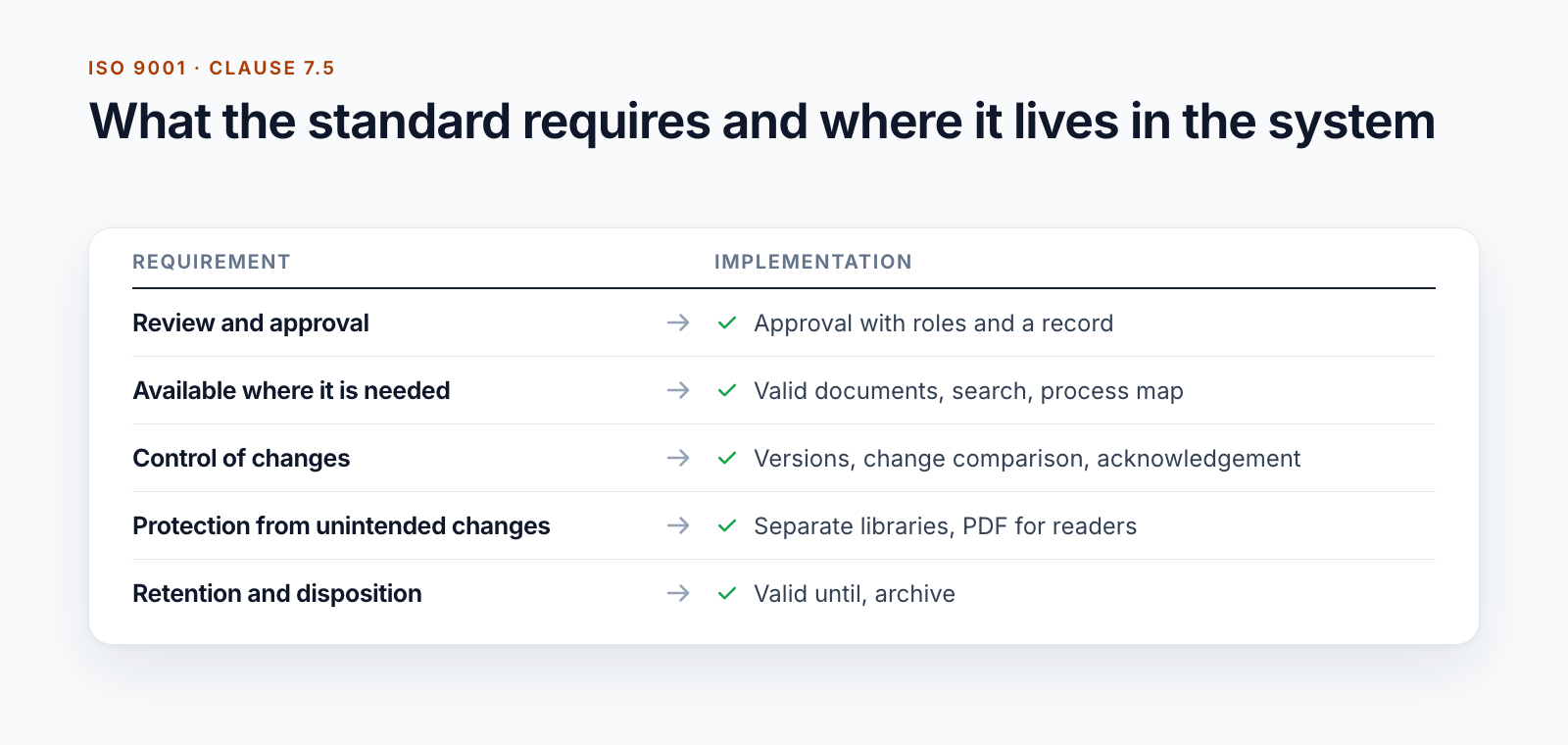
In essence, and without any claim to completeness:
When creating and updating (7.5.2)
- appropriate identification and description, such as title, date, author or number
- a suitable format and medium
- review and approval for suitability and adequacy
In the control of documented information (7.5.3)
- available and suitable for use, where and when it is needed
- adequately protected, for example against loss of confidentiality, improper use or loss of integrity
- regulated distribution, access, retrieval and use
- storage and preservation, including legibility
- control of changes, for example through version control
- retention and disposition
- identification and control of documents of external origin
Requirement by requirement
| Requirement | Standard SharePoint | Where it gets tight |
|---|---|---|
| Identification | Metadata columns, content types, Document ID | You have to ensure a business number that follows your own scheme, and its uniqueness, yourself. |
| Review and approval | Content approval, approvals | several stages, roles per organisational unit, a record per version |
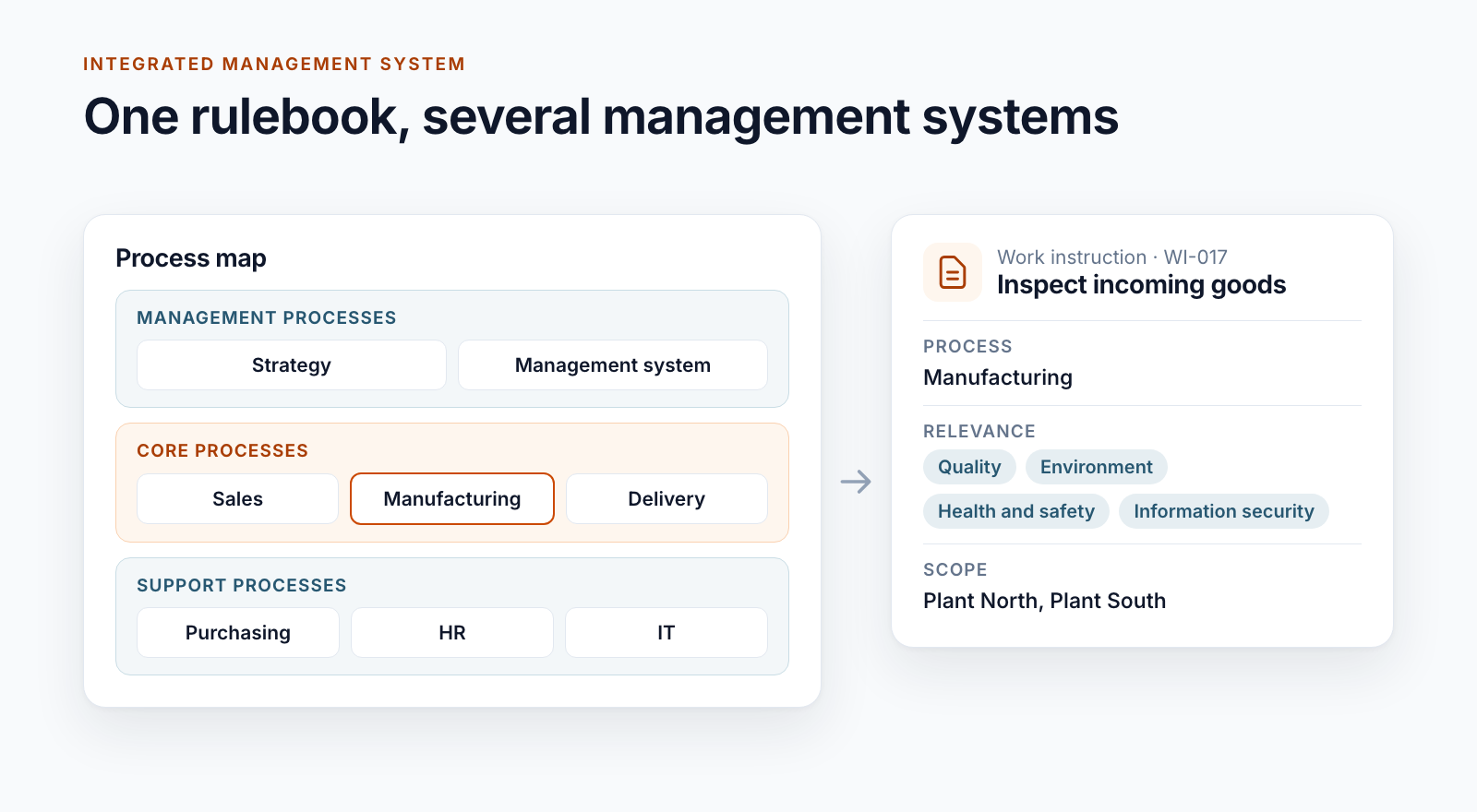
| Availability | Library, search, mobile use | Readers must be certain that they have the valid version in front of them, even if the next one has already been approved. |
| Protection | Permissions, check-out | Readers should not be able to change the source. A fixed reader version as a PDF does not come about by itself. |
| Distribution | Alerts, sharing | no distribution list per document, no proof of acknowledgement |
| Changes | Version history | The history shows that something has changed, but not at a glance what. A change comment is optional. |
| Retention and disposition | Retention labels in Microsoft Purview | Versions that are no longer valid must disappear from the readers’ view but remain traceable. |
| External documents | Stored as a file or link | identification as external and a check that they are up to date |
The left half of the table is no small thing. Small organisations pass audits with it if they live by their rules with discipline.
What auditors ask
The requirements become tangible when you read them as questions:
“Show me the valid version of this work instruction.” The answer has to come without thinking, at the workplace and not only in the quality department’s office. A library that contains only valid versions makes this easy.
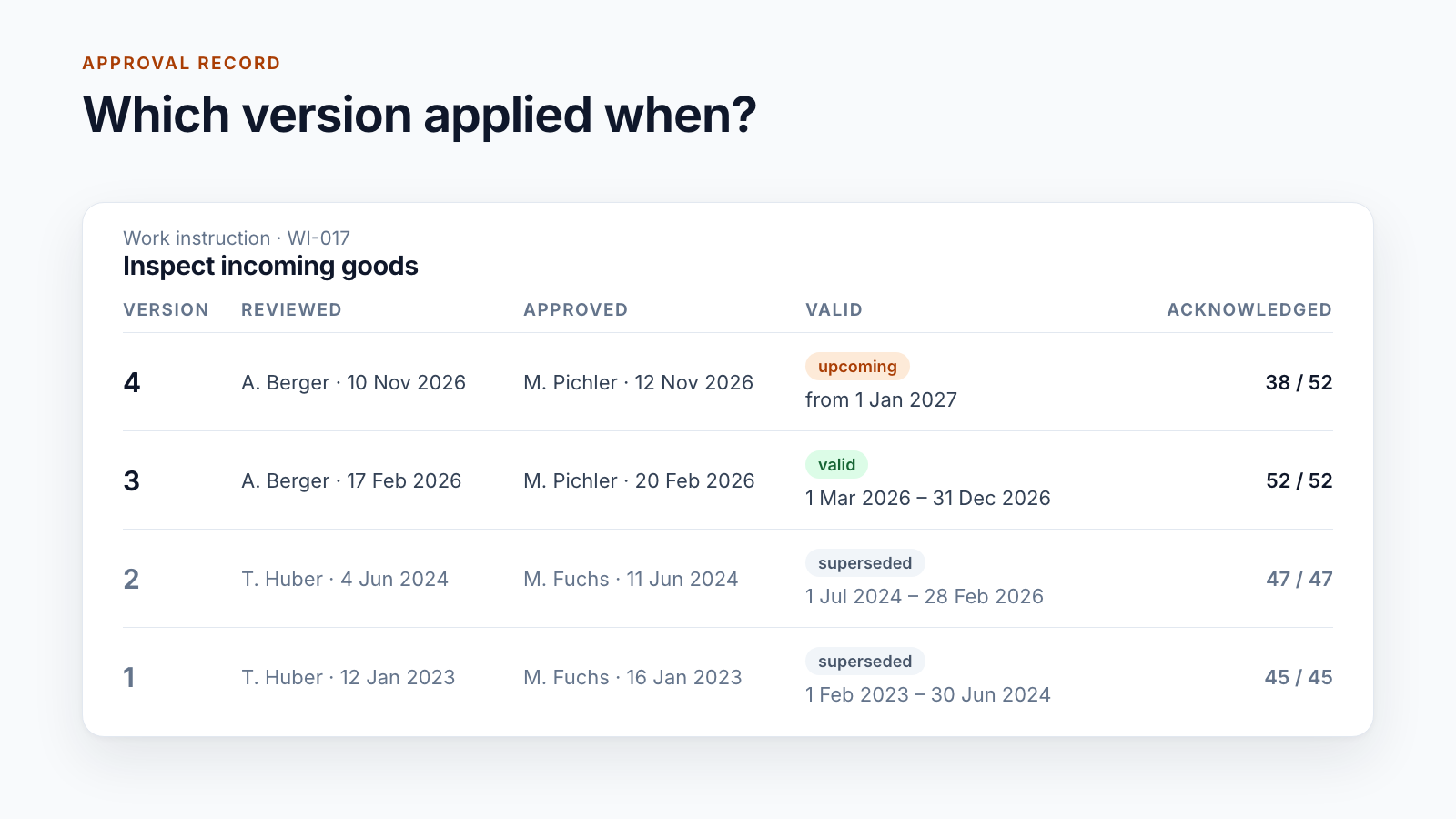
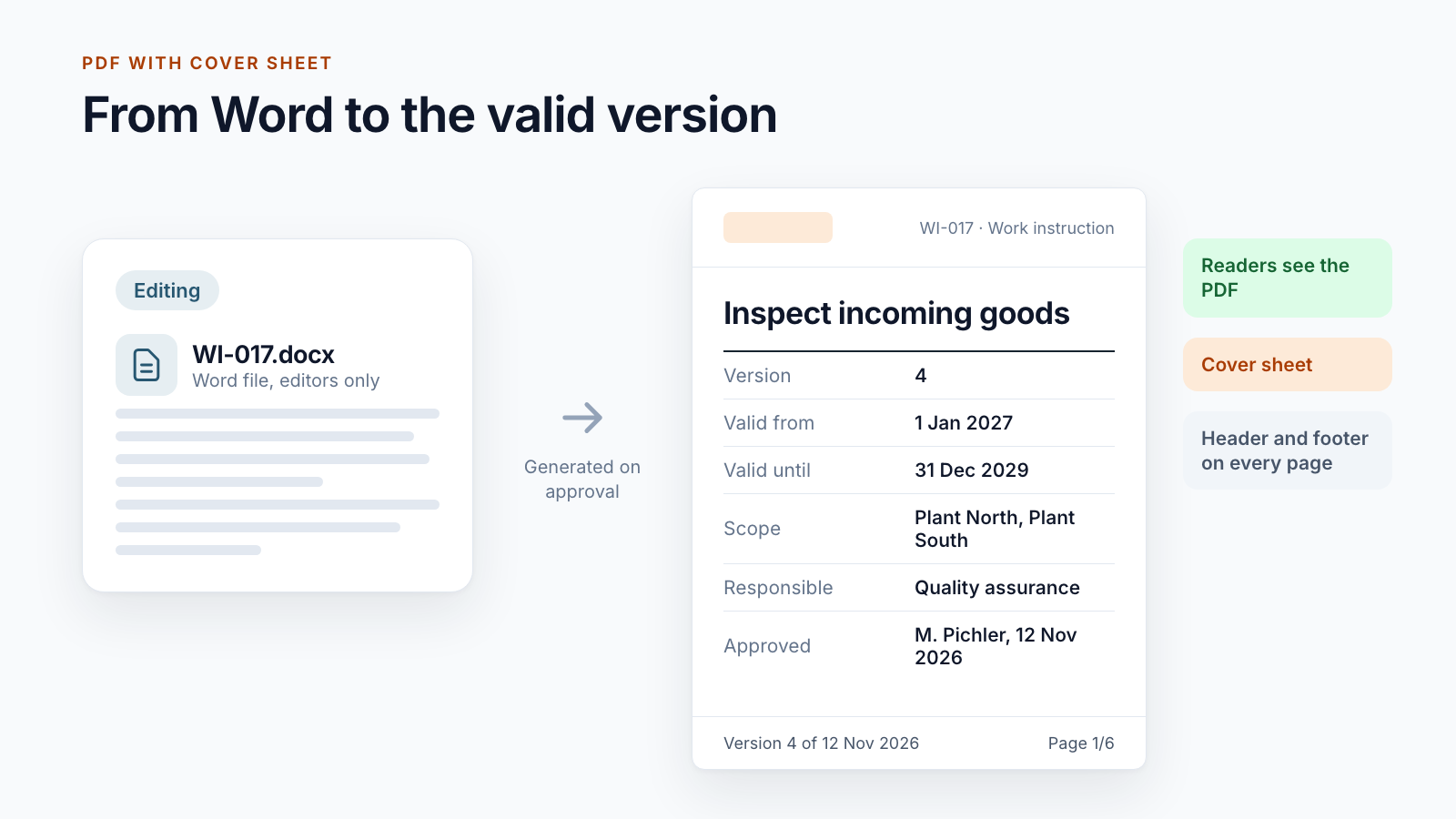
“Who reviewed and approved it, and when?” The version history shows who published. Who reviewed the content and who approved it is only stated there if the workflow records it. An approval record per version answers the question. If it also appears on the document’s cover sheet, there is no need to search.
“How do your employees find out about changes?” An email to everyone is one answer; a documented acknowledgement per person and version is a better one. More on this in the post on read confirmation in SharePoint.
“What has changed compared with the previous version?” A mandatory comment with every approval helps. A change comparison that sets the old and new versions side by side helps more.
“How do you prevent old versions from being used?” Superseded versions disappear from the reader view. Printouts carry the version and approval date in the footer and a note that they are not subject to change control.
“How do you ensure that documents stay up to date?” A valid-until date with a reminder to those responsible, or a periodic review whose result is recorded.
The document list lives in the metadata
Many systems keep a list of controlled documents in Excel: number, title, version, approval date, person responsible. It reliably goes out of date because it is maintained alongside the documents.
If the same details are held as metadata on the document, the list is a view of the library and always up to date. The prerequisite is that version and approval date are set by the workflow and not by hand.
Where a DMS core comes in
The gaps in the table show what is needed beyond standard SharePoint:
- approval with your roles and a record per version
- separate areas for editing and for valid documents
- a station for approved versions that only apply from an effective date, described in the post Valid from
- distribution lists and acknowledgement
- a reader version as a PDF with cover sheet and footer
- valid until, periodic review and archive
That is the scope of Smarter DMS. The same building blocks also support other standards with the same structure, such as ISO 14001, ISO 45001 or ISO 27001. There, too, the control of documented information is found in clause 7.5.
Conclusion
ISO 9001 does not require software; it requires reliability: the right version is in the right place, its approval is documented, changes are traceable. SharePoint provides a good foundation for this. Whether it is enough is decided by a few questions: are there effective dates, several approval stages, an obligation to prove acknowledgement?
Are you preparing for an audit or rebuilding your document control? Let’s go through your requirements together.
All parts of the series:
- SharePoint as a DMS: where major and minor versions end
- Valid from: distributing documents before the effective date
- SharePoint document approval workflow: five real-world examples
- Read confirmation in SharePoint: proving acknowledgement
- ISO 9001 document control with SharePoint (this article)
- Building an integrated management system in Microsoft 365
- Controlled digital work instructions: from Word to the valid PDF
- Is SharePoint audit-proof? What a DMS must prove
- Smarter DMS
- Document control
- SharePoint Online
- ISO 9001
- Quality management