Quality, environment, occupational safety, information security: anyone who keeps a separate manual for each standard will soon be maintaining the same work instruction in three folders. An integrated management system, IMS for short, brings the requirements together in one rulebook. One document governs one workflow, once, for all the systems it concerns.
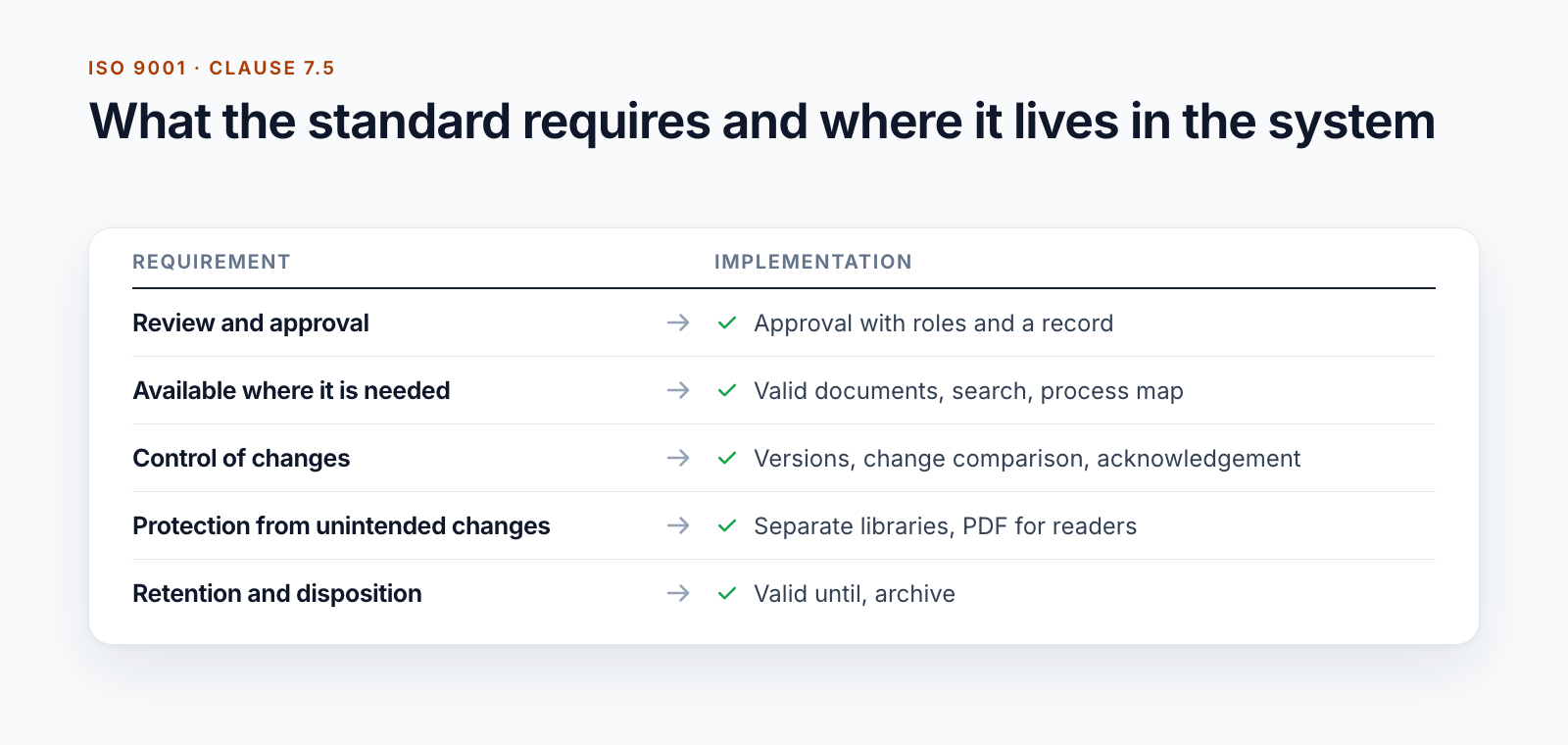
The standards accommodate this. ISO 9001, ISO 14001, ISO 45001 and ISO 27001 follow the same basic structure, and the control of documented information is found in clause 7.5 in each of them. What this means for the documents is described in the post on ISO 9001 document control.
That leaves the practical question: how do you build such a rulebook in Microsoft 365 so that employees use it?
The entry point: processes instead of folders
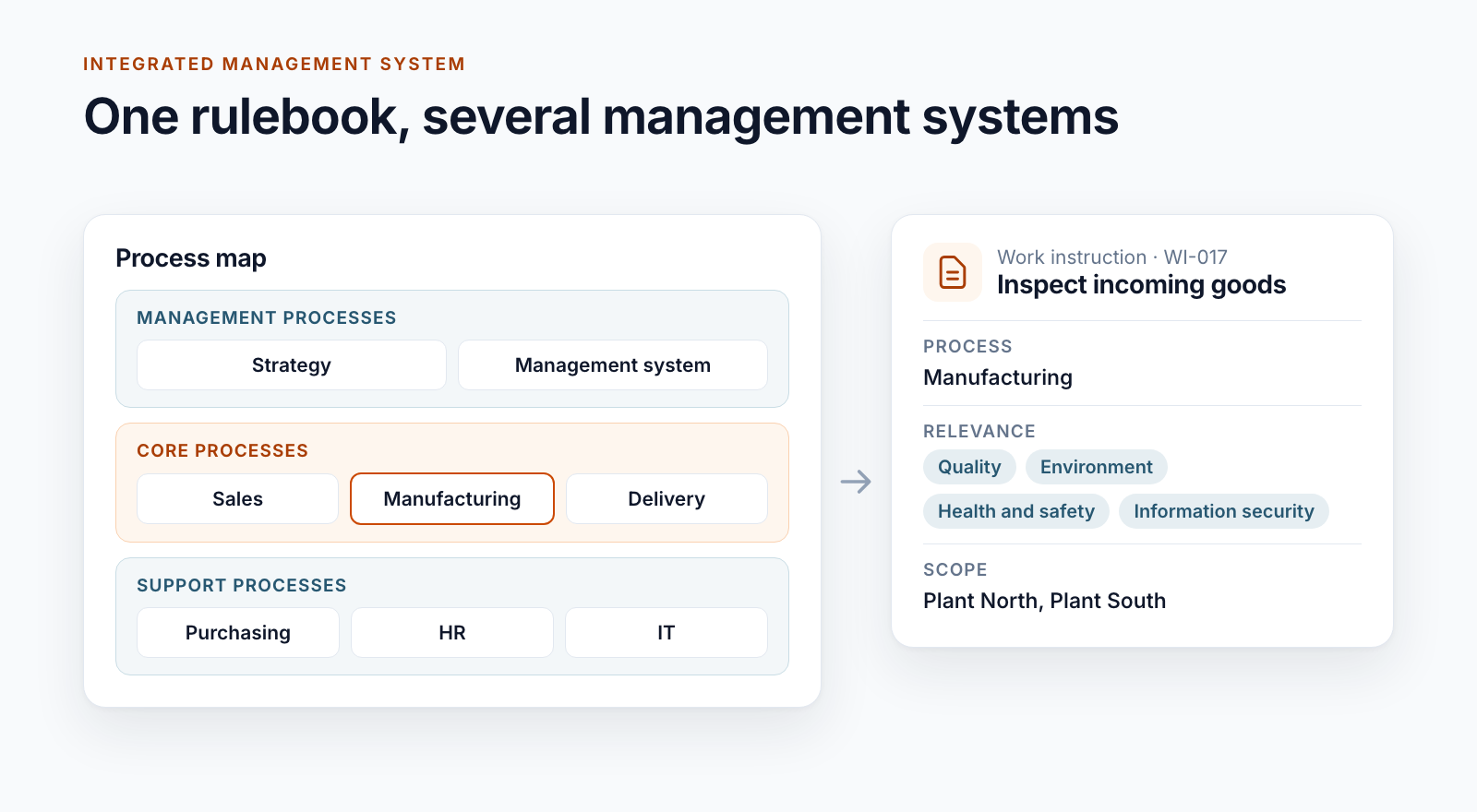
A manual with chapter numbers answers the auditor’s question. Employees ask differently: “What applies to my work?” The entry point that has proven itself in our projects is the process map: an image with management, core and support processes. Clicking a process shows the valid documents for it.
Technically, this is an image with clickable areas that set a filter. With Smarter Image Map, such areas can be drawn directly in the browser. What matters is that the map points to metadata and not to folders. Then it survives a reorganisation.
Four attributes that classify a document
An IMS stands or falls with a few metadata fields that every document carries:
Document type. The hierarchy usually runs from the process description through procedure and work instruction to form and checklist. One of our customers gets by with eight types, another has sixteen, including manual, inspection instruction and rules of procedure.
Process. The assignment to the process map, often with main process and sub-process.
Relevance. Which management systems does the document concern? Quality, environment, occupational safety, information security, and in some industries also a safety management system with its own supervisory authority. A document can be assigned to several systems. Where needed, this produces the view “all environmental management documents” without anyone maintaining a second manual.
Scope. Which organisational units, sites or group companies does the rule apply to?
These attributes produce the views that carry day-to-day work: the process map, search with filters and a personal view, “My relevant documents”, in which employees choose their areas.
Procedure or work instruction?
The question comes up in every project. A workable distinction:
- The process description shows what a process delivers, who is involved and how it relates to other processes.
- The procedure governs a workflow across several functions: who does what and when.
- The work instruction describes an activity at one workplace, step by step.
- Forms and checklists are the templates from which records are created.
More important than the naming is that the types can be treated differently in the system: their own number ranges, their own approval routes, their own review intervals.
Roles come from the organisation
In a rulebook with more than a thousand documents, nobody enters reviewers and approvers by hand. The system has to know who is responsible for an area.
For one customer, the line manager, the quality coordination and their deputies are stored for every organisational unit. The data comes from the HR system. If a line manager changes, the approvals for all documents in that area change without a single document being touched.
The same customer distinguishes between two attributes that are often conflated:
- Who is responsible? The organisational unit that issues the document. It determines review and approval.
- Who does it apply to? The scope. It determines who is asked for feedback at the draft stage.
Where organisations differ
The building blocks are the same; the form they take is not:
- A business with several group companies needs separate logos on the documents and a scope down to company level.
- An internationally active group runs the user interface and emails in three languages and links the language versions of a document to one another.
- An organisation with mobile staff distributes rules by region and duty roster.
- A manufacturer gets by with departments as distribution lists and a process map.
An IMS is therefore rarely a product that you install. It is a core of lifecycle, metadata and roles that is adapted to the organisation.
Three things that become expensive later
Folders as structure. Folders represent exactly one view. A document that concerns two processes or three management systems then exists three times or in only one place. Metadata solves this.
Master data without maintenance. The process map and the organisational structure change. If the map is renumbered, that affects hundreds of documents at once. Plan from the outset how such changes will be applied.
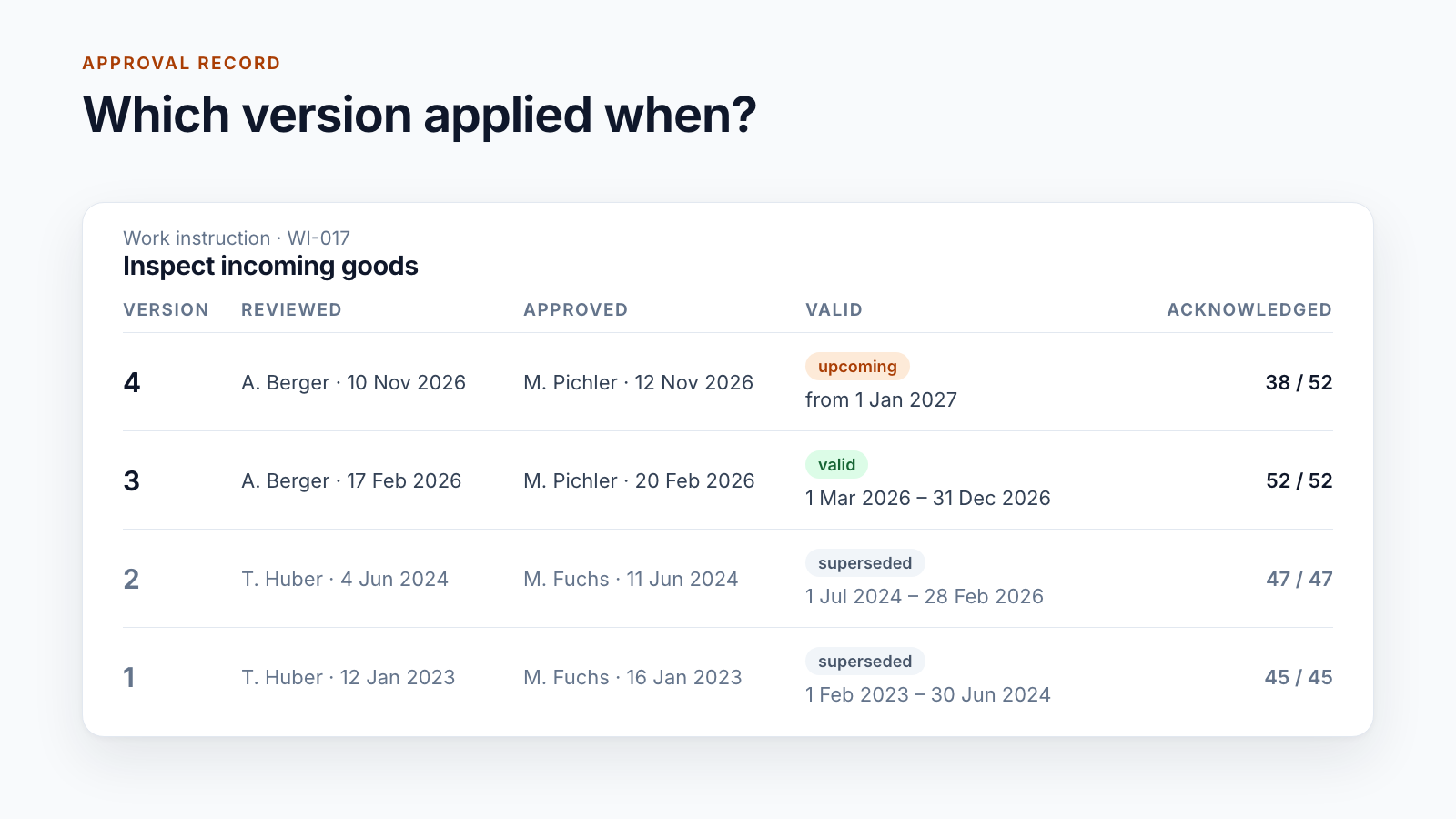
One workflow for everything. A corporate policy and a checklist do not need the same approval. If every little thing goes through three stages, people fall back on email. How different approvals look is shown in the post SharePoint document approval workflow.
What Microsoft 365 provides and what is added
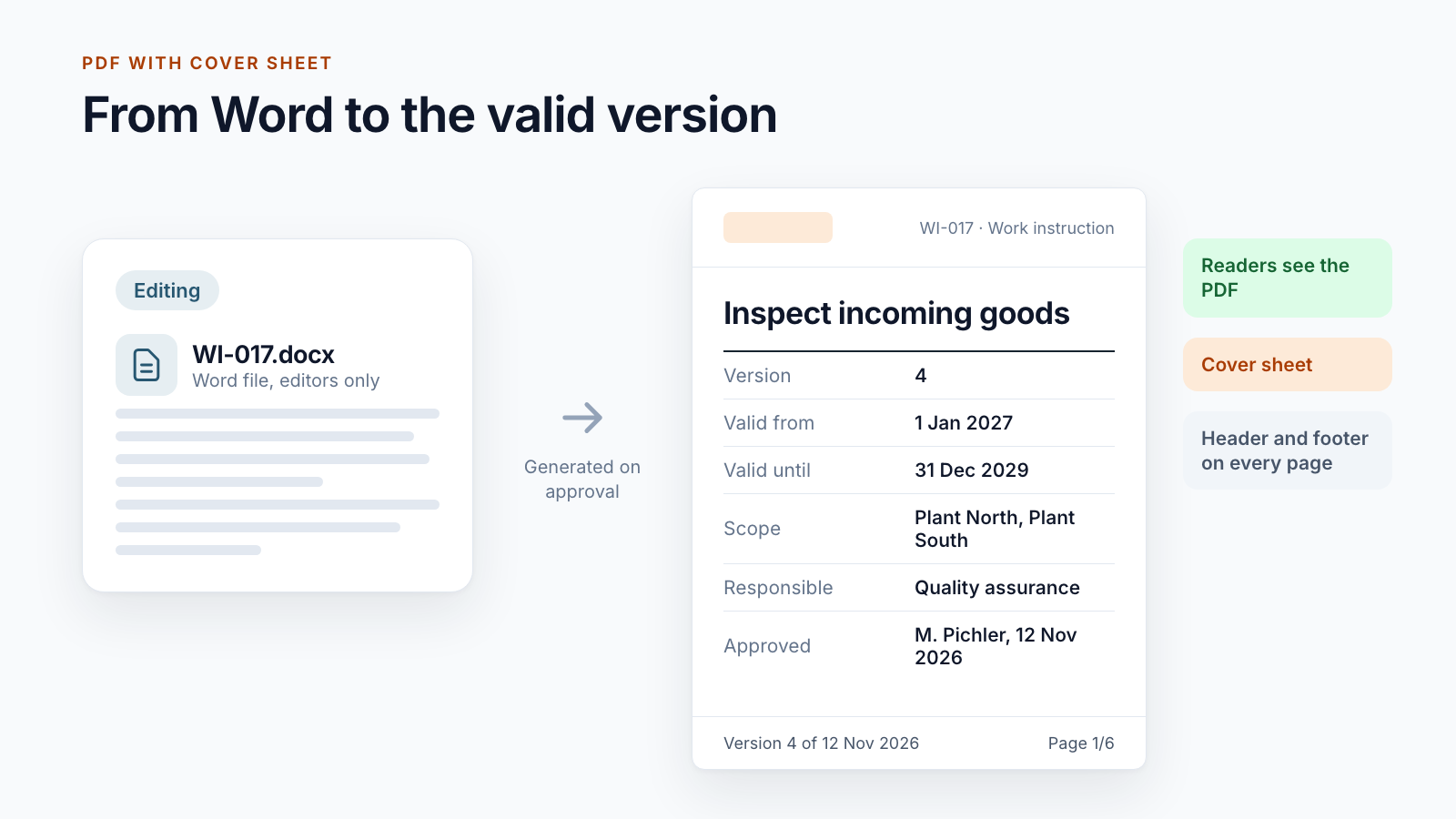
SharePoint provides libraries, metadata, search, permissions and the pages for the entry point. Teams brings the rulebook to where people are working anyway. Added to this are the parts that make up a controlled rulebook: approval with roles, staging with a valid-from date, documented acknowledgement, reader versions as PDFs and an archive.
These parts make up Smarter DMS. Several customers simply call the solution “IMS”.
Are you bringing several management systems together or replacing an old manual? Tell us about your rulebook.
All parts of the series:
- SharePoint as a DMS: where major and minor versions end
- Valid from: distributing documents before the effective date
- SharePoint document approval workflow: five real-world examples
- Read confirmation in SharePoint: proving acknowledgement
- ISO 9001 document control with SharePoint
- Building an integrated management system in Microsoft 365 (this article)
- Controlled digital work instructions: from Word to the valid PDF
- Is SharePoint audit-proof? What a DMS must prove
- Smarter DMS
- Document control
- SharePoint Online
- Integrated management system
- Process map