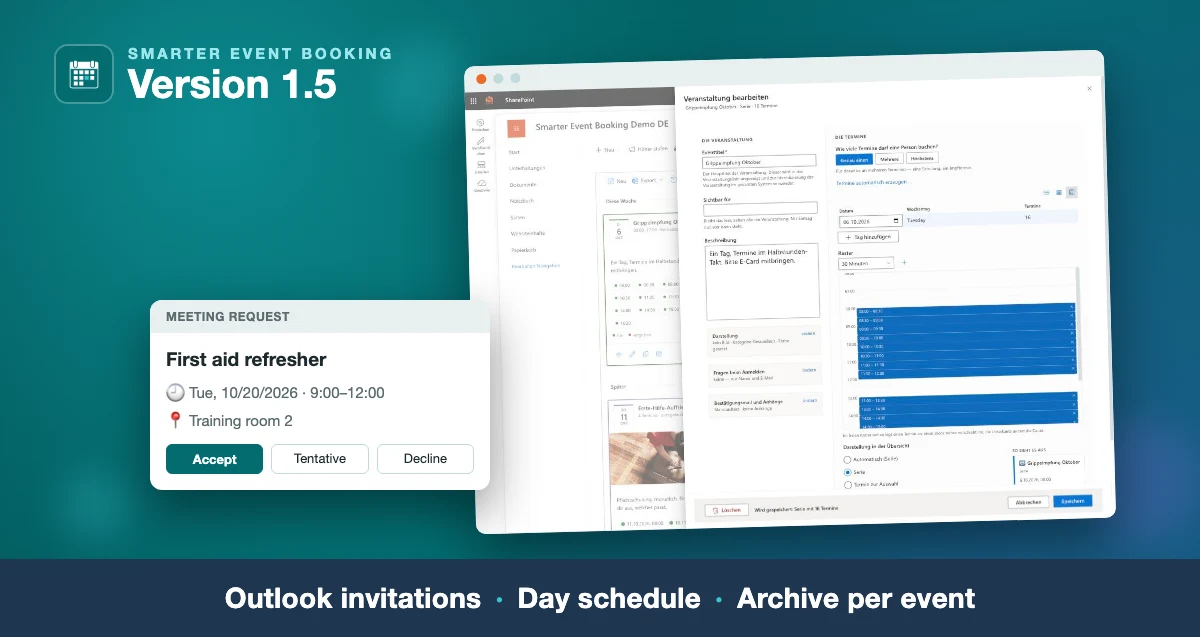
Smarter Event Booking 1.4.0 has been approved on Microsoft Marketplace. A lot has gone into it since the version published there before — and most of it did not come from us, but from customers who work with the product every day.
Here is what changed, and what it is good for.
One form for every kind of date
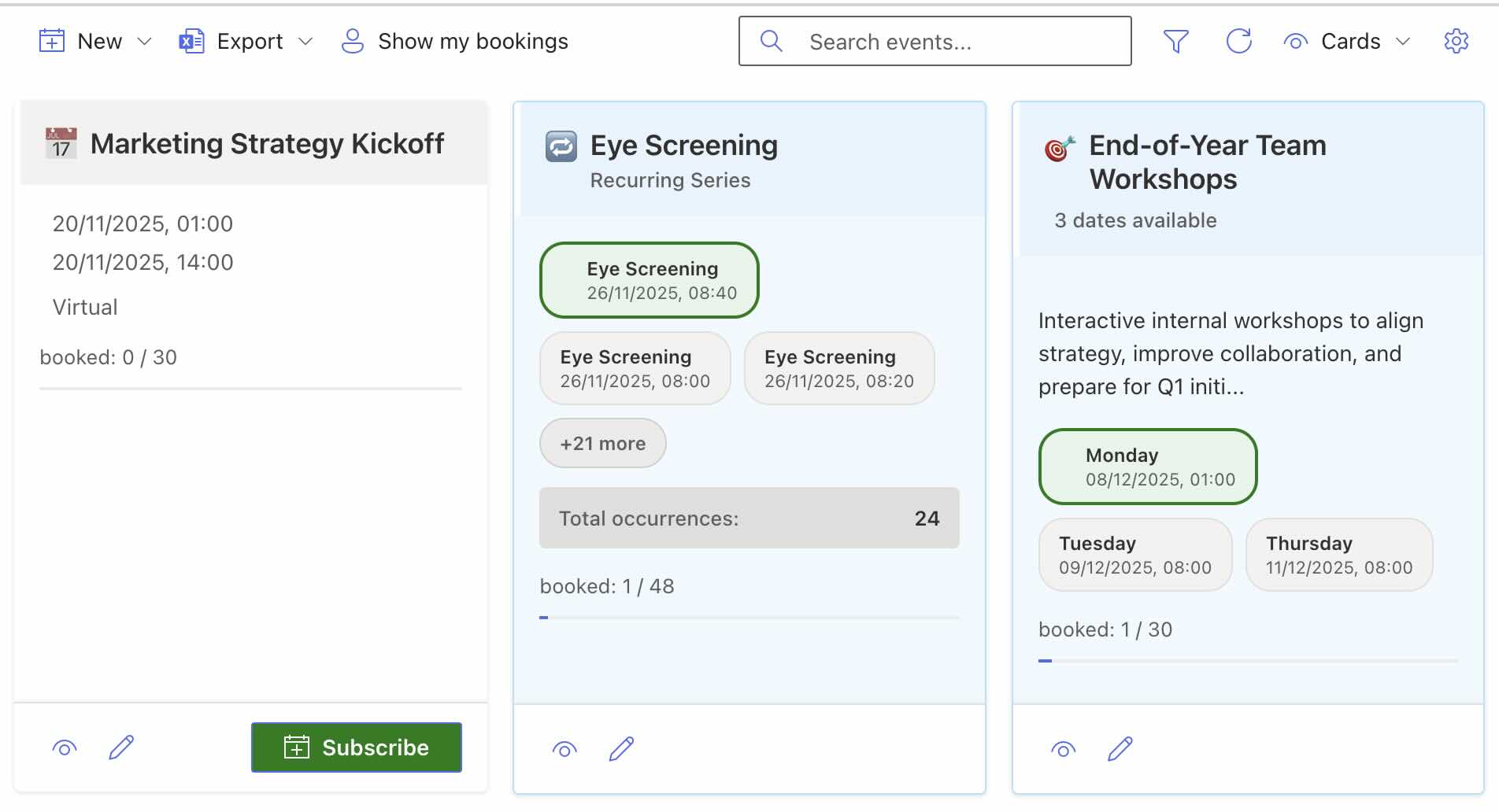
You used to choose the kind of event before the form opened. Now you choose it inside the form, and all three kinds share the same flow:
- A single date — the staff meeting on Thursday.
- Several dates to choose from — a summer party with three activities, each bookable on its own.
- A series — the first-aid refresher that runs every month.
The form sits in two columns: summary cards for title, dates, registration and notification on the left, the fields on the right. Leave it with unsaved changes and it asks first.
Time slots: split one day into short appointments
This is the feature we were asked for most often. A vaccination day, a consultation hour, an advisory day — instead of creating forty dates by hand, you give it a start, the length of each slot and how many, and the dates appear by themselves. A lunch break can be left out.
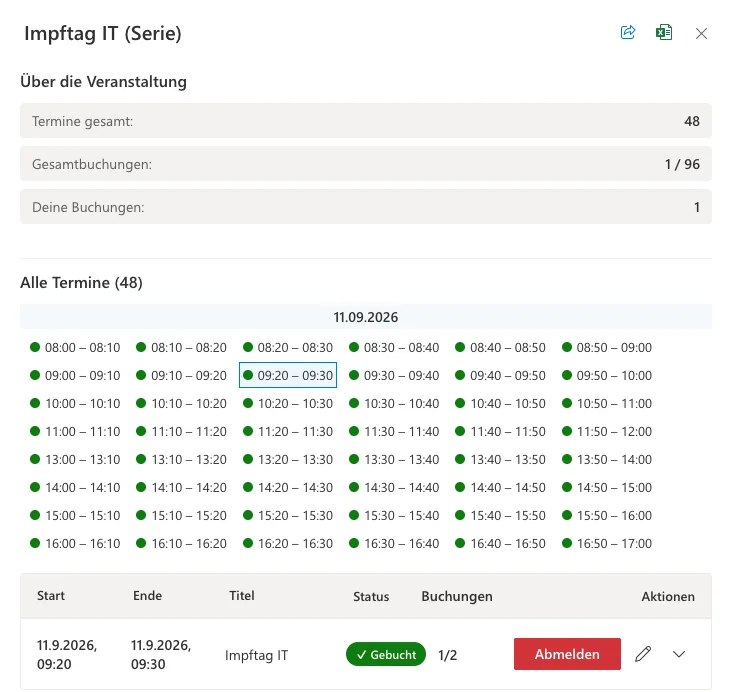
Move one slot and its duration and the following dates move with it. Push a slot into the next one and the rest move by exactly the overlap, so breaks are kept rather than eaten.
Fully booked does not mean lost
When a date is full, people can put their name on the waiting list. If someone cancels, the first person moves up automatically and is notified. The waiting-list button is orange, so it is not mistaken for the green registration button.
And if you hold a seat on a date that is full, it now reads “Booked” instead of “Fully booked”. That sounds like a detail, but it was exactly what a customer told us: next to your own date stood the same word as next to one you could not get into.
The carousel for your intranet home page
The package contains a second, read-only web part that rolls the events of several SharePoint pages into one overview — useful when HR, IT and individual sites keep their dates separately.
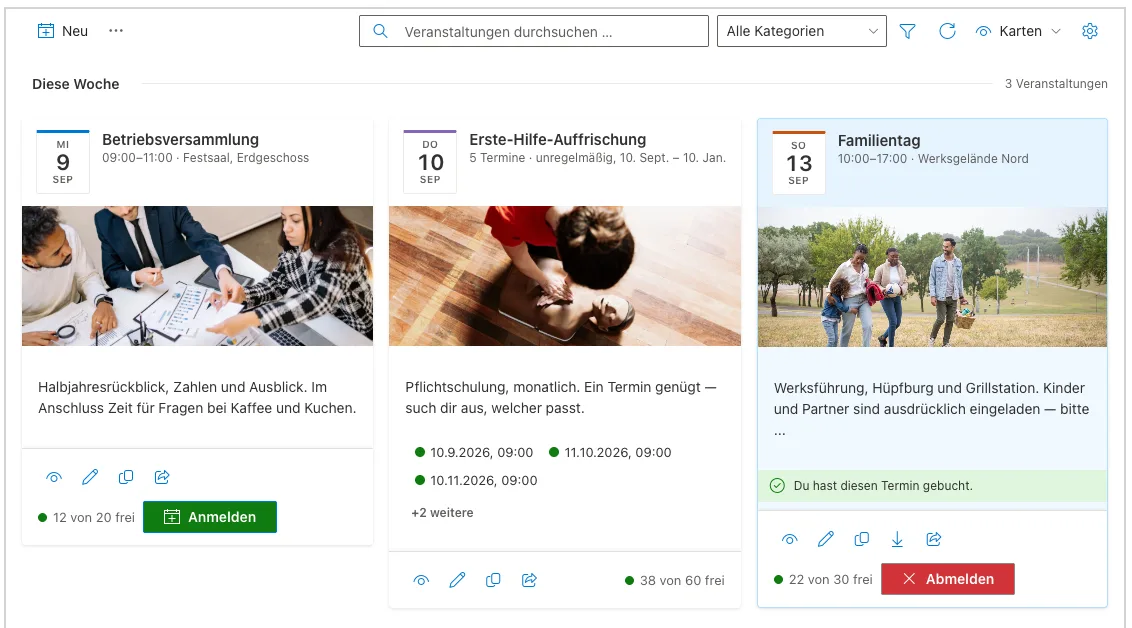
New in 1.4.0: alongside the list and the calendar there is now a third display, the carousel. A row of cards with image, date, time and location that starts at the next date.
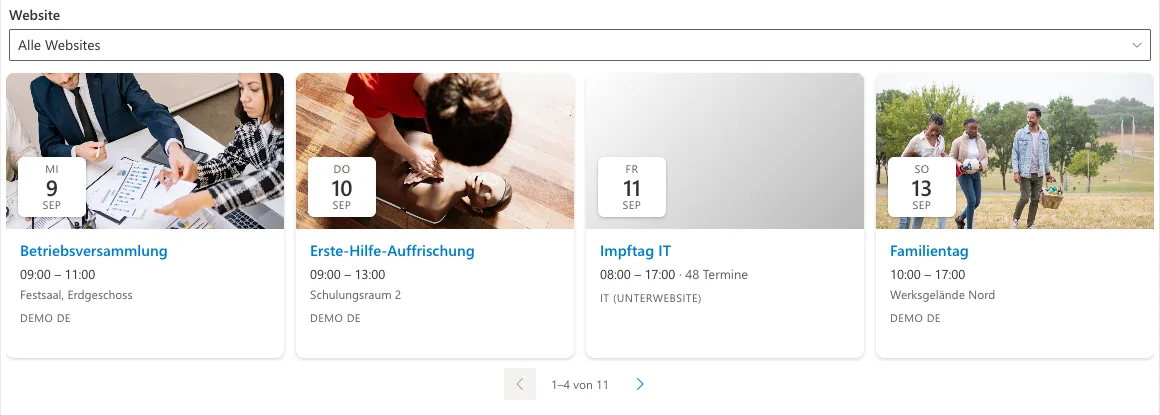
The point of it: the row sizes itself to the width of the column it sits in, not to the window. In the narrow right-hand column of a home page exactly one card fills the space; in a wide zone as many whole cards as fit, and never a cut-off one. You page with the arrows, the mouse wheel, or a swipe on a phone.
It does not advance on its own. That was a deliberate choice: a row that moves by itself has to be stoppable — and next to news and quick links it pulls attention away from everything else.
What else arrived
- A registration form per event with your own questions, dietary requirements or department for example. Companions count against the seats: one registration with two companions occupies three.
- Categories with a filter, and an image per event.
- Excel export of attendees including the answers from the registration form, optionally with profile fields such as department or phone number.
- Audiences: reserve an event for a group, nested groups included.
- Switch off instead of delete: take an event out of sight without losing the registrations.
- Confirmation mails with a calendar entry attached, sent through Microsoft Graph, in the name of the signed-in user or from a shared mailbox.
- Four views: cards, list, calendar, classic.
Installing and updating
Through Microsoft Marketplace or your tenant’s App Catalog. Existing installations upgrade in place — events, dates and registrations are kept, and no migration is required.
One note for existing customers: the app adds columns that have arrived since your installed version on the first page load. That needs someone with Full Control on the site, so open the page once as a site owner after the update. From then on it works for everyone. If something goes wrong there, that case is the first entry under Troubleshooting.
Read on
- Smarter Event Booking at a glance — what it does, licensing per site collection and the price in your currency.
- Getting started — from installation through your first event to the participant export.
- Troubleshooting — what goes wrong in practice, and why.
You can try the solution on Microsoft Marketplace: 14 days on a trial licence, then licensed per site collection.
Where these changes come from
Almost everything on this list goes back to a specific piece of feedback — a customer who wanted to split a health day into time slots, an editor who was annoyed by three “Fully booked” chips in a row, an IT department that wanted their dates next to the news on the home page.
If you use Smarter Event Booking and something is missing or in the way, tell us. That is exactly how this version came about.