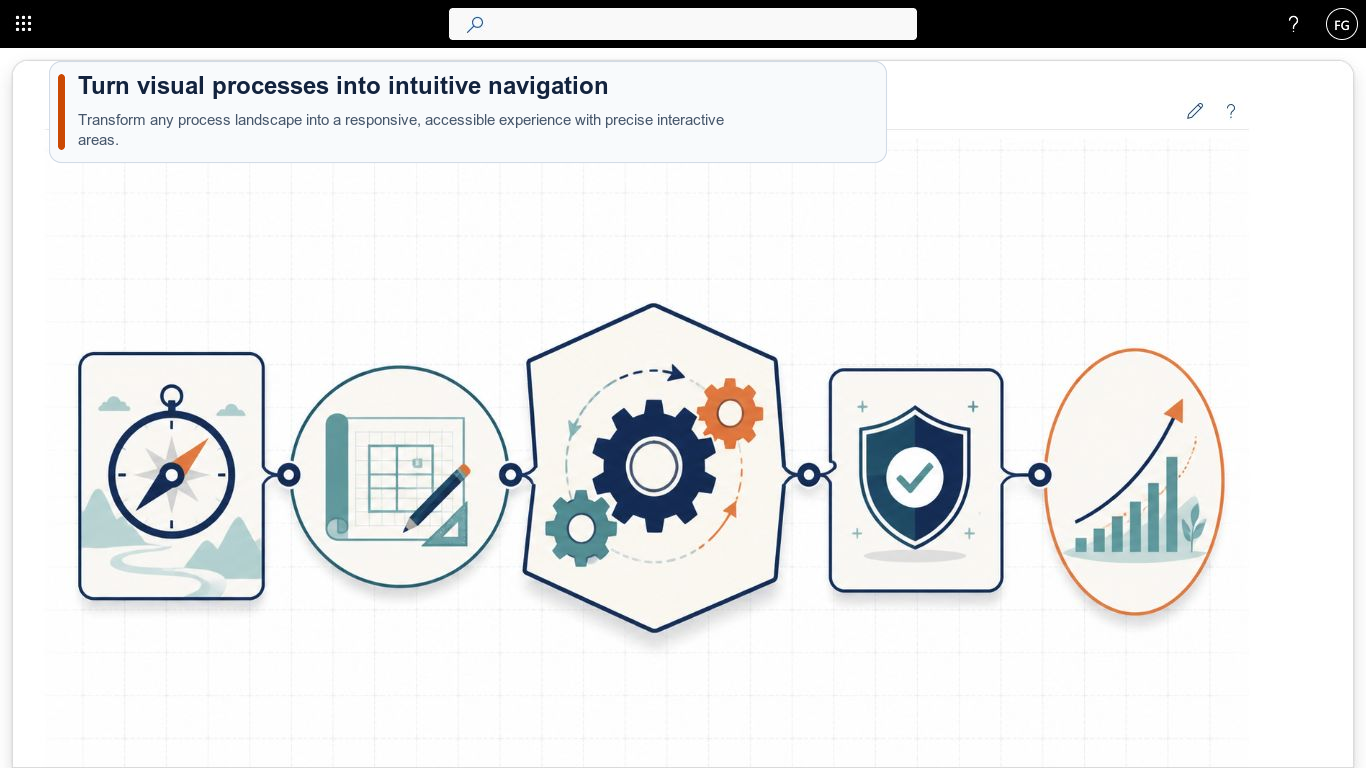
A process diagram explains relationships at a glance, but in SharePoint it often remains a static image. Smarter Image Map turns it into responsive navigation. Editors draw clickable areas directly on an image and connect them to pages, documents, external destinations or another map.
Move from overview to detail
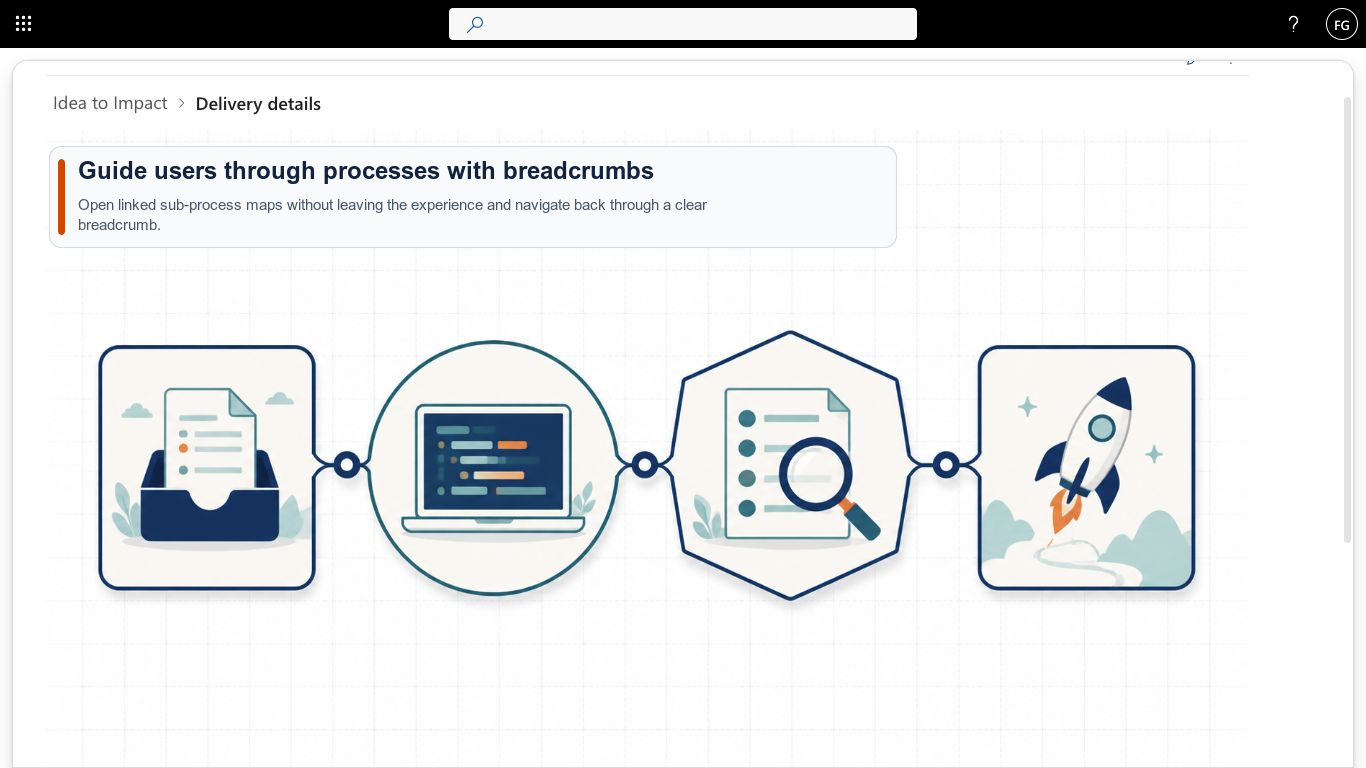
Visual drill-down is at the heart of the product. A process landscape can initially show only its main stages. Selecting a hotspot opens the corresponding detail map inside the same web part. Breadcrumb navigation always provides a clear route back to the overview.
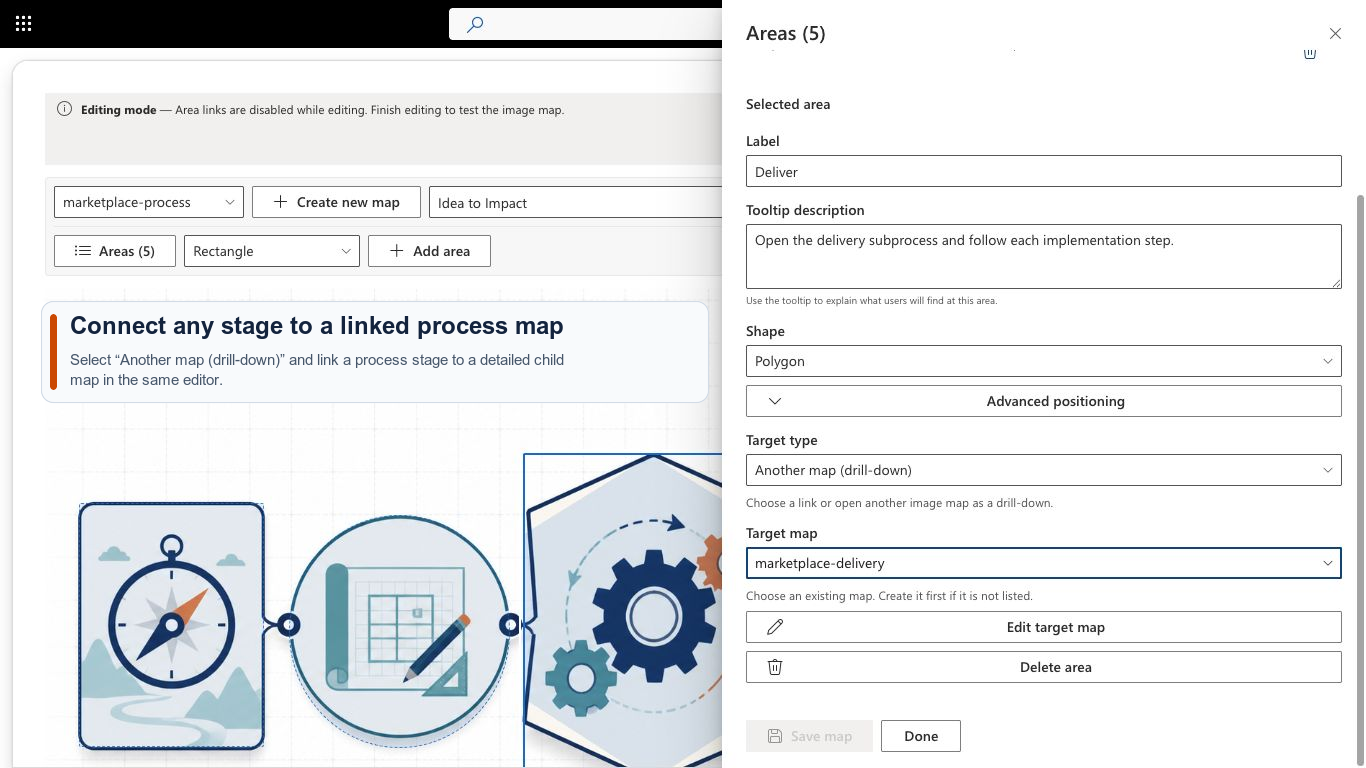
The user remains inside the same web part after opening the target. The detail map provides the new context while a visible breadcrumb keeps the route back to the parent process landscape clear.
Typical use cases include:
- process and system landscapes,
- building, site and floor plans,
- organization charts and responsibility models,
- equipment, product and safety diagrams,
- visual entry points for documentation and intranets.
Three shapes and useful tooltips
Rectangles, ellipses and free-form polygons cover both regular and irregular image areas. Each area receives a distinct label and an optional description. These rich tooltips explain the destination and its value before someone follows a link.
The editor runs directly in the browser. Percentage-based coordinates keep areas aligned on desktop, tablet and mobile screens.
Use it in SharePoint and Teams
The package contains exactly one SPFx web part and supports three hosts:
- as a web part on a modern SharePoint page,
- as a SharePoint full-page app,
- as a configurable tab in a Microsoft Teams channel.
Content remains in the customer’s SharePoint tenant. Map definitions and uploaded images live in the current site’s Site Assets library. No image or map content is transmitted during license validation.
Designed for editors and keyboard users
A guided first-use screen explains the initial steps. The dedicated editor separates map changes from SharePoint page editing and warns about unsaved work.
Published maps support keyboard navigation. Visible focus, descriptive tooltips and numeric alternatives to drag gestures support relevant WCAG 2.2 AA interaction patterns. The accessibility of a finished map also depends on the source image, labels and linked content.
Try for 14 days and license through Microsoft
A fully functional 14-day trial starts automatically on first use. Three annual plans are then available:
| Plan | Scope | Annual price |
|---|---|---|
| Site | 1 site collection | EUR 399 |
| 5 Sites | up to 5 site collections | EUR 799 |
| Tenant | all site collections in one tenant | EUR 1,599 |
Every plan includes all features. Microsoft handles the purchase, invoice and subscription management; the Marketplace shows the final price and applicable taxes.
Get started
Install Smarter Image Map for free from Microsoft Marketplace, then choose the appropriate Smarter Image Map License. Visit the Smarter Image Map product page for the complete feature overview and the getting-started guide.
Would you like to discuss a specific use case first? Contact us for help with selection, rollout and licensing.
- SharePoint Online
- Microsoft 365
- Microsoft Teams
- Microsoft Marketplace
- Process map
- Image map