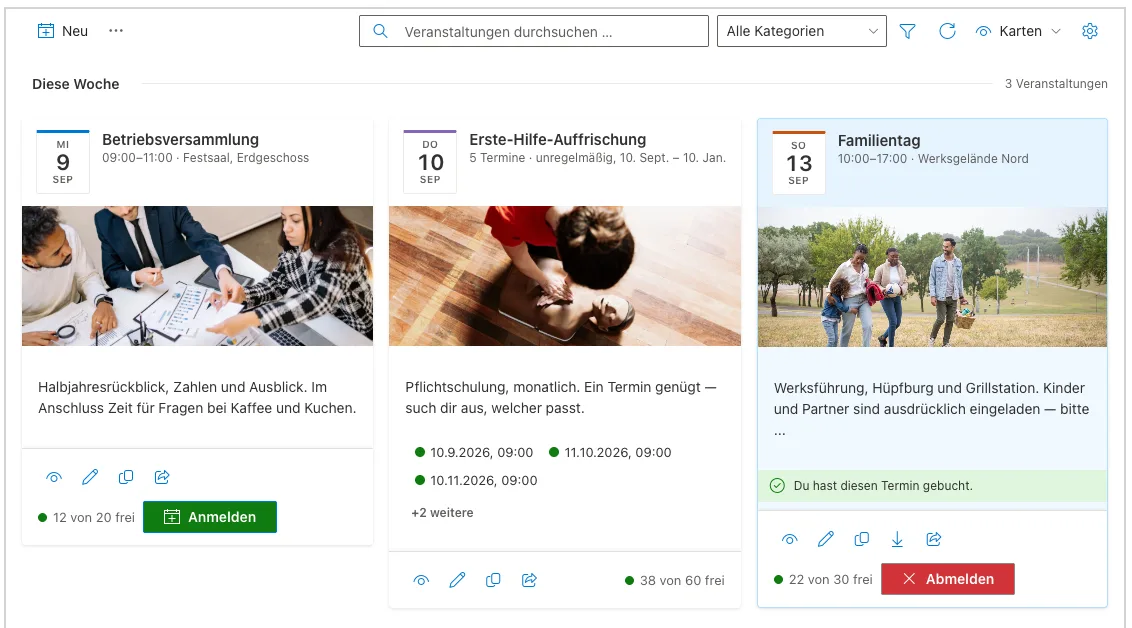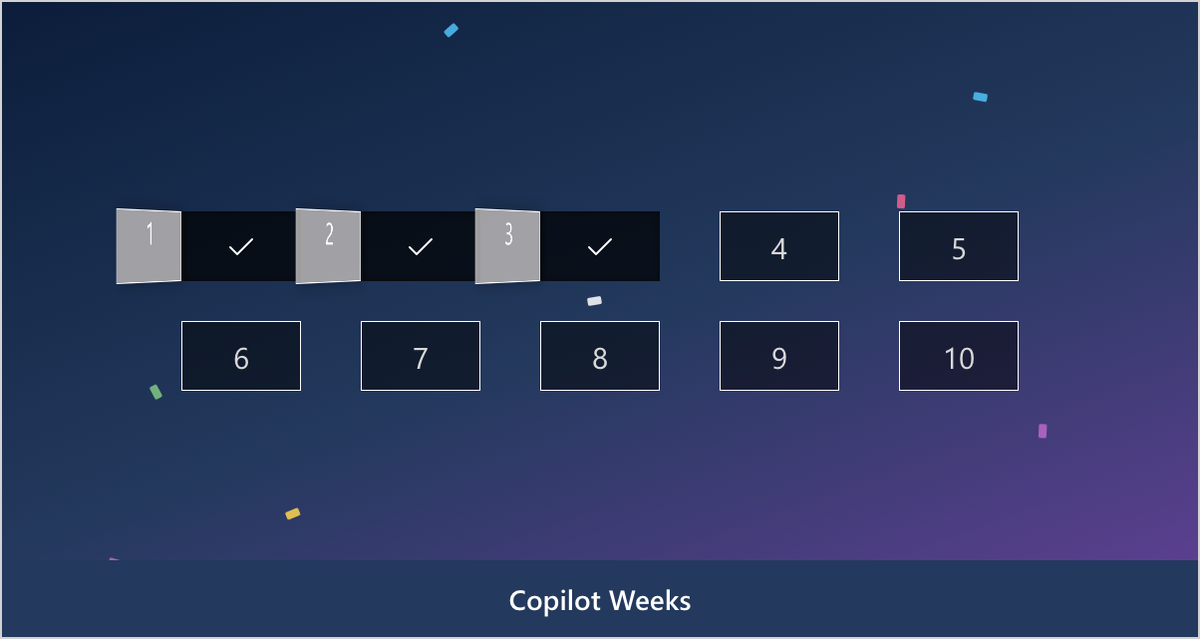
With version 1.4 our advent calendar for SharePoint and Microsoft Teams gets a new name: Smarter Engagement Calendar. In December it is still your advent calendar. For the rest of the year it opens doors for Copilot weeks, onboarding new colleagues, a security month or your company anniversary.
Here is what is new, why we changed the name – and what changes for existing customers. Short answer first: nothing you need to do.
Why “Engagement”
The idea behind the advent calendar does not only work in Advent. One door a day with a short tip, a quiz or a survey behind it keeps a topic in the conversation for weeks, instead of being forgotten after a single all-staff email.
That is exactly what employee engagement is about: people should take part, not just read along. The old name only fitted one month of the year. The new one fits all twelve. That is why, from version 1.4, the product has the same name in English and German: Smarter Engagement Calendar.
Pick an occasion, the wizard does the rest
Setup starts with a five-step wizard: occasion and schedule, content pack, participants, look and prize draw, review. Nothing is created on the site until the very last click, so you can try things out safely.
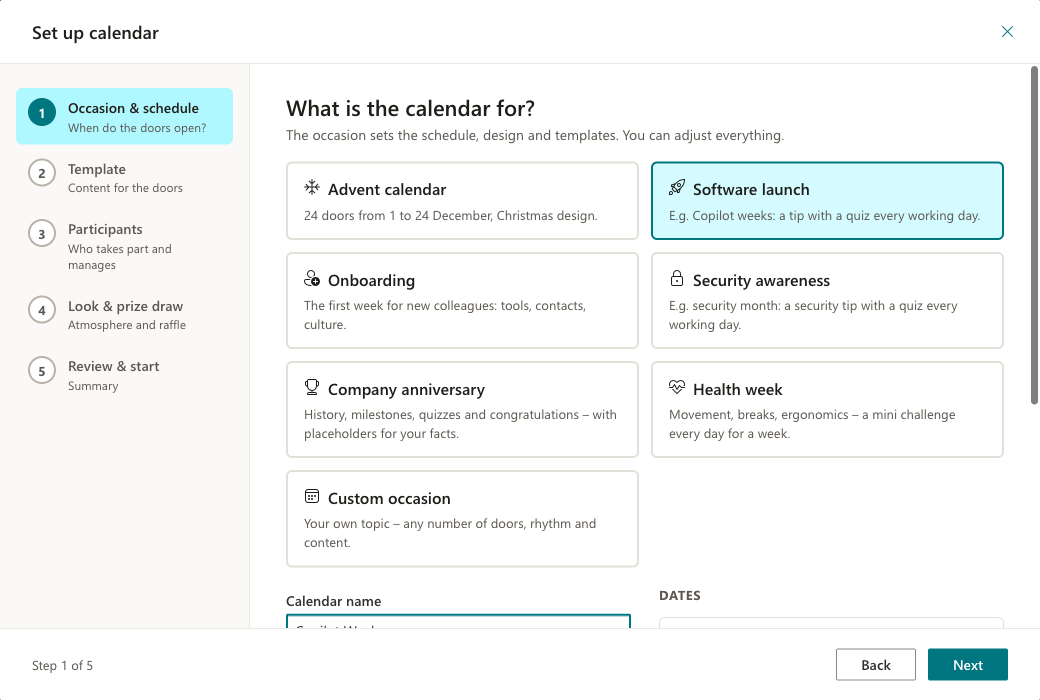
You can choose advent calendar, software launch, onboarding, security awareness, company anniversary, health week or a custom occasion. The occasion suggests schedule, design and content. The schedule is new and flexible: 3 to 31 doors, daily, on working days or weekly, with a date preview for every door and a countdown to the start.
Ready-made content in four languages
An empty calendar is the biggest hurdle. So version 1.4 ships with content packs, each in English, German, French and Italian:
- Advent calendar: “Colourful mix”, “Digital Workplace” and “Culture & togetherness” with 24 doors – advent traditions appear on their day.
- Software launch: “Getting to know Copilot” and “Teams pro”.
- Onboarding: “Your first week”, with placeholders for your company details.
- Security awareness: “Security month” with 20 tips on 20 working days – from phishing and MFA fatigue to passkeys, QR code phishing and CEO fraud.
- Company anniversary and health week: “Anniversary” and “Health week”.
Every door can be edited, and every door has its own template picker. In a quiz only the correct answer can be submitted; surveys are built in the form designer.
Multilingual: one calendar for every language
Many organisations run a multilingual intranet – in Switzerland, for example, in German, French, Italian and English. Until now that meant one site per language and merging the prize draw by hand. With version 1.4, one calendar covers every language.
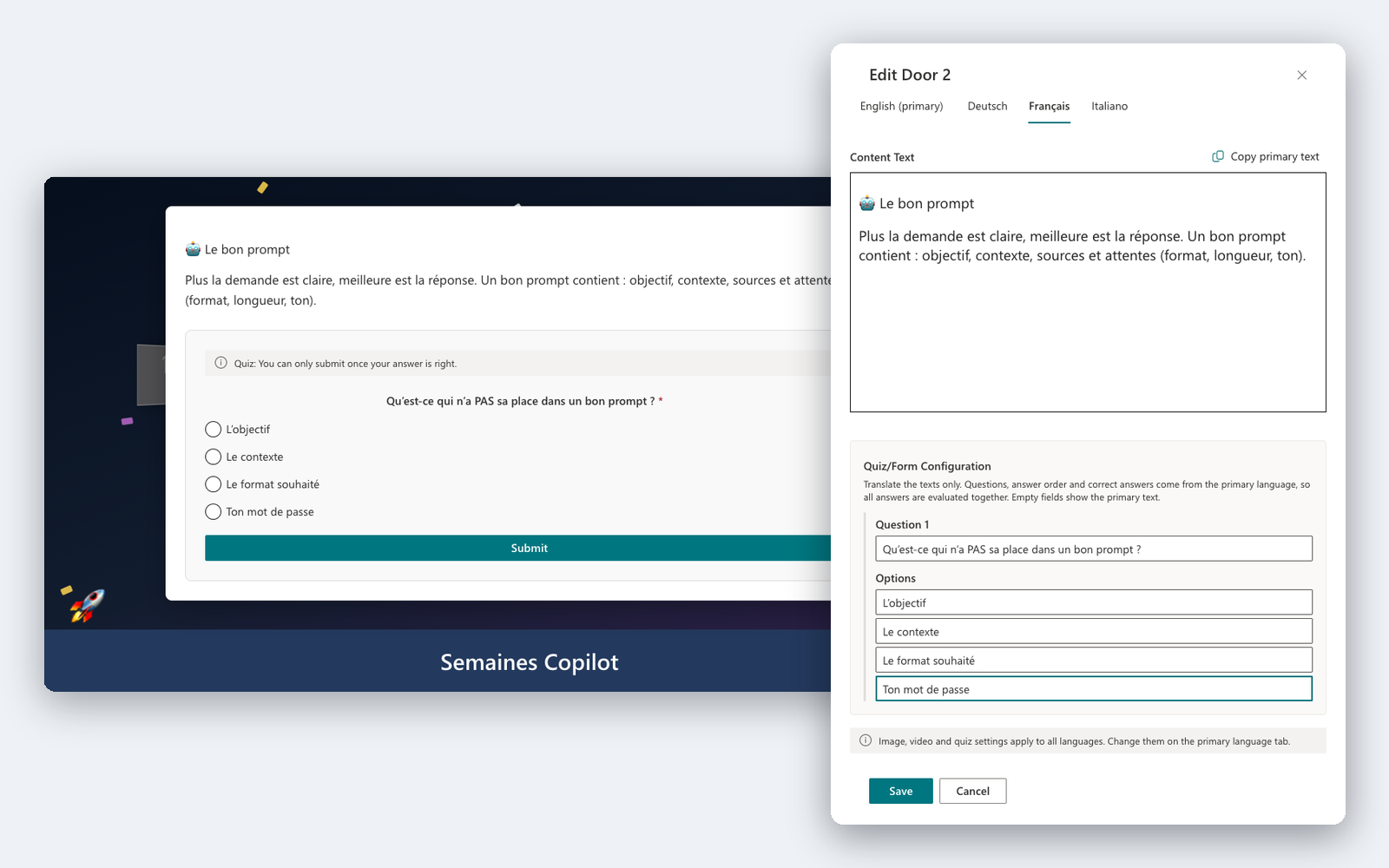
- Content per language: switch on more languages under Settings › Languages. The door editor then has a tab per language – for the text, quiz questions and answer options.
- Always the right language: employees see content and interface in their SharePoint language. Where a translation is missing, the primary language is shown.
- One prize draw, one report: answers are stored across languages. Quizzes, survey results and the prize draw count all languages together.
- Filled right away: select several languages in the wizard and all of them are filled from the templates.
To check a translation, add ?lang=fr to the page address – the calendar then shows the French content without changing your own language.
New designs, without vendor branding
Next to Christmas with snow, a light rope and Santa, there is now Neutral in your site’s colours, plus Launch, Celebration and Summer. Your own background image is still possible. None of the designs carries our logo – the calendar belongs to your company, not to us.
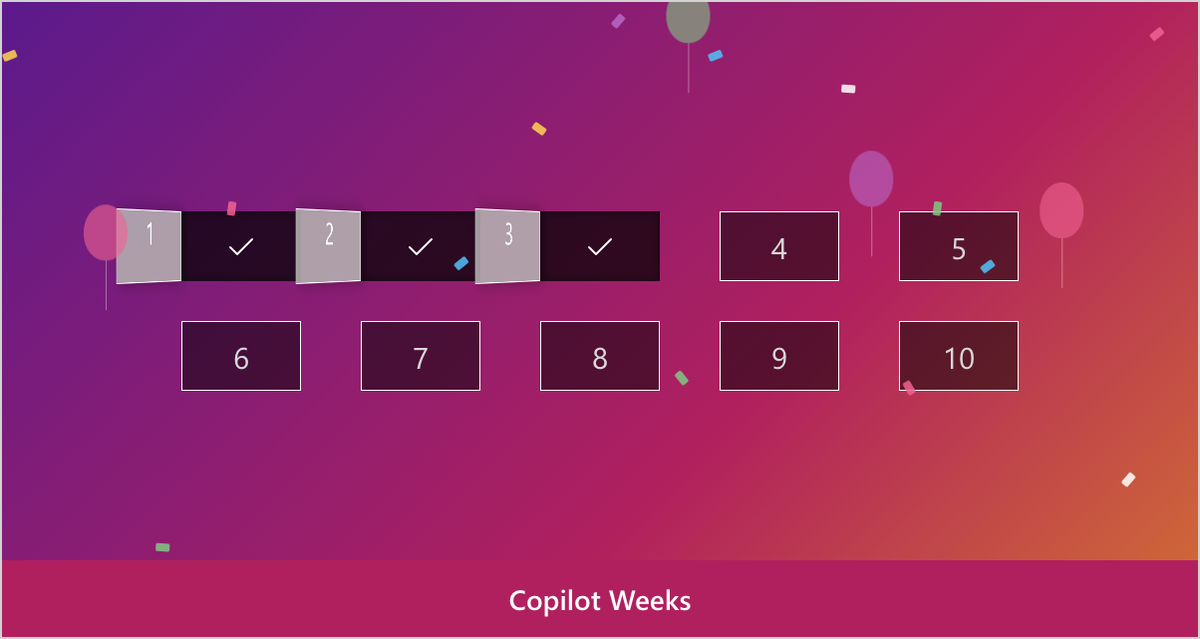
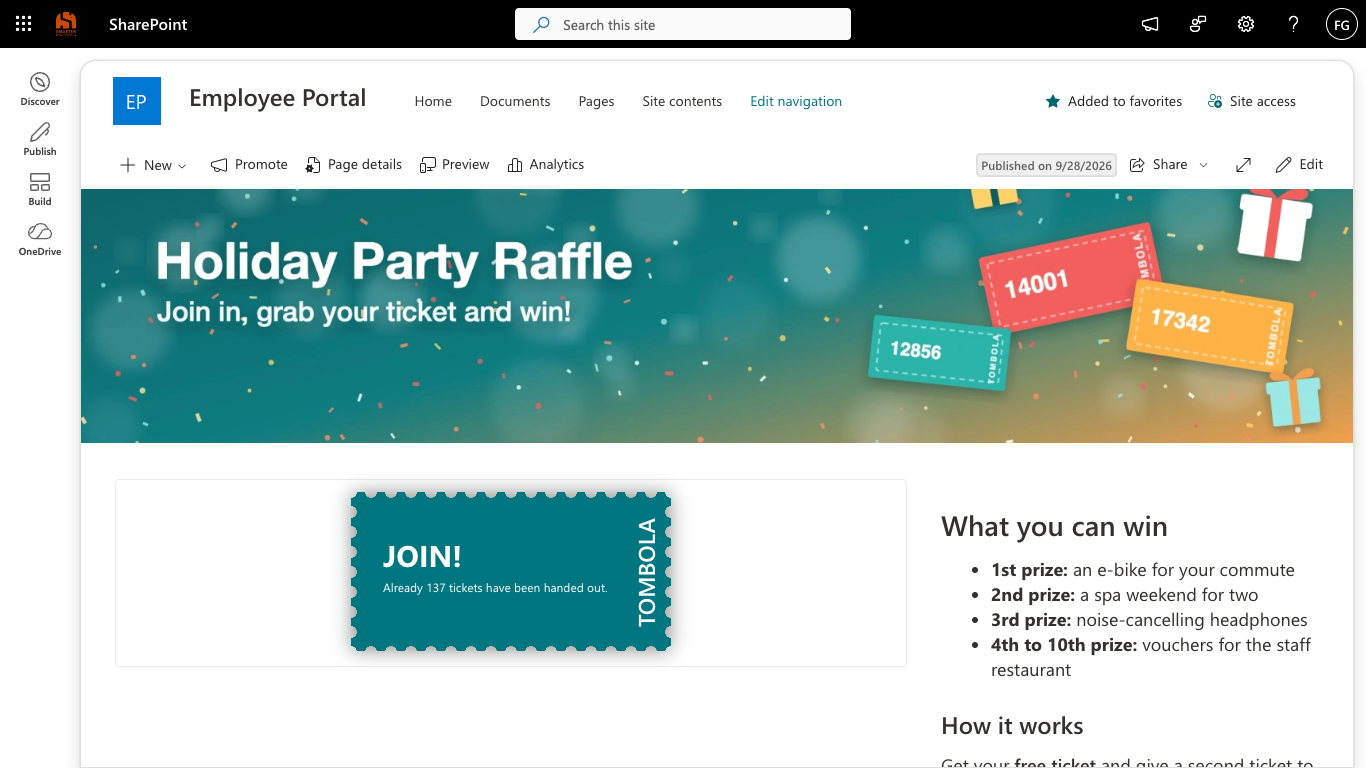
The prize draw adapts: in the Christmas design Santa draws the winners as before, in all other designs a raffle drum spins. The rules stay fair and configurable – one ticket per person and door, nobody wins twice.
Several campaigns a year on the same page
Also new: a campaign now has an end. In the Campaign tab you save participations and winners as CSV and then use “Start a new campaign” to begin the next one – on the same page. Lists and permissions stay, and so can the door content if you like. That way Copilot weeks run in May and the advent calendar in December, without anyone setting up a new page.
Reports that show more
The report shows participation per door with its date, the participation rate based on the doors opened so far and the survey results. Everything can be exported as CSV. So you can see which topics land while the campaign is still running.
Managers also get an admin bar with a launch checklist and a “Preview as employee” button. Employees never see licence or vendor notes.
Simpler licensing
The packages with different feature sets are gone. After the 14-day trial with all features there are two licences, and both include everything:
- a Site licence for one site (site collection),
- a Tenant licence for all sites and teams of your organisation.
You buy as before on Microsoft AppSource, where you see the prices in your currency.
Existing customers: it simply keeps running
If you already use Smarter Advent Calendar, there is nothing to do. The update to 1.4 arrives through the app catalog like any other. Content, participations and the SharePoint lists are kept, and your calendar keeps running as before. The new occasions, designs and campaign management are simply available on top. You find the app in the same place on Microsoft Marketplace as before.
Data is still stored in three SharePoint lists on your site. Participants only see their own entries, and the app does not need any Microsoft Graph permissions.
Read more
- Smarter Engagement Calendar at a glance – occasions, features and licensing.
- Getting started – from the setup wizard to your next campaign.
You can try the calendar via Microsoft Marketplace: 14 days with all features. And if you are missing an occasion, let us know.
- Smarter Engagement Calendar
- Smarter Advent Calendar
- SharePoint
- Microsoft Teams
- Update
- Employee Engagement
- Microsoft Marketplace