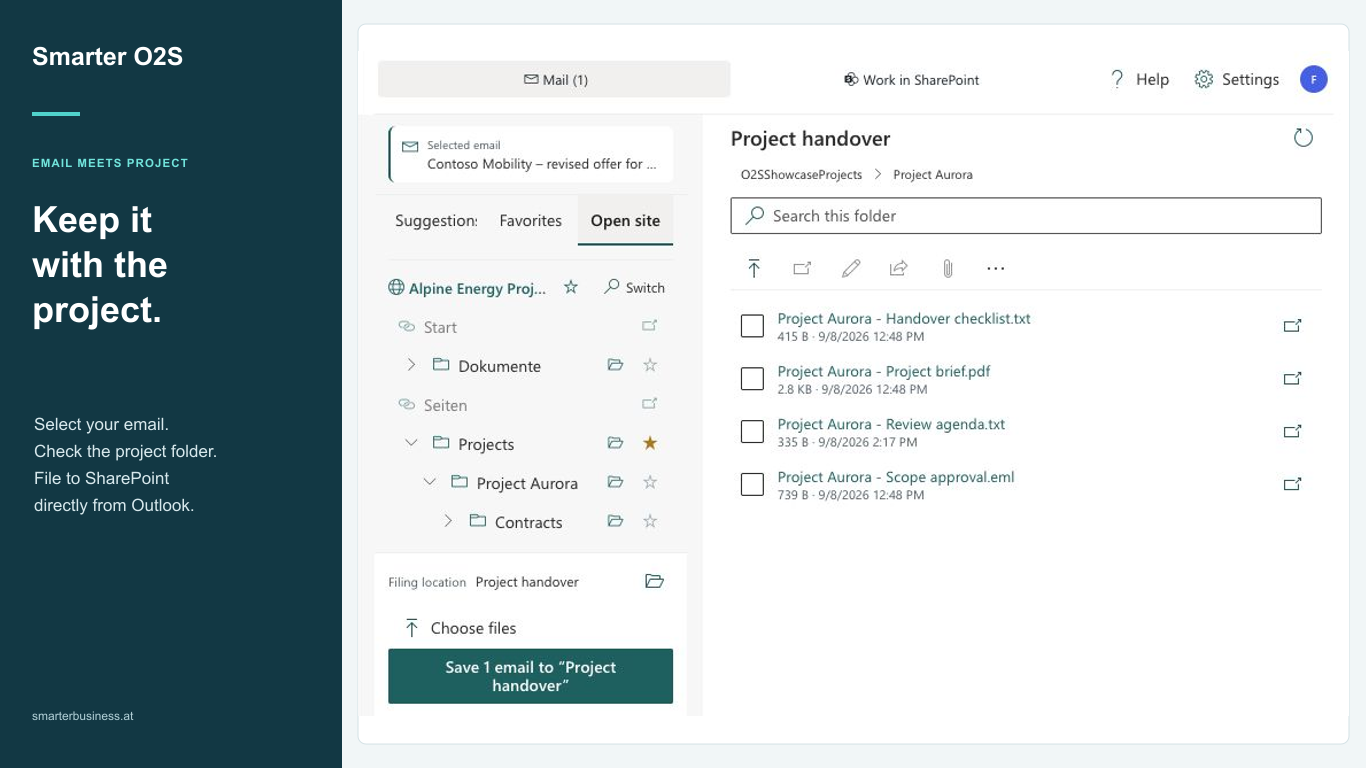
Let’s be honest – who hasn’t forgotten their SharePoint login or a cryptic SharePoint URL at some point? Whether you work in Office 365 or on your corporate network, those addresses rarely stick.
Imagine keeping your essential SharePoint pages and projects available inside Outlook so you only sign in once. That’s exactly what Office 2 SharePoint does.
Pin SharePoint links directly in Outlook
With Office 2 SharePoint (O2S) – your Outlook add-in – you pin any SharePoint URL permanently to the Outlook navigation via drag & drop or copy & paste. One click is all it takes:
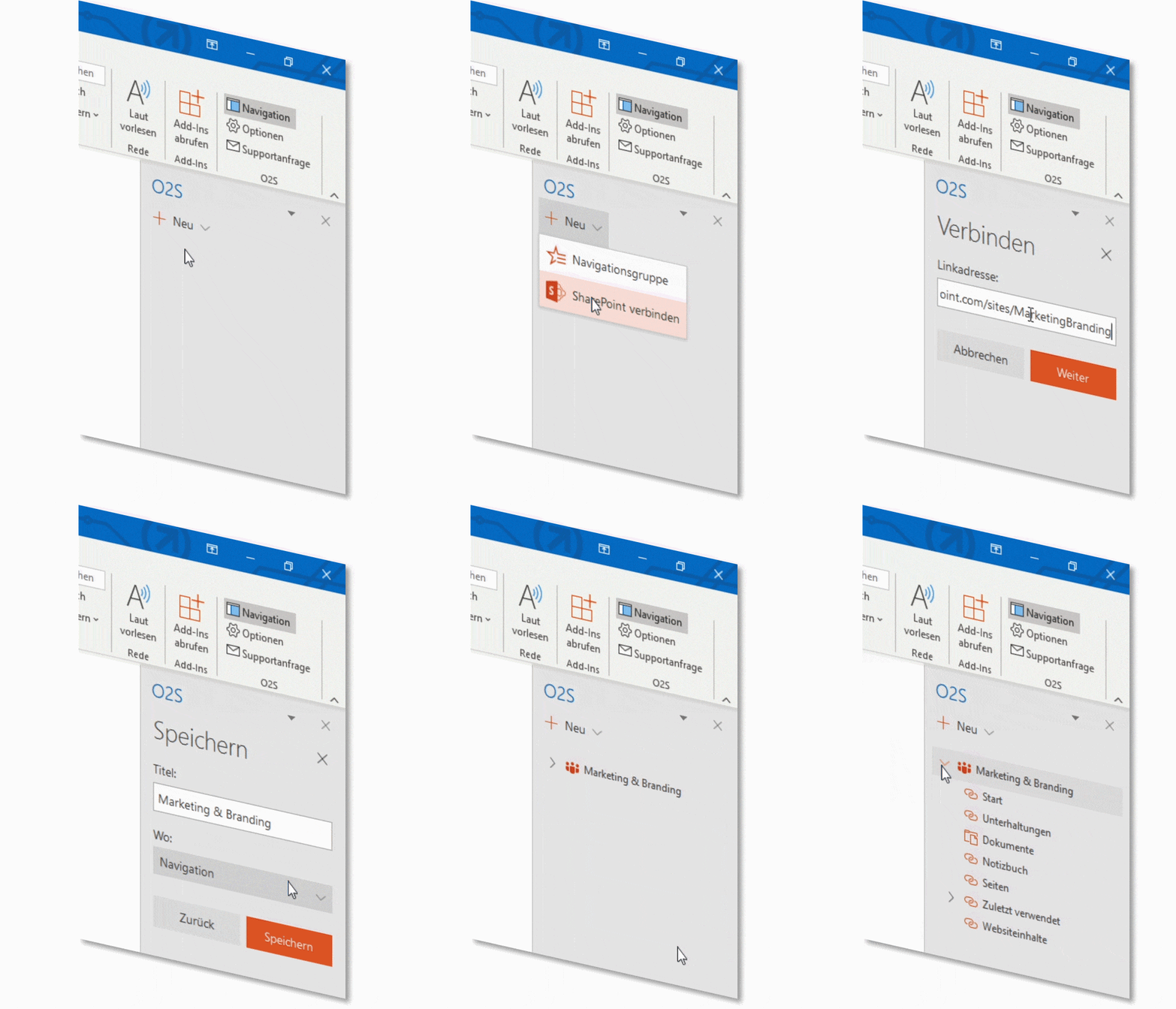
SharePoint sites, Microsoft Teams workspaces, and OneDrive areas stay at your fingertips in Outlook while single sign-on logs you in automatically. No more retyping credentials or switching to a browser:
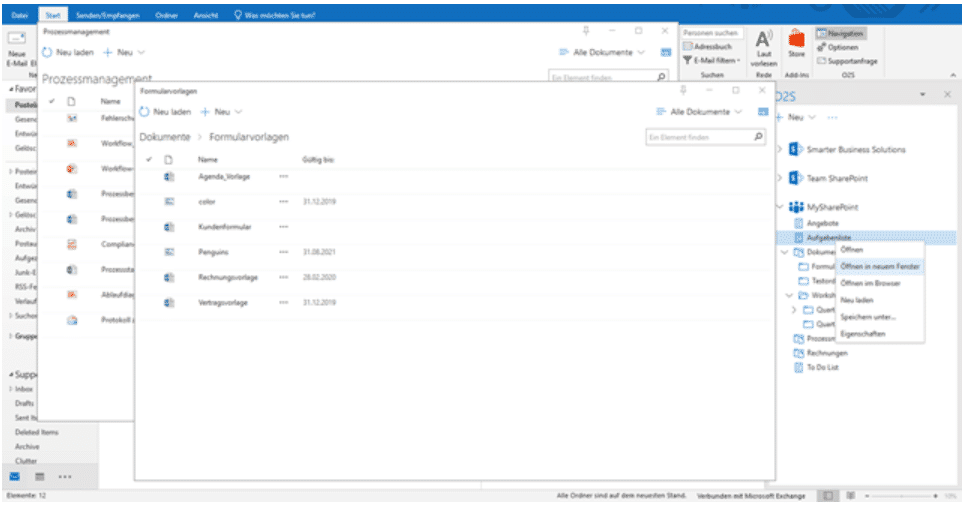
Open one or many lists and document libraries directly in the Outlook workspace and keep working without context switching.
Personalize navigation and store your logins
Design a navigation that mirrors the way you work and group, for example, everything related to accounting from multiple SharePoint sites:
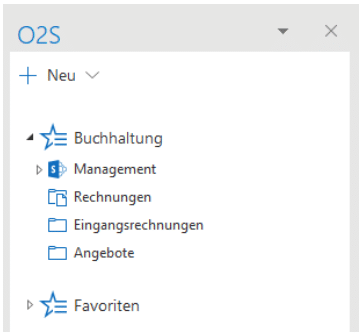
If you constantly use the “Offers” folder buried deep in your SharePoint structure, simply move it to your favorites. And if a project code such as “P110014” doesn’t mean anything to you, rename it to something meaningful right inside the navigation.
Bonus features plus a free demo
Extras such as uploading emails or attachments via drag & drop come standard. Visit the Office 2 SharePoint product page to learn about the available trial options.
We make sure you fall in love with SharePoint – your Smarter Business Team.
P.S. Office 2 SharePoint can do far more: explore the product page, our blog, or the documentation for more details and leave a comment if you have questions.
- Permissions
- Microsoft Teams
- Navigation
- O365
- OneDrive
- Outlook add-in
- SharePoint