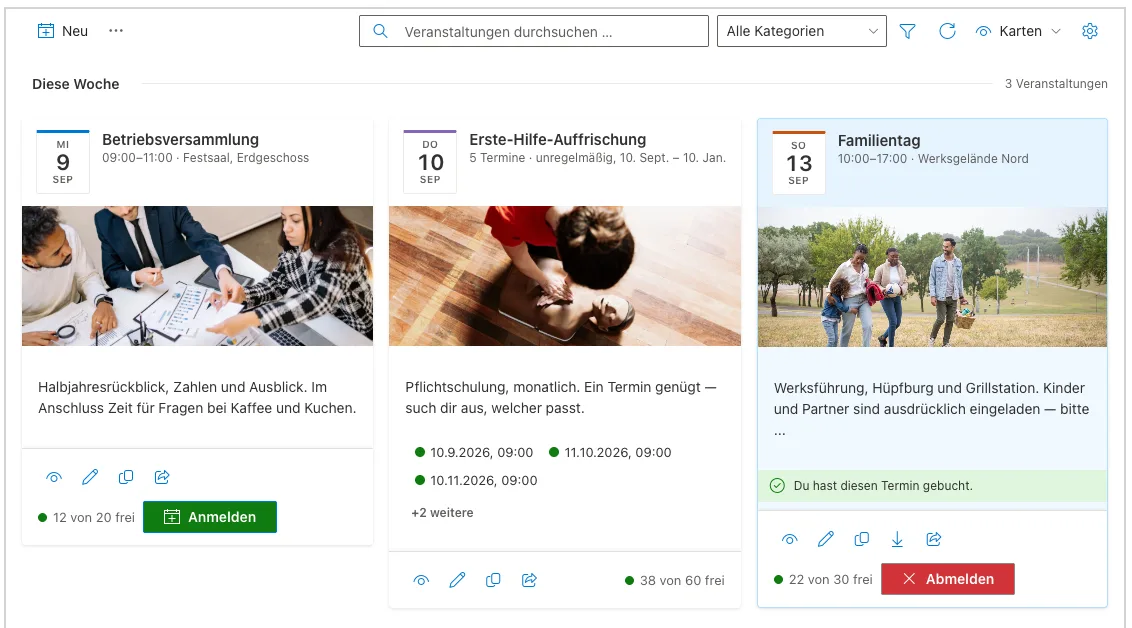
Already using Smarter Event Booking to manage events in your organisation? If some events require extra details from attendees during registration, this enhancement is for you.
Additional registration details when booking a slot
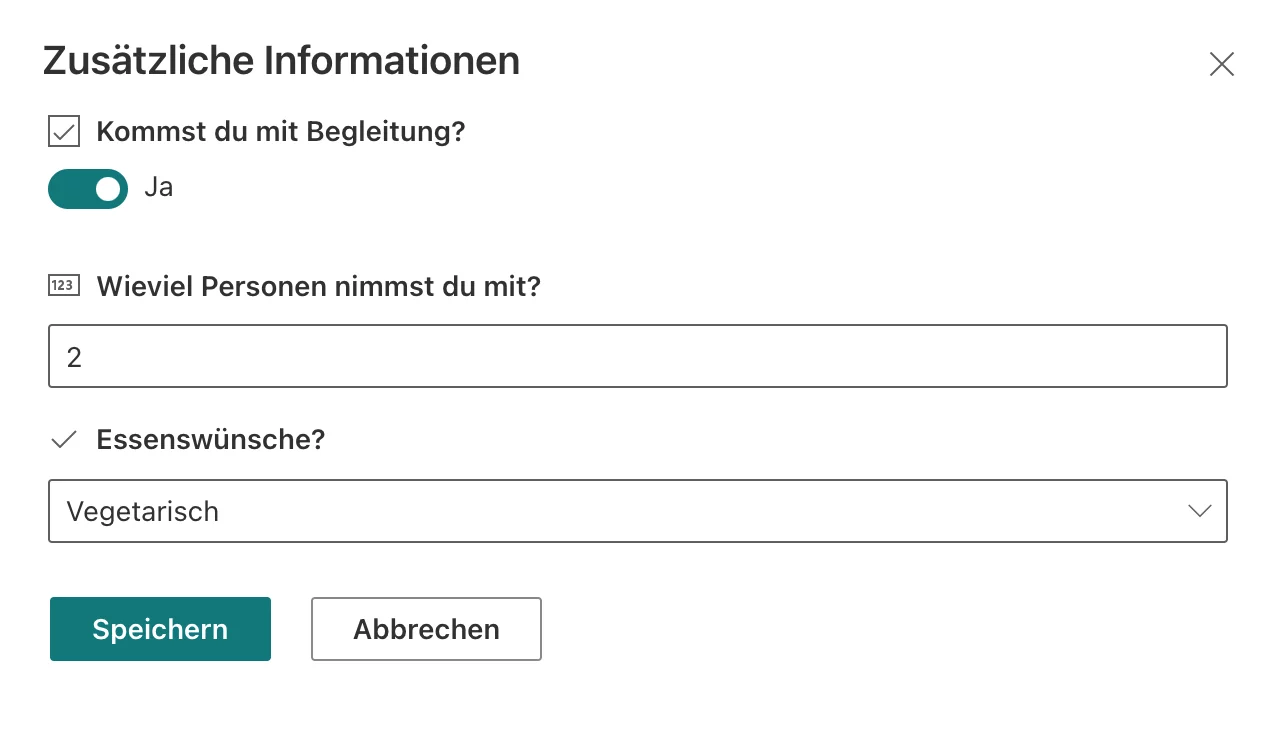
With our latest update to Smarter Event Booking, you can request and store additional registration details when a user books a slot. For example, ahead of a business dinner it’s useful to know whether someone brings a companion and which meal preference they have (e.g. regular, vegetarian, vegan). After a user selects a slot, a panel opens to collect these details.
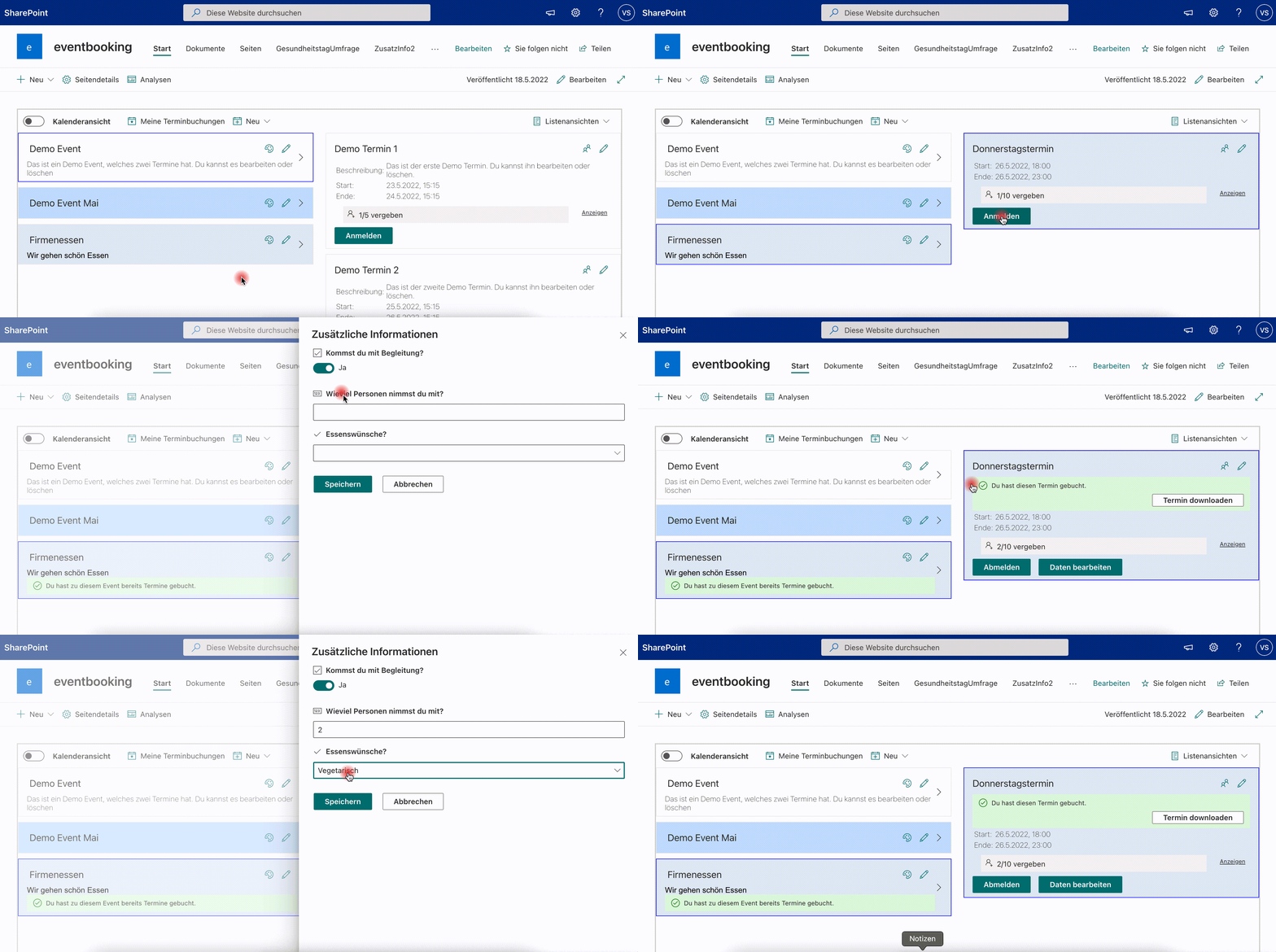
The data is saved in a SharePoint list and can be edited by the attendee at any time. If a user cancels their booking, the related registration entry is removed as well.
Creating the list for registration details
If you want to collect additional information for a given event, create a dedicated SharePoint list. Start with an empty list and add one column per question or piece of information you need (e.g. companion, meal preference, How many people will you bring?).
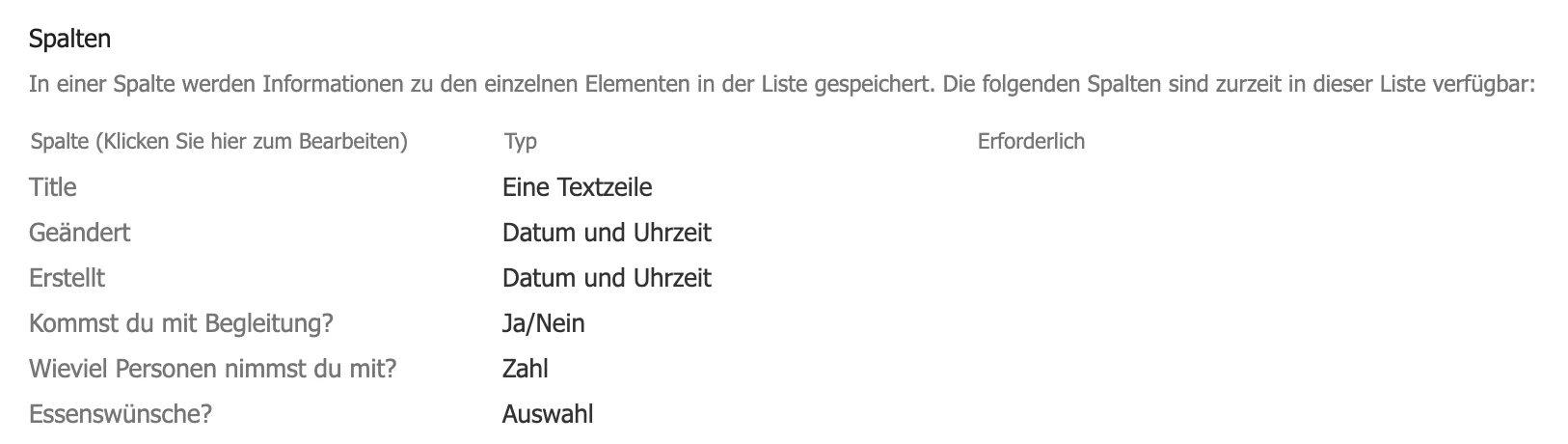
Please ensure the list permissions allow the “Everyone” group to create and edit items, so all users can submit and update their details.
We store the event title in the list’s Title field. Users don’t need to fill this in, so set it to “Not required” in the list settings and hide it from the form.
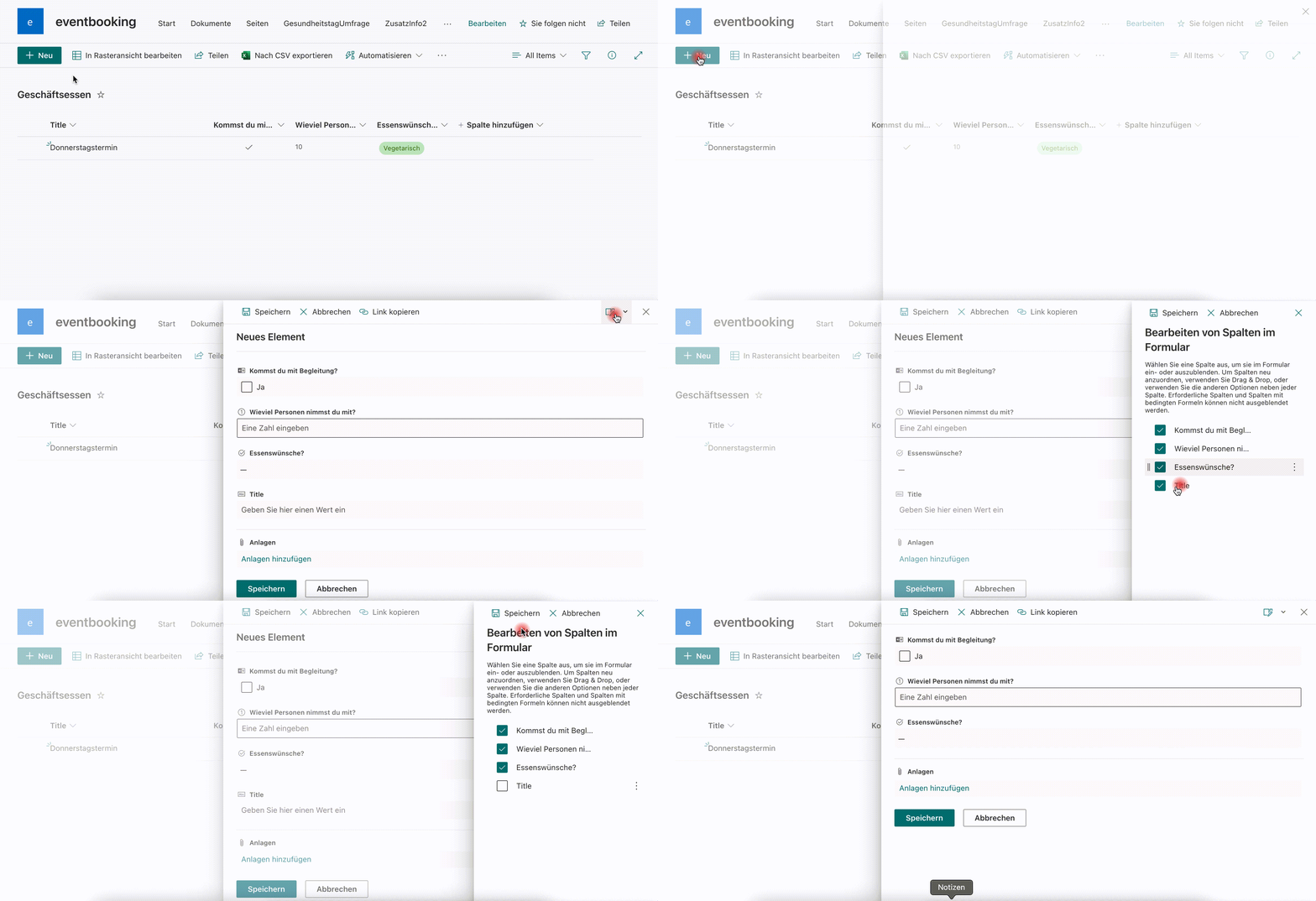
Now reference this list in the event by entering its title in the new “List name for registration details” field. When a user books a slot for this event, the panel opens and prompts them to enter their information.
Technical implementation
Once a list is linked to an event, we request the additional registration details when a user signs up for a slot. This is implemented using the PnP SPFx React Controls Dynamic Form. The Dynamic Form accepts a list ID and an optional list item ID: if only the list ID is provided, saving creates a new item; if a list item ID is supplied, saving updates that item. This lets users edit their registration details later.
- JavaScript
- SharePoint
- Smarter Event Booking
- SPFx
- User adoption
- Event management