Skip to content

Goodbye 2022 — Our Heartfelt Thank You to You All!

As 2022 comes to a close, we thank our customers and partners for an exciting year — and celebrate Smarter Event Booking’s SharePoint Store milestone with you.

Another eventful year is racing to a close. We’d like to say a big THANK YOU to our customers and partners for an exciting and successful 2022!

Smarter Event Booking — Most-Used SharePoint Store App, October 2022

With our app Smarter Event Booking, you get an interactive events calendar for your organization with powerful features for SharePoint and Microsoft 365.

We’re especially proud that this year Smarter Event Booking ranked among the most used apps in the SharePoint Store in October. It builds on the success of our Smarter Advent Calendar app, which was already one of the most used SharePoint apps in December the year before. A big THANK YOU for your trust — none of this would be possible without you!

Outlook for 2023

We’re excited to see what the new year brings. One thing is certain: we’re ready for new challenges and will keep giving our best. Here’s to a fantastic 2023!
Smarter Advent Calendar

Related articles

Smarter Event Booking 1.5.0: Outlook invitations, day
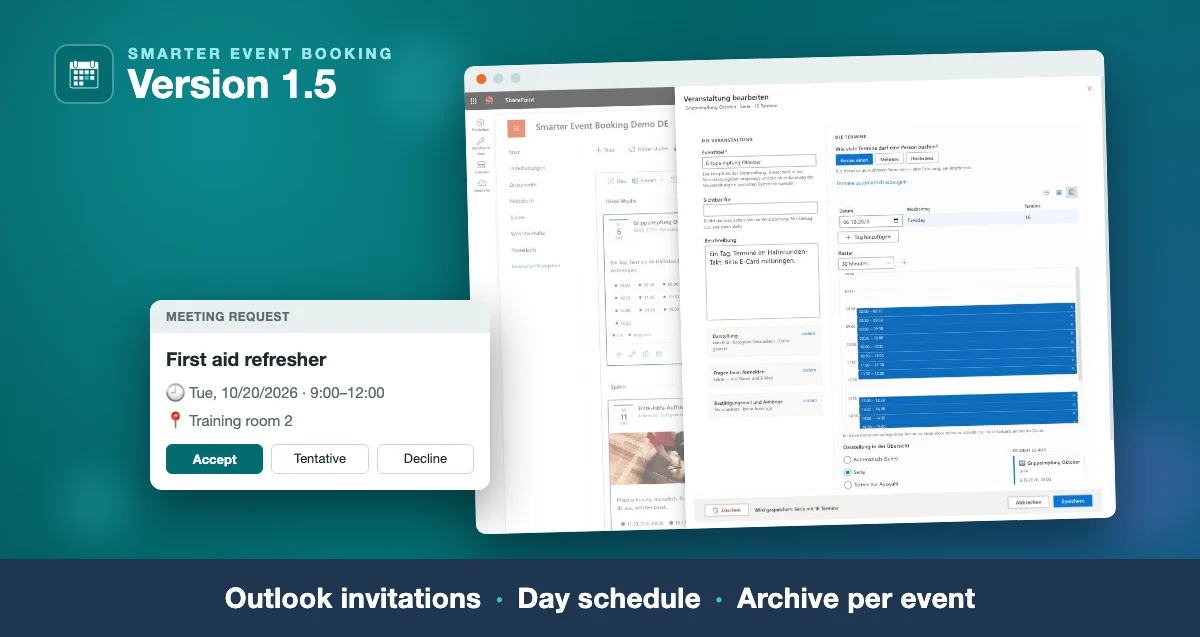
Smarter Event Booking 1.5: the day schedule in the edit form and an Outlook meeting request, captioned “Outlook invitations · Day schedule · Archive per event”

Smarter Event Booking 1.5.0: Outlook invitations, day schedule, archive

The new version: the confirmation as a real Outlook invitation, time slots edited in a table and a day schedule, and one message to all attendees of an event.

Read more
Smarter Event Booking 1.4.0: series, time slots,
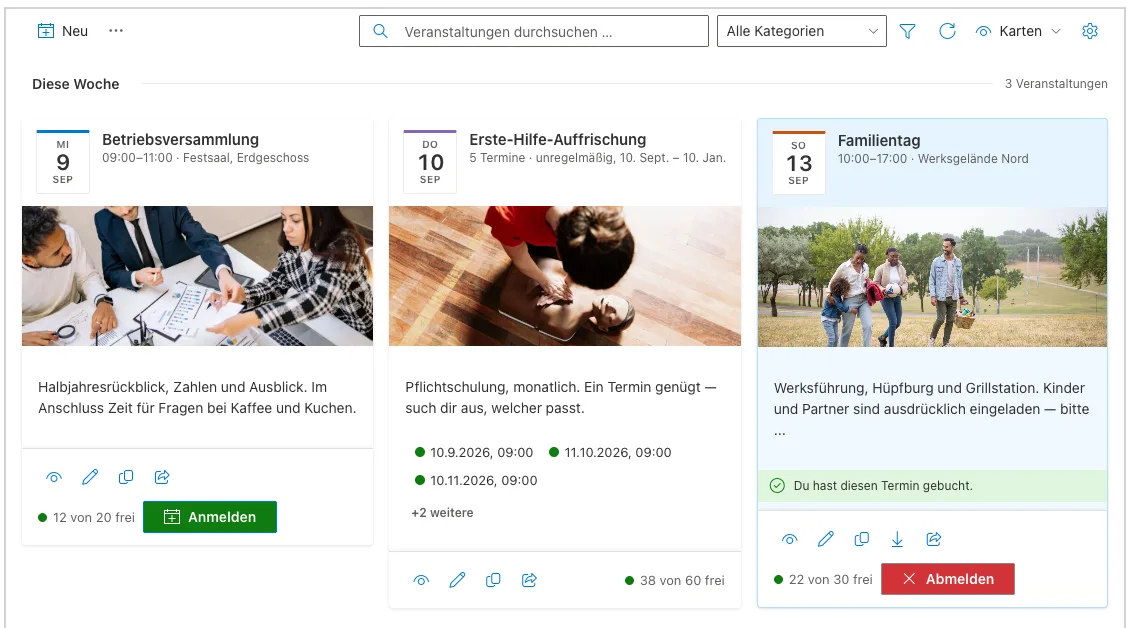
Card view of Smarter Event Booking showing event images, a date badge and seat availability

Smarter Event Booking 1.4.0: series, time slots, carousel

The new version on Microsoft Marketplace: one form for every kind of date, time slots for vaccination days, a waiting list and a card row for your home page.

Read more
Buying Licenses in AppSource – How to Manage App

Buying Licenses in AppSource – How to Manage App Licenses

This guide explains how buying licenses in Microsoft AppSource works and how to manage your subscription in the Microsoft 365 admin center, with practical tips.

Read more

Questions about this topic?

We are happy to help you put this into practice in your environment.