Companies host many types of events—from skills workshops and training days to team excursions. Health days are especially valuable: they help employees assess factors that influence physical and mental wellbeing and highlight potential risk areas. With Smarter Event Booking, planning is straightforward and employees can register with a single click.
Register for corporate health programmes
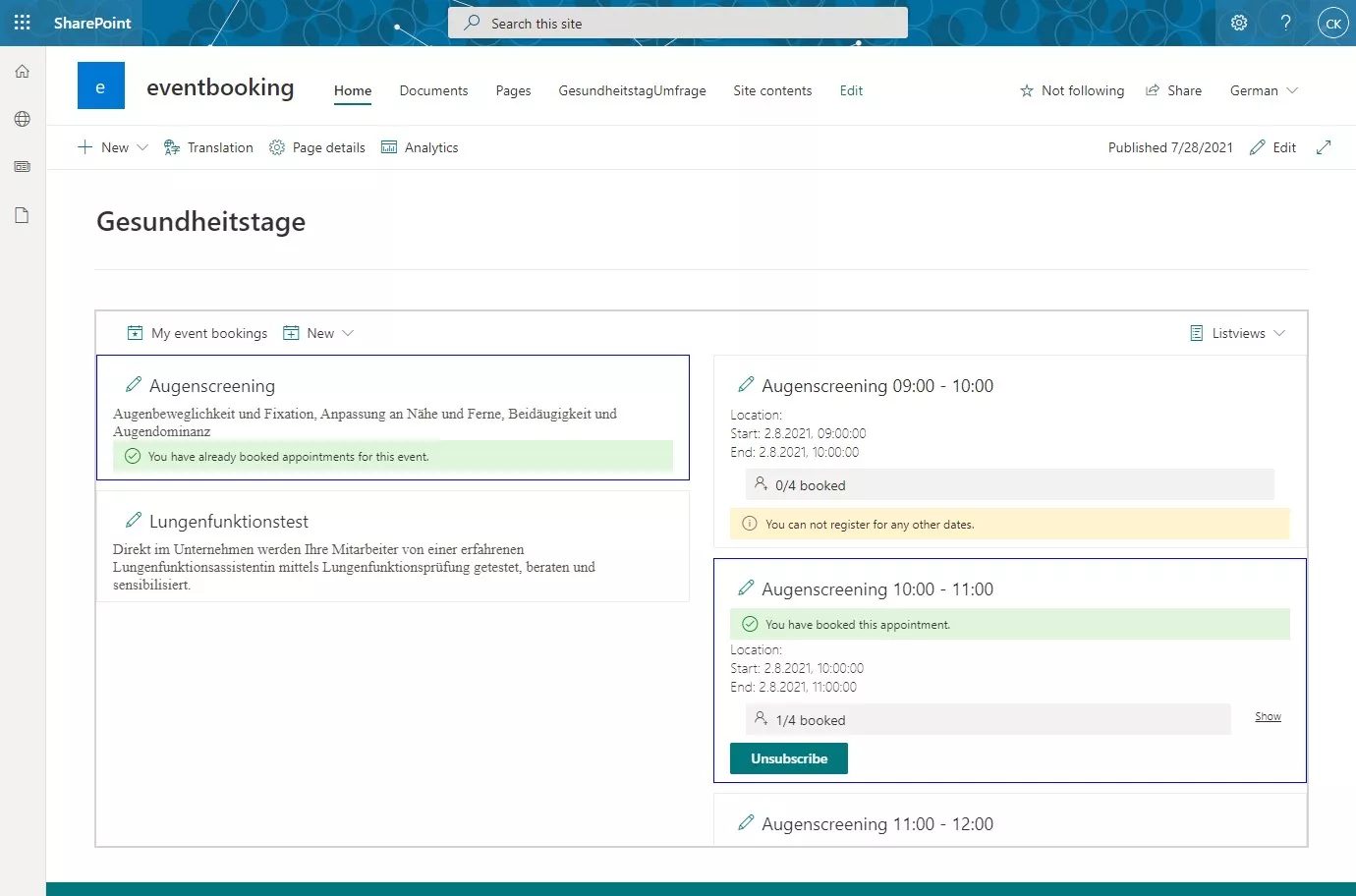
Imagine you want to organise health screenings in your company, manage them in SharePoint, allow anonymous sign-ups, and prevent double bookings for the same time slot.
Smarter Event Booking covers the complete process. Create the event with its time slots, publish it in your SharePoint intranet, and let employees choose a suitable appointment. The chaos of email sign-ups disappears, while your corporate health programme stays easy to manage.
Why Smarter Event Booking helps
- Decide whether names of registered users remain visible or whether time slots simply show as occupied.
- Send a personalised confirmation email after registration.
- Prevent double bookings and overbooked sessions automatically.
- Activate a waiting list that moves people up as soon as a slot becomes available.
- Corporate health
- Microsoft 365
- SharePoint
- Smarter Event Booking
- Event management