This article shows how the new SharePoint feedback workflow is embedded in our document management system (DMS), an extension of our document management system for SharePoint documents.
Why a Structured Feedback Workflow Matters
A transparent feedback process makes every revision traceable, no matter how many people are involved. Teams always see which remarks are already resolved, while pending tasks stay visible even during long review cycles.
How the SharePoint Feedback Workflow Works
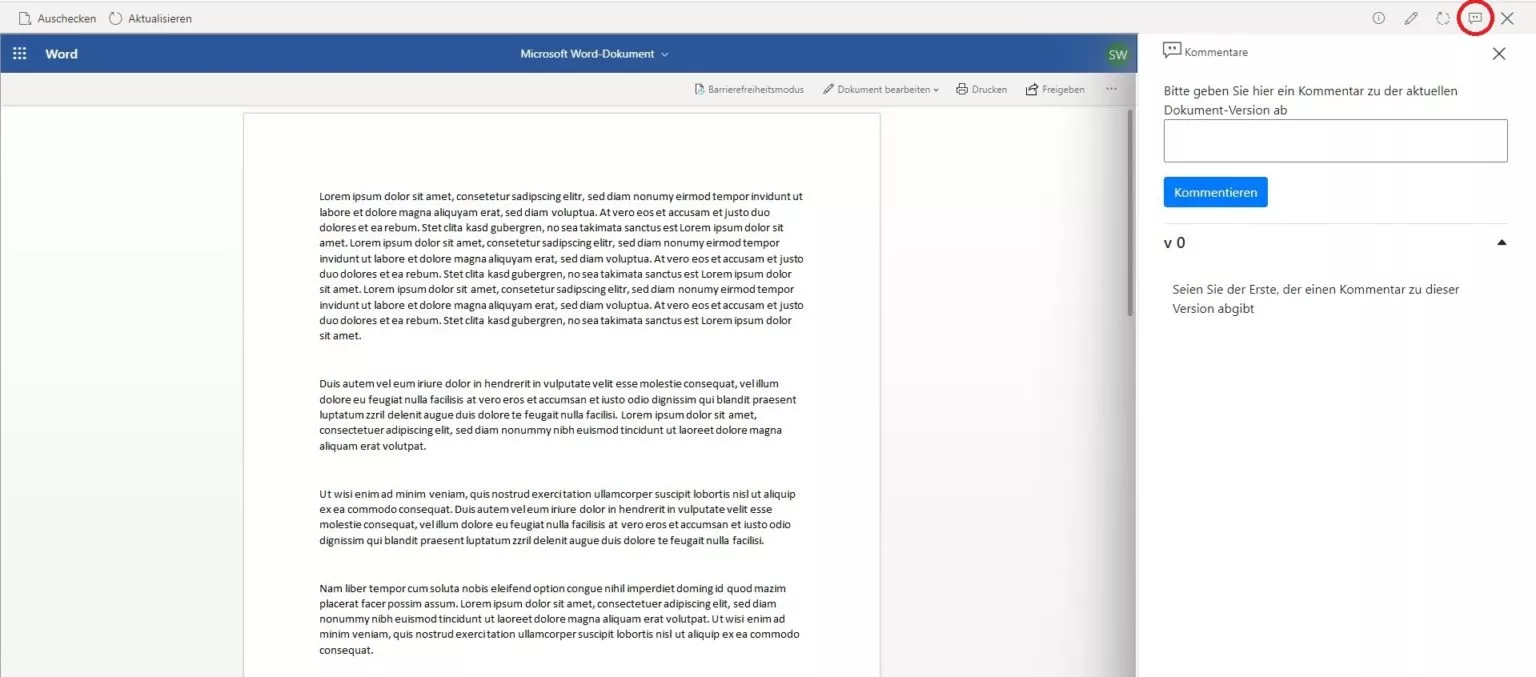
In addition to the familiar actions View information, Edit information, and View workflow, we introduced a new button called Give feedback. It lets users submit comments and review previous notes directly within the document context.
Editing Library
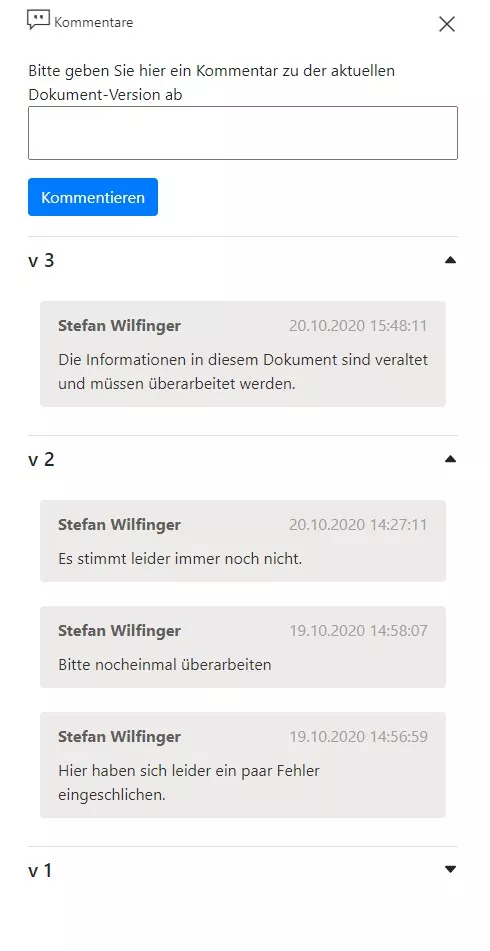
Inside the editing library we display every comment from every version and group them neatly by version number. Even extensive revision histories stay easy to scan.
Published Documents
In the Published documents view the workflow shows only the notes that belong to the currently released version, so regular readers always focus on the approved information.
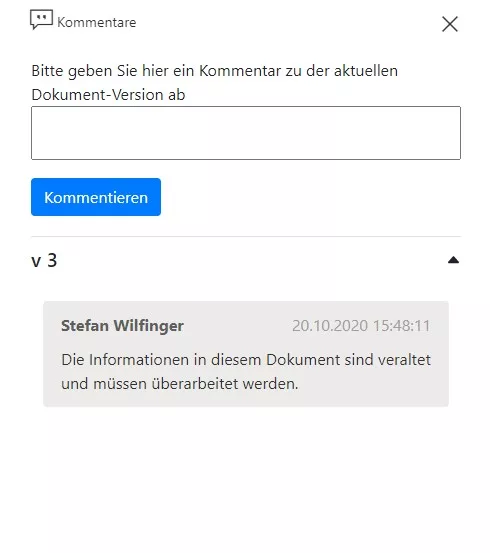
Editors can still access the full history, while readers only see the latest release.
Managing Comments Centrally
All feedback is stored in a dedicated SharePoint list. Any user with DMS access can add new comments from any view, and administrators can review, edit, or remove entries whenever required.
Learn More and Contact Us
For additional insights, read our article on the search functionality for the SharePoint document management application.
Have more questions about our SharePoint feedback workflow? Leave us a comment or reach out directly.
- Document management
- SharePoint