
Skip to content

Blog

Knowledge from real projects

Practical articles on SharePoint, Microsoft 365, Teams and SPFx – based on more than 20 years of project experience. Page 4.

Upload Files to SharePoint via Drag-and-Drop in
SharePoint Solutions & Products

Upload Files to SharePoint via Drag-and-Drop in Navigation

Upload files to your SharePoint libraries and folders directly from Smarter Navigation using simple drag-and-drop, without opening each library first. Easily.

Read more
OneDrive sync of multiple SharePoint libraries
SharePoint Solutions & Products

OneDrive sync of multiple SharePoint libraries

Sync multiple SharePoint document libraries with OneDrive directly from Smarter Navigation. Select several libraries at once and trigger one streamlined sync.

Read more
SharePoint navigation: customizable icons and colors
SharePoint Solutions & Products

SharePoint navigation: customizable icons and colors

Smarter Navigation now lets you set custom icons and colors per item, control visibility, and decide if links are clickable or open in a new tab in SharePoint.

Read more
New SPFx Web Part for a SharePoint Vacation Calendar
SharePoint Solutions & Products

New SPFx Web Part for a SharePoint Vacation Calendar

SPFx web part to request and manage vacations and sick leave in SharePoint, with calendar view, inline editing, and approvals.

Read more
Automate Incoming Invoices with Power Automate

Automate Incoming Invoices with Power Automate

Learn how Power Automate and AI Builder capture, validate, and archive incoming invoices with guided flows, AI‑powered field extraction, and SharePoint storage.

Read more
Goodbye 2022 — Our Heartfelt Thank You to You All!

Goodbye 2022 — Our Heartfelt Thank You to You All!

As 2022 comes to a close, we thank our customers and partners for an exciting year — and celebrate Smarter Event Booking’s SharePoint Store milestone with you.

Read more
Collect Additional Event Registration Details at
SharePoint Lösungen & Produkte

Collect Additional Event Registration Details at Sign‑Up

Collect extra registration details at booking — companions, dietary needs, headcount — and store them in SharePoint so attendees can edit information later.

Read more
Microsoft Planner: How to Easily Track Your Time in

Microsoft Planner: How to Easily Track Your Time in Tasks

Track time on Microsoft Planner tasks with a Power App that auto-fills task details, speeds up entry, and improves reporting, so you can focus on work.

Read more
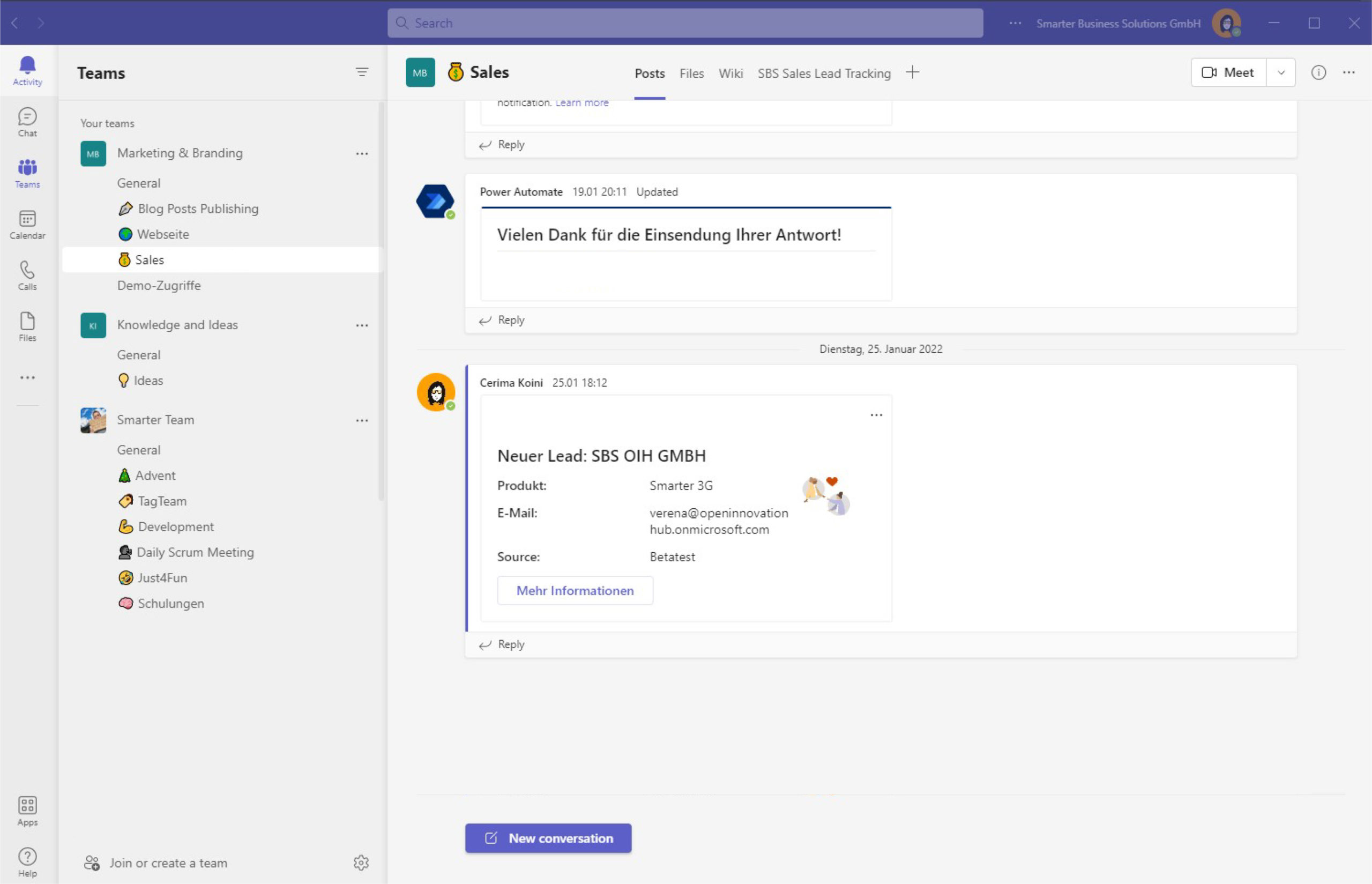
Notify your team about new leads for CRM automation
Office365 SharePoint Blog

Notify your team about new leads for CRM automation

Notify your team about new leads using Adaptive Cards, deep links and list conversations in Microsoft Teams—automated with Power Automate for faster follow-ups.

Read more

Page 4 of 14

Questions about one of the topics?

We are happy to help with implementation – from a quick assessment to a complete project.