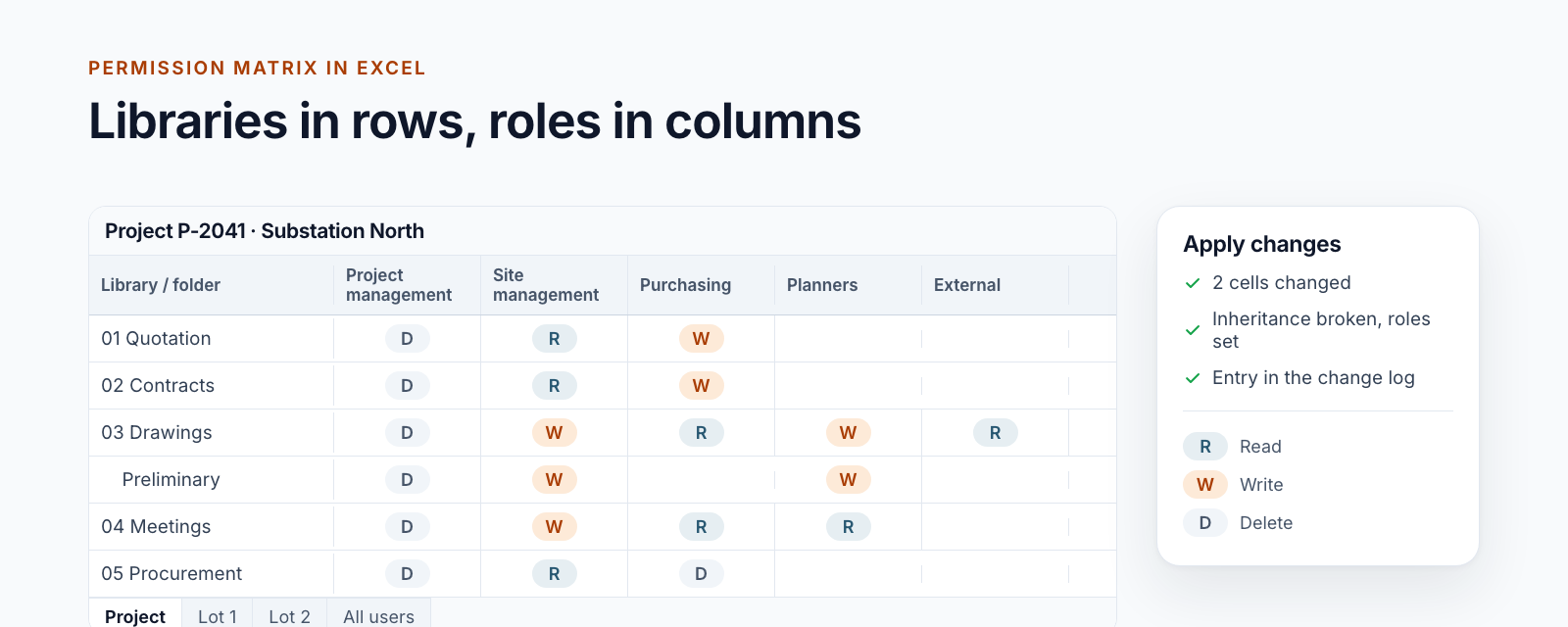
Update 2026: This post describes an early stage of our Excel add-in from 2020/21. Today, the permission matrix in Excel is a building block of the project portals. How it works for complex permission structures is described in the post Managing SharePoint permissions in Excel: the permission matrix of a project workspace.
We already covered how our Excel add-in “Management 4 SharePoint” visualizes permissions in the article SharePoint permissions simplified: represent and manage them. Once we had to mirror large project structures with many list and folder permissions, however, the add-in kept running into timeouts. Here’s what caused the issue and how we fixed it.
Causes of the timeout issue
We originally stored every list, folder, and role permission inside a flat list in our Redux state. Each Permission object tracked the ID of the list or folder (itemId), the role ID (groupId), and the permission value (value).
Data model inside Redux
export interface IPermission {
  id: string;
  value: PermissionType;
  itemId: string;
  groupId: string;
}
We relied on a NormalizedObject structure where byId held all permission entities and allIds listed their IDs.
const initialState: INormalizedObject<IPermission> = {
  byId: {},
  allIds: [],
};
Write amplification costs
Whenever we saved new permissions, we built a brand-new state object before replacing the old one:
function reduceAddPermissions(
  state: INormalizedObject<IPermission>,
  action: IAddPermissionsAction
): INormalizedObject<IPermission> {
  const newPermissions: { [id: string]: IPermission } = {};
  const newPermissionIds: string[] = [];

  action.payload.forEach(permission => {
    newPermissions[permission.id] = permission;
    newPermissionIds.push(permission.id);
  });

  return {
    byId: {
      ...state.byId,
      ...newPermissions,
    },
    allIds: [...state.allIds, ...newPermissionIds],
  };
}
Once the state held roughly 6,000 permissions, the constant cloning caused timeouts. Reading data was equally expensive because every lookup filtered the entire collection:
const allPermissions: IPermission[] = Object.values(
  (state.entities.permissions as INormalizedObject<IPermission>).byId
);

const permission = allPermissions.find(
  entry => entry.itemId === list.id && entry.groupId === group.id
);
Solution for many list and folder permissions
To eliminate timeouts we restructured the storage layer and introduced a permission matrix. Instead of flat objects we now keep an array of integer arrays. Every list or folder gets its own row, and each row stores the permission values for every role:
- 1 = Read
- 2 = Write
- 3 = Read + Write
- 4 = Delete
- 5 = Read + Delete
- 6 = Write + Delete
- 7 = Read + Write + Delete

The matrix lets us retrieve permissions via indexed access, so no additional filtering is required.
export function getPermission(
  list: IList,
  groupIndex: number,
  permissionMatrix: number[][],
  appState: AppState
): number {
  const globalListIndex = getGlobalListIndex(list.id, appState);
  return permissionMatrix[globalListIndex][groupIndex];
}
We only have to compute the position of the requested list once, and the matrix instantly returns the value for the requested group. This architecture not only unlocked large SharePoint project structures, it also made the entire permission management experience in our Excel add-in significantly faster.
Have questions about the add-in? We’re here to help.