One of our customers runs large construction projects with several thousand external partners in SharePoint. Documents frequently stayed checked out because required fields were missing or users missed the small green icon. If you do not work in SharePoint every day, that indicator is easy to overlook. Microsoft summarizes the most common causes in this support article.
Why Documents Remain Checked Out
The project team wanted proactive reminders so everyone
- knows that there are checked-out documents, and
- can immediately check them in again to keep the information available to colleagues.
How We Notify Users Automatically
Our answer is a lightweight PowerShell script that runs via the Windows Task Scheduler and follows the same routine every day.
Step 1: Scan the Platform
The script searches the entire SharePoint environment for checked-out documents at a fixed time every day.
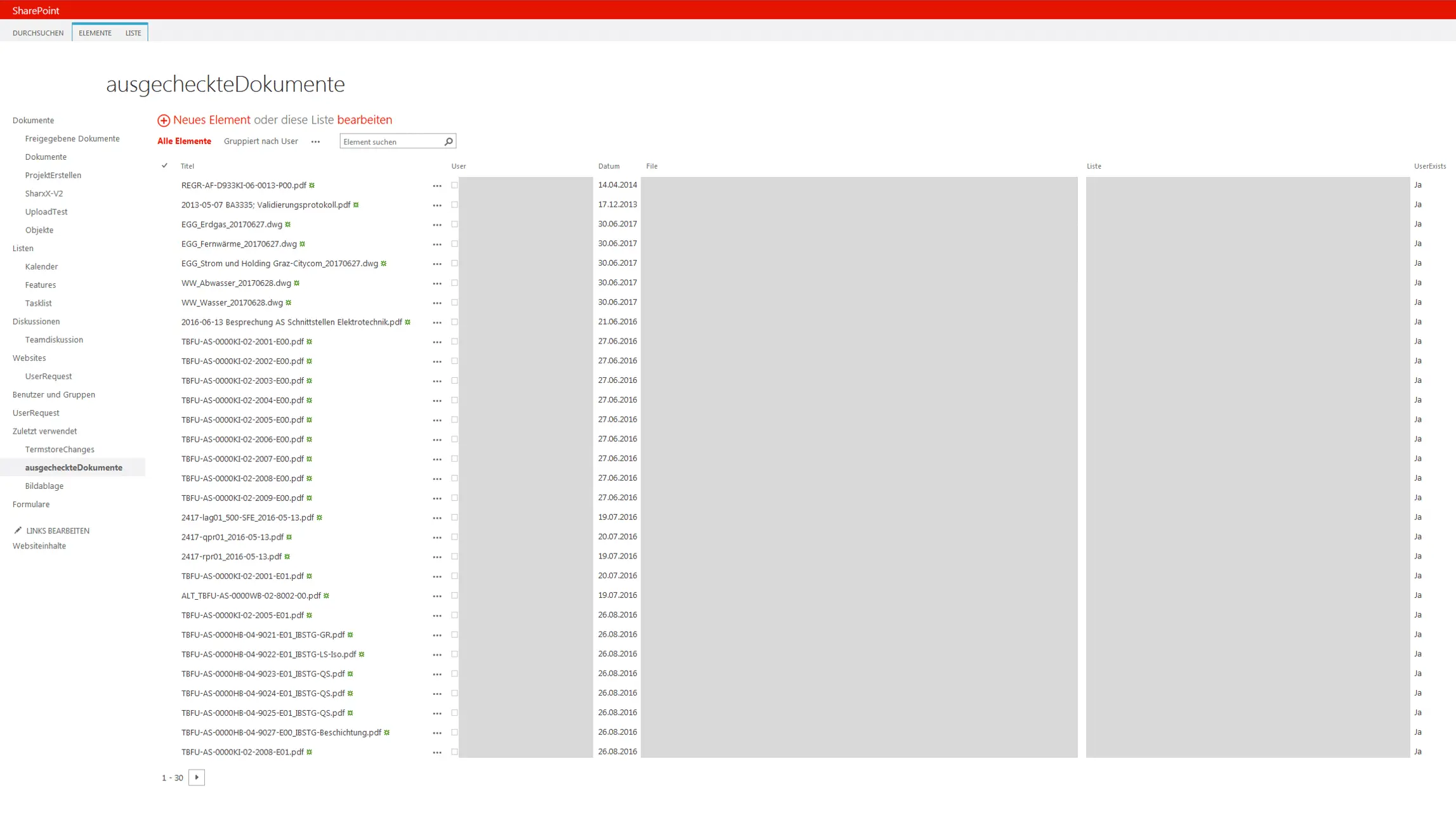
Step 2: Store the Results Centrally
Each finding is written to a SharePoint list that shows who checked out the document, which library it belongs to, and to which project it is assigned.
Step 3: Send Personal Reminders
Based on that list we generate an email for every user that summarizes all checked-out files across SharePoint, across all projects, and links directly to the relevant items.
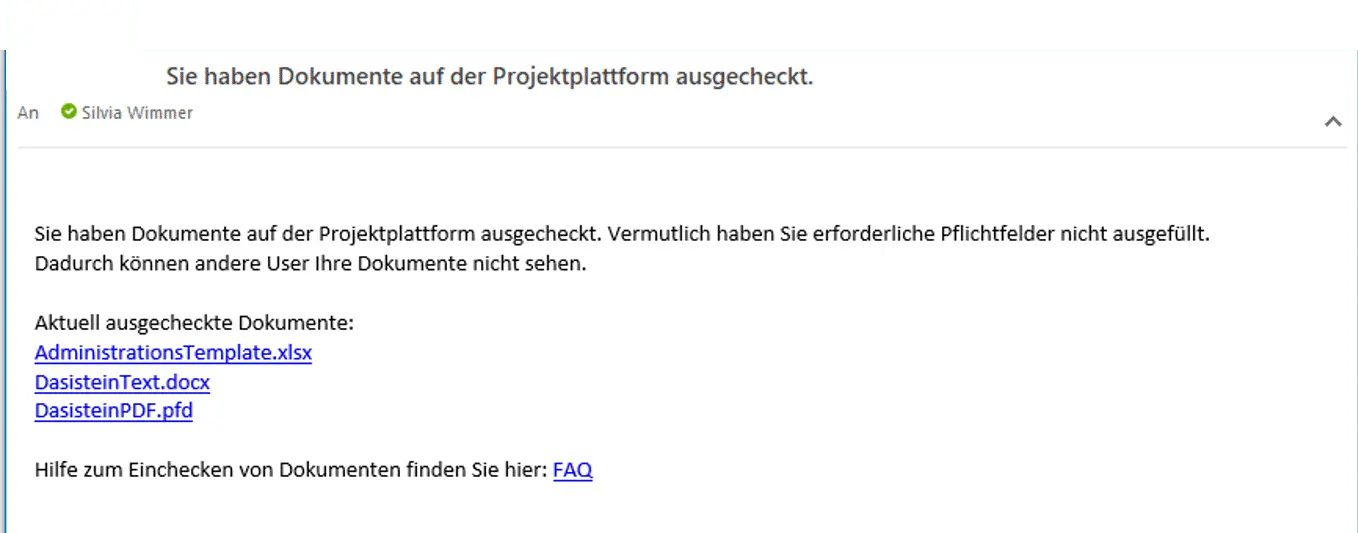
Recipients see which metadata is missing immediately and can check in the document without hunting for it. The information becomes available again for the entire team.
Additional Safeguards for Administrators
We also verify whether the document owner still exists. If not, the project administrator is notified to check in the file and reassign ownership, so no workflow gets stuck indefinitely.
Never Leave SharePoint Files Checked Out Again
Looking for a similar automation or want to reuse our approach? Leave us a comment or send us an email. We are happy to help your users fall in love with SharePoint.
Learn more about our SharePoint development on our SharePoint SPFx Development page.