We’ve already introduced our Smarter Navigation in earlier blog posts. We’ve now extended it so the navigation also works on SharePoint Online communication sites. You can also create a navigation for wiki pages and link them to each other to build a clear hierarchy. In this post, we’ll give you a closer look at the latest improvements to our Smarter Navigation.
Smarter Navigation on communication sites
Until recently, our Smarter Navigation in SharePoint Online could only be used on team sites. The reason was that our application needs a container in which to render the navigation. On a team site, we use the left‑aligned vertical navigation container. On a communication site, navigation is horizontal and aligned at the top, so we couldn’t use that container. In our latest update, we inject the Smarter Navigation as its own HTML element in the DOM via JavaScript. This now makes it possible to use the navigation on both team sites and communication sites.
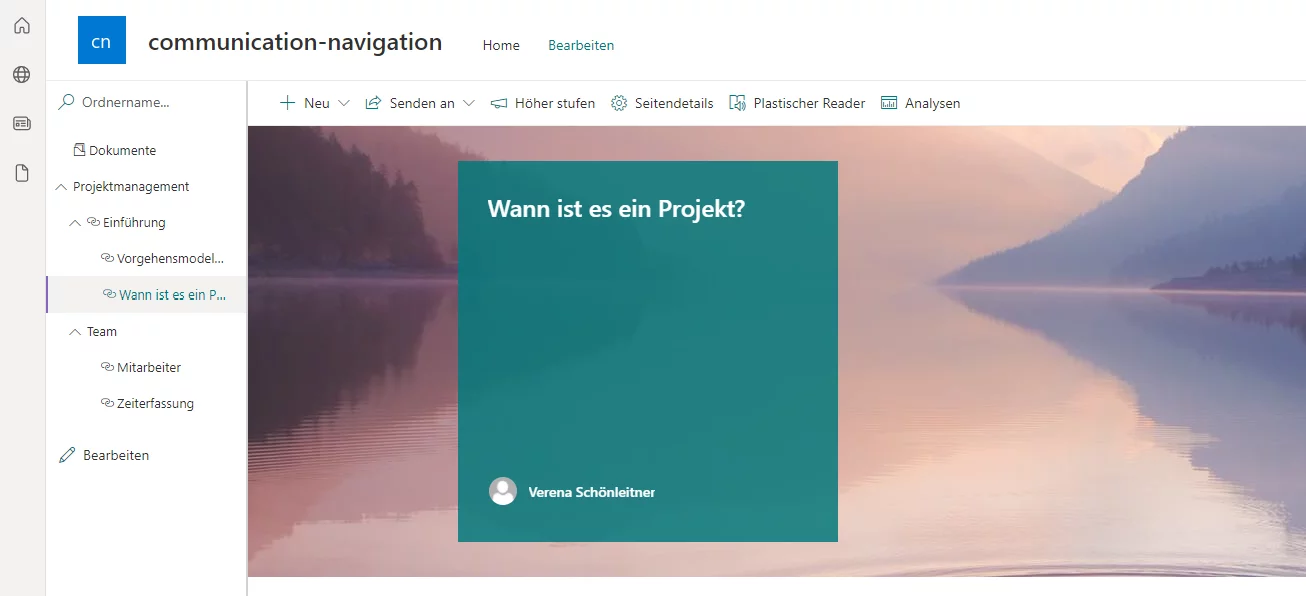
SharePoint wiki navigation — link pages to each other
With our Smarter Navigation, you can also add SharePoint wiki pages as links. An admin can create a hierarchical structure and link wiki pages to each other.
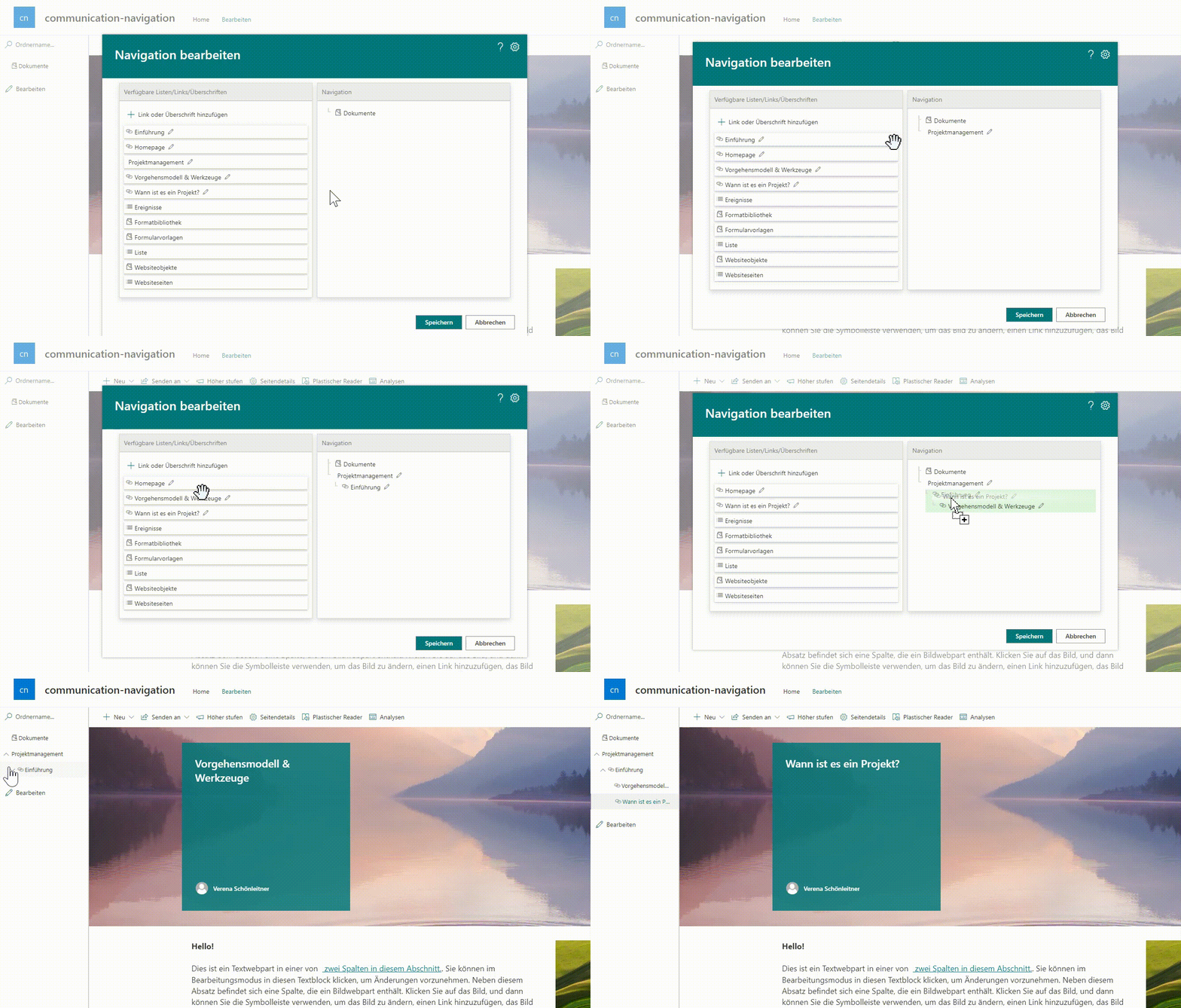
With the latest extension, the settings dialog now shows both all available lists and the available site pages. The admin no longer has to add site pages manually as links, but can pick from the available lists and pages and insert them into the navigation at the desired position via drag and drop.
- JavaScript
- SharePoint
- SharePoint Online
- Smarter Navigation
- User acceptance